Why Your Keyboard Is Hurting Your Hands (And What to Do About It)
The best ergonomic keyboard for typing depends on your needs, but here are the top options to consider in April 2026:
- Logitech ERGO K860 – Best overall; split layout, built-in wrist rest, 4.5/5 stars from 7,585 reviews
- Perixx Periboard-612B – Best budget split; 4.3/5 stars from 12,325 reviews
- Logitech Wave Keys – Best wave design; gentle curve, 4.3/5 stars from 2,840 reviews
- Razer Pro Type Ergo – Best for power users; AI features, RGB, up to 3 months battery
- Arteck Split Ergonomic Keyboard – Best value; 4.4/5 stars, 2,000+ bought last month
If you type for hours every day, your keyboard may be working against you. Standard flat keyboards force your wrists into unnatural angles — bent sideways, rotated downward, and flat when they’d rather be tilted. Over time, that adds up.
Wrist pain. Tension in your forearms. Tingling fingers. These are signs your setup isn’t working for your body.
Ergonomic keyboards are designed to fix exactly that. They use features like split layouts, curved key rows, built-in wrist rests, and adjustable tilt to bring your hands into a more natural resting position — reducing the strain that builds up over long typing sessions.
The good news: you don’t need a complex or expensive setup to feel the difference. There are solid options at every price point, from under $50 to premium models above $300.
The Science Behind an ergonomic keyboard for typing
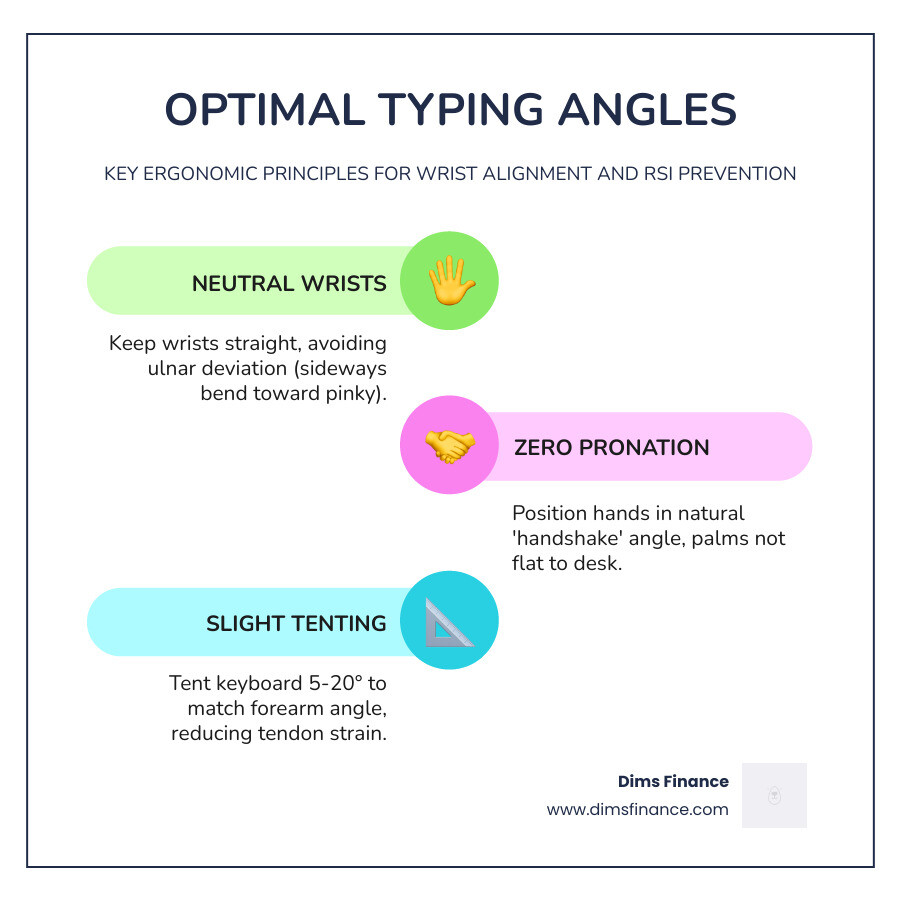
To understand why an ergonomic keyboard for typing is a game-changer, we have to look at how our bodies actually work. A standard keyboard is essentially a flat plank. To use it, you have to perform “pronation” (turning your palms flat to the floor) and often “ulnar deviation” (bending your wrists outward toward your pinky fingers).
When we stay in these positions for eight hours a day, we aren’t just “working”; we are putting our tendons and nerves under constant, low-level stress. This is the primary driver behind Repetitive Strain Injury (RSI). By switching to a design that mimics the natural “handshake” position of the arms, we can significantly lower the risk of long-term damage.
At Dims Finance, we believe that your health is your most important asset. Understanding The Science-Backed Guide to RSI Prevention is the first step toward a more sustainable career. If you’ve ever wondered Why Your Current Keyboard Is a Pain in the Wrist, the answer usually lies in these forced, static postures.

Benefits of an ergonomic keyboard for typing
The primary goal of an ergonomic keyboard for typing is to maintain a “neutral” posture. Here is how these specialized tools help:
- Reduced Ulnar Deviation: By splitting or angling the keys, these keyboards allow your hands to point straight ahead rather than “winging” outward.
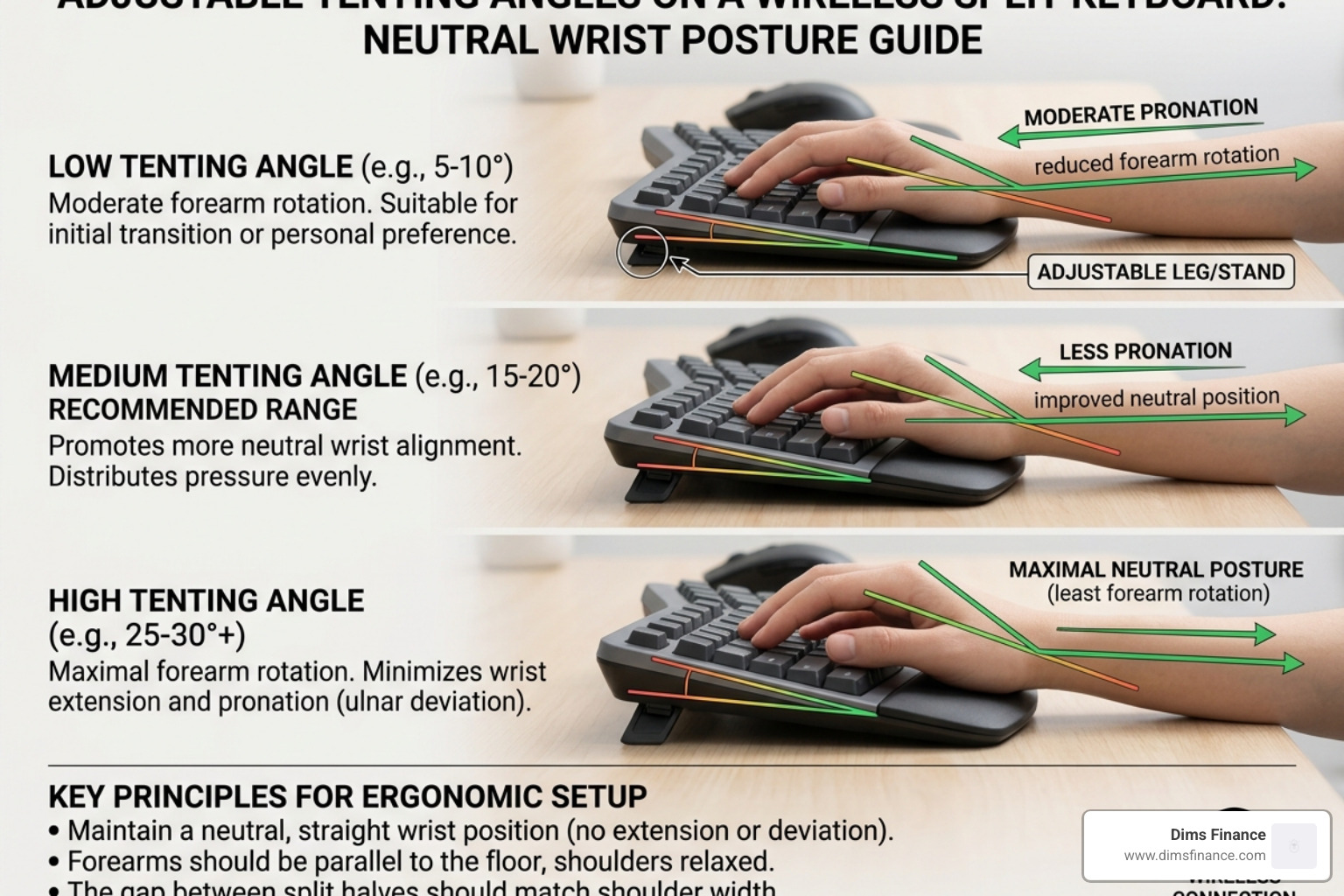
- Alleviating Hand Pronation: Many ergonomic models feature “tenting,” which raises the middle of the keyboard. This allows your hands to rest at a more natural, vertical angle, similar to how they hang at your sides.
- Lowering Muscle Strain: When your hands are supported and positioned correctly, the muscles in your forearms, shoulders, and neck don’t have to work as hard to hold you in place.
- Integrated Support: Features like pillowed wrist rests help disperse pressure, preventing the “pinching” of nerves in the wrist.
If you are already feeling the “ouch” during your workday, check out our guide on 7 Proven Solutions for Typing Without the Ouch to start feeling better today.
Essential Features for Wireless Comfort
When shopping for an ergonomic keyboard for typing in 2026, you’ll find that “wireless” is the gold standard. But not all wireless keyboards are created equal. You need to look for features that specifically address the “Z-axis”—the height and tilt of your hands.
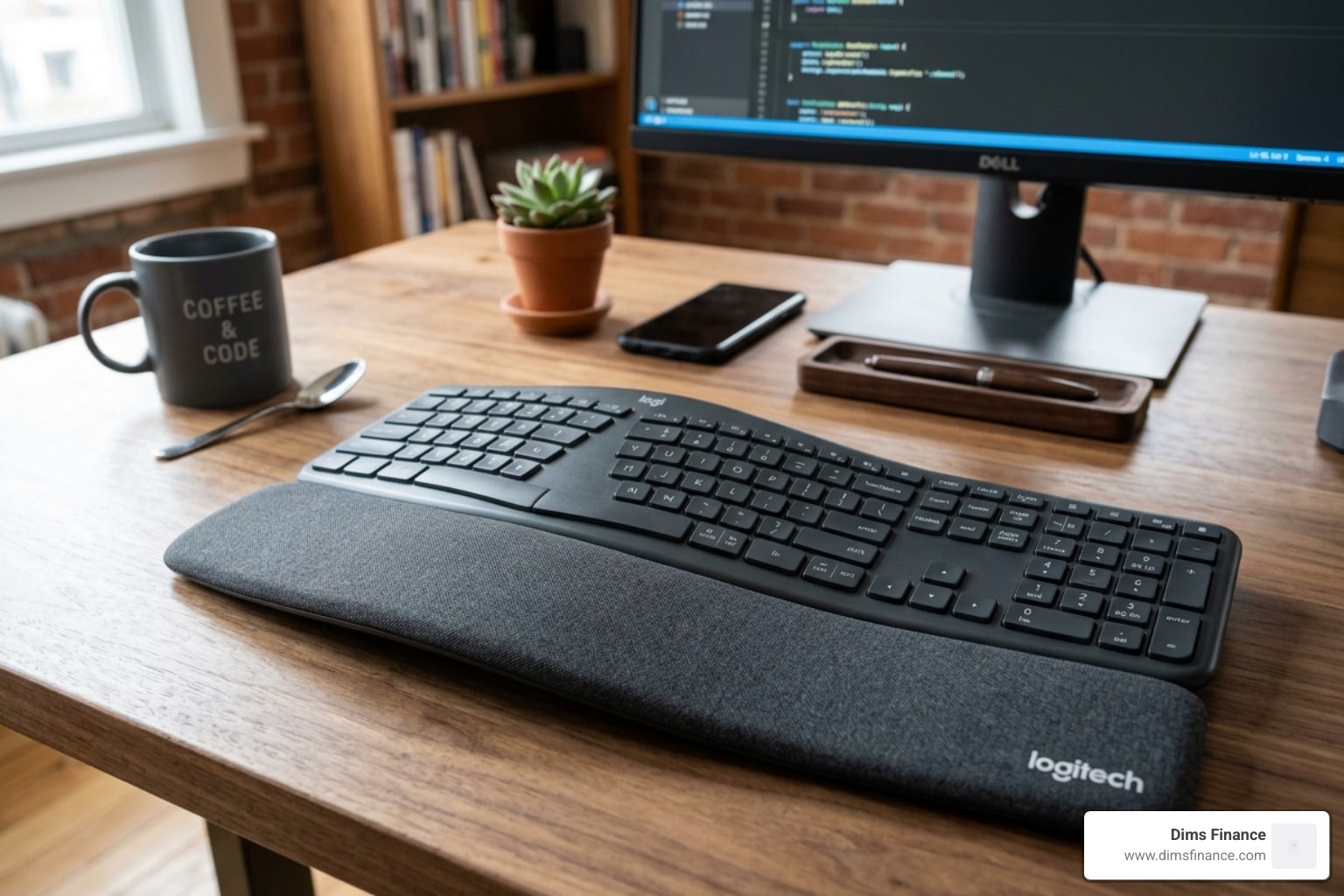
One of the most critical features is tenting. This is the upward slope from the outside of the keyboard toward the center. High-end models like the Logitech ERGO K860 Wireless Split Keyboard use a fixed curved frame to achieve this, while others offer adjustable legs.
Another lifesaver is the palm lift. Most standard keyboards tilt upward at the back, which is actually terrible for your wrists because it forces them into extension. Ergonomic keyboards often do the opposite, offering a “negative tilt” that keeps your wrists flat or slightly angled downward. Mastering the Neutral Wrist Position for Your Keyboard Setup is much easier when your hardware actually supports the correct angles.
Selecting the Best ergonomic keyboard for typing
Beyond the shape, you need to consider the “tech” side of things to ensure the keyboard fits your workflow:
- Connectivity (Bluetooth vs. 2.4G): Most modern keyboards offer both. Bluetooth is great for tablets and laptops, while a 2.4G USB receiver (like the Logi Bolt) provides a more stable, secure connection for busy office environments.
- Multi-Device Pairing: If you jump between a PC and a Mac, look for “Easy-Switch” features that let you toggle between three devices with one button.
- Battery Life: Some models, like the K860, use AAA batteries that can last up to two years. Others are rechargeable via USB-C and can last anywhere from 10 days (with heavy backlighting) to 3 months.
- OS Compatibility: Ensure the legends on the keys support both “Start/Alt” for Windows and “Cmd/Opt” for Mac.
For a deeper dive into platform-specific choices, see our list of Wireless and Painless: The Best Ergonomic Keyboards for Mac and PC.
Comparing Split, Wave, and Mechanical Layouts
Choosing an ergonomic keyboard for typing often comes down to how much change you are willing to tolerate. There are three main “flavors” of ergonomic design:
| Feature | Split Keyboard | Wave Keyboard | Mechanical Ergo |
|---|---|---|---|
| Ergonomic Impact | High (Best for RSI) | Moderate (Easier transition) | High (Tactile feedback) |
| Learning Curve | Moderate to Steep | Very Low | Low to Moderate |
| Best For | Chronic pain/Prevention | General comfort | Enthusiasts/Gamers |
| Example | Logitech ERGO K860 | Logitech Wave Keys | Razer Pro Type Ergo |
Split Designs A split keyboard literally cuts the keyboard in half. Some are “fixed” (one piece with a gap), while others are “fully split” (two separate pieces connected by a cable). These are the gold standard for opening up the chest and reducing shoulder strain. Learn more in our Finding Comfort in the Gap: A Guide to Split Keyboards.
Wave Keys The “Wave” design is a gentle introduction to ergonomics. It features a slight hump in the middle and a curved keyframe, but the keys are still in one continuous block. It’s perfect for those who want comfort without relearning how to type.
Mechanical Switches For those who love the “click,” mechanical ergonomic keyboards offer the best of both worlds. The Premium Ergonomic Split Keyboard: Razer Pro Type Ergo uses low-profile mechanical switches that require less force to press, which can actually reduce finger fatigue over time.
Frequently Asked Questions about Ergonomic Keyboards
Do ergonomic keyboards really help with carpal tunnel?
Yes, absolutely. By using features like tenting and negative tilt, these keyboards reduce the pressure on the median nerve in your wrist. This pressure reduction is a key component of The Ultimate Guide to RSI Recovery and Typing Fatigue Reduction. While a keyboard isn’t a medical cure, it removes the environmental stressor that often causes or worsens carpal tunnel symptoms.
How long does it take to adjust to a split layout?
For most people, the adjustment period is between two days and two weeks. If you are a “hunt and peck” typer, it might take longer because split keyboards punish you for crossing over (e.g., hitting the ‘G’ key with your right hand). However, once the muscle memory kicks in, many users find they actually type faster because their hands are more relaxed. We have a great guide on Finding Comfort in the Gap: A Guide to Split Keyboards that offers tips for a smoother transition.
Are wireless ergonomic keyboards good for gaming?
They can be! While hardcore competitive gamers might worry about polling rates, most modern wireless ergo keyboards (especially those with 2.4G receivers) have negligible lag. Mechanical models are particularly popular for gaming because they offer better tactile feedback. If you are a gamer, don’t forget that your posture matters just as much as your gear; see How Gamers Can Prevent Repetitive Strain Injuries With Simple Exercises for more tips.
Conclusion
Upgrading to an ergonomic keyboard for typing is one of the best investments you can make for your long-term productivity and health. Whether you choose the industry-leading Logitech ERGO K860 or a more traditional “wave” design, your wrists will thank you.
At Dims Finance, we are dedicated to helping you optimize your workspace so you can focus on what matters most. Remember to pair your new keyboard with a proper desk height and a supportive chair for the full ergonomic effect. For more tips on building your dream setup, check out More info about office furniture.
Maintenance Tip for April 2026: To keep your keyboard in top shape, use a can of compressed air once a month to clear out dust between the split keys, and wipe down the integrated wrist rest with a slightly damp microfiber cloth to prevent oils from building up. Happy typing!