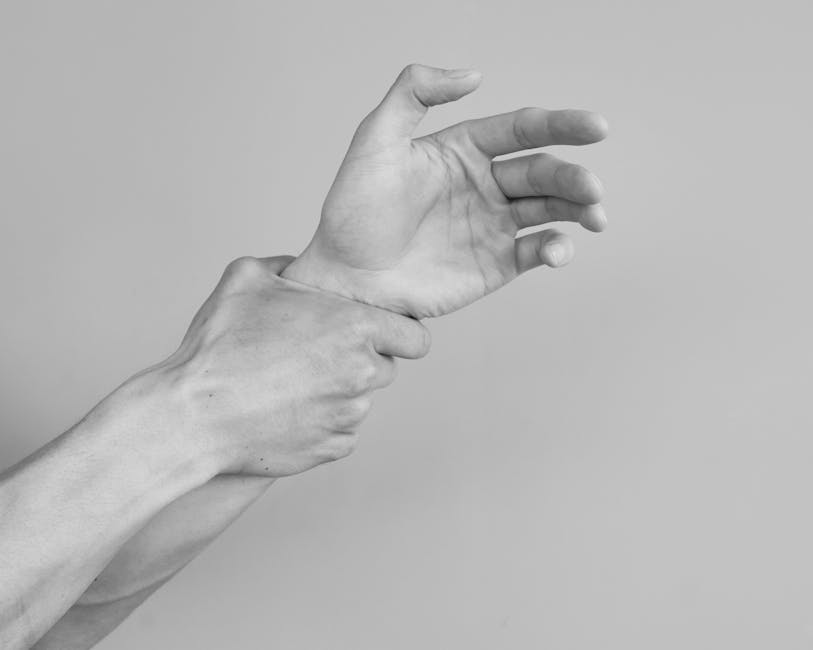
Why Your Wrists Are Begging You to Try This Stretch
A wrist extensor stretch is one of the simplest, most effective ways to relieve forearm tension caused by typing, gaming, or mouse use — and it requires zero equipment.
How to do it (quick version):
- Extend your arm in front of you, palm facing down
- Use your other hand to gently bend your wrist downward, fingers pointing toward the floor
- Hold for 15–30 seconds
- Repeat 2–4 times on each side
If your wrists ache after a long day at the keyboard, you’re not alone. The muscles running along the back of your forearm — your wrist extensors — take a beating from repetitive hand movements. Over time, that tension builds into real pain, and sometimes into conditions like tennis elbow or repetitive strain injury (RSI).
The good news? The right tools and habits can make a big difference. Stretching is a great start, but pairing it with the right ergonomic equipment can protect your wrists for the long haul.
Below, we break down the best products to support your wrist health — from support pads to ergonomic mice — so you can get back to working (and gaming) without the ouch.
Understanding the Benefits and Targeted Muscles
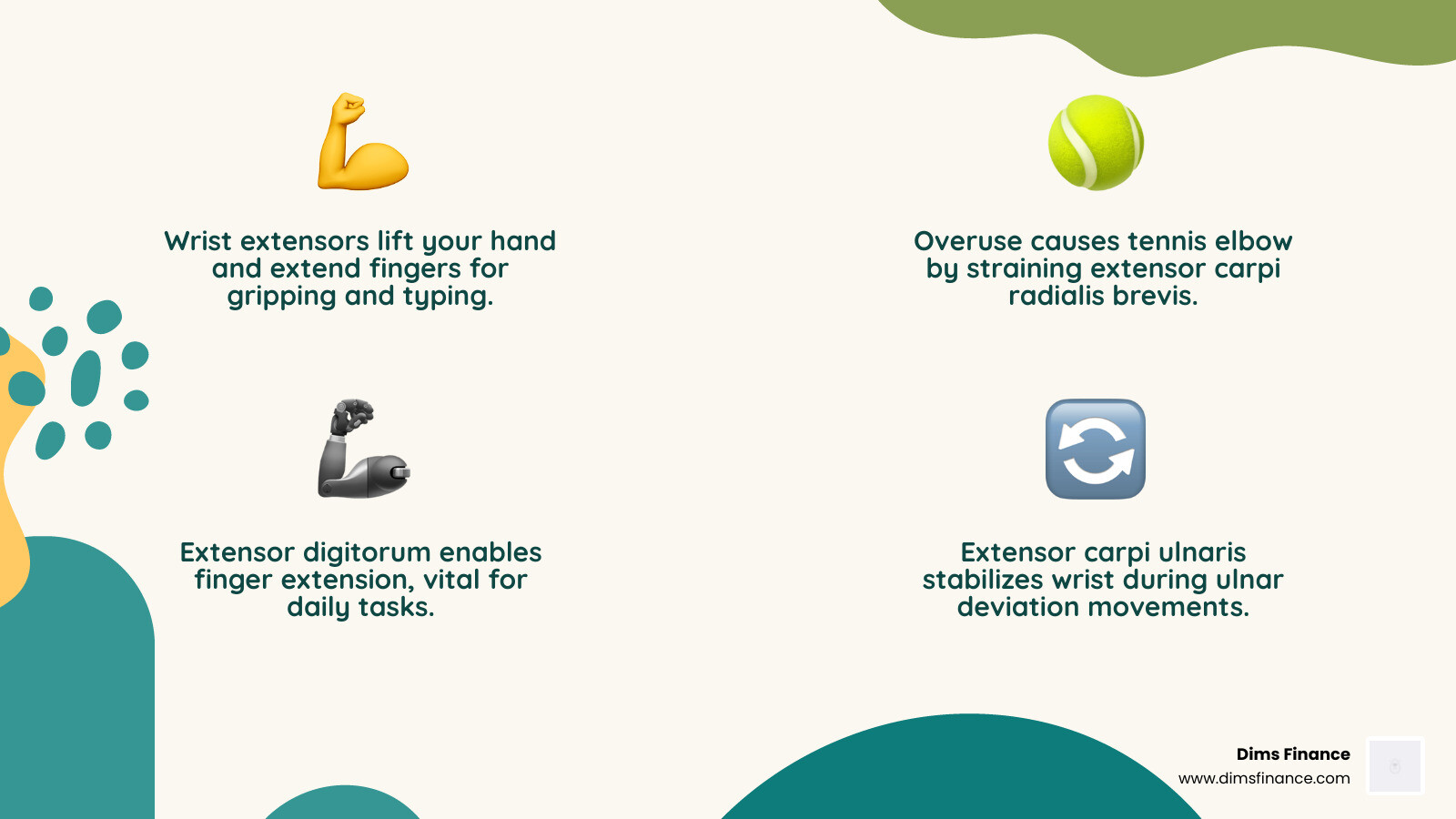
When we think about fitness, we usually focus on the “show” muscles—the biceps that fill out a t-shirt or the abs we hope to see by summer. But in April 2026, the real MVPs of our daily lives are the forearm extensors. These are the unsung heroes located on the back of your forearm that allow you to extend your wrist and wiggle your fingers.
The wrist extensor stretch specifically targets a group of muscles including the extensor carpi radialis longus, extensor carpi radialis brevis, extensor digitorum, and the extensor carpi ulnaris. If those names sound like a mouthful, just think of them as the “Top Side Team.” They provide the stability and control needed for everything from gripping a coffee mug to hitting a backhand in tennis.
Why should we care about stretching them? For starters, Enhance Flexibility and Strength with Wrist Extensor Stretch highlights that these muscles are frequently overlooked until they start screaming in pain. Tight extensors are a leading cause of lateral epicondylitis, more commonly known as “tennis elbow.” You don’t even have to play tennis to get it; “keyboard elbow” is just as real!
By incorporating this stretch, we can achieve:
- Increased Flexibility: Keeping the tendons supple so they don’t pull harshly on the bone.
- Injury Prevention: Reducing the risk of RSIs that can sideline your career or hobbies.
- Tension Relief: Breaking up the “stuck” feeling that comes after eight hours of data entry.
If you’ve already started feeling the burn, check out our guide on 7 Proven Solutions For Typing Without The Ouch to see how stretching fits into a larger recovery plan.
How to Perform the Wrist Extensor Stretch Step-by-Step
Performing a wrist extensor stretch correctly is the difference between relief and further irritation. This is a “Passive Range of Motion” (PROM) stretch, meaning we use our other hand to do the work rather than just using the wrist muscles themselves.

Follow these steps for the perfect stretch:
- The Setup: Extend your target arm straight out in front of you. Keep your elbow locked straight—this is crucial because some of these muscles cross the elbow joint.
- The Orientation: Turn your hand so your palm is facing the floor (pronation).
- The Drop: Let your hand drop naturally toward the floor so your fingers point down.
- The Assist: Use your opposite hand to grasp the back of your hand (the side with your knuckles).
- The Pull: Gently apply pressure, pulling the hand toward your body and downward. You should feel a mild to moderate pull along the top of your forearm.
- The Hold: Maintain this position for 15 to 30 seconds. Do not bounce! Bouncing (ballistic stretching) can cause micro-tears in the tissue.
- The Repeat: Relax and repeat the process 2 to 4 times per hand.
We recommend doing this on both sides, even if only one wrist hurts. Balance is key to long-term joint health. If you want to dive deeper into timing your breaks, our article on How To Reduce Typing Related Wrist Strain Before It Becomes A Problem offers a great schedule to follow. For a clinical perspective on this movement, you can also visit Wrist extensor stretch.
Best Ergonomic Equipment to Support Your Wrist Extensor Stretch
While the wrist extensor stretch is a fantastic “active” intervention, we spend most of our day in “passive” positions. If your workspace is set up poorly, you’re essentially undoing all the good work your stretching provides. To keep your wrists in a neutral zone and prevent the extensors from overworking, we’ve rounded up the best equipment for 2026.
| Equipment Type | Primary Benefit for Extensors | Best For |
|---|---|---|
| Ergonomic Wrist Rest | Maintains a neutral wrist angle; prevents “cocking” the wrist back. | Keyboard users & Gamers |
| Vertical Mouse | Reduces forearm pronation and radial nerve strain. | RSI sufferers & Designers |
| Mechanical Split Keyboard | Allows for natural arm alignment, reducing ulnar deviation. | Heavy typists & Writers |
| Compression Sleeves | Provides warmth and mild support during repetitive tasks. | Athletes & Factory workers |
Integrating these tools helps maintain the “neutral position” we talk about so often at Dims Finance. When your wrist is neutral, the extensor muscles aren’t under constant tension. For more on how these accessories work, see Ergonomic Accessories That Actually Reduce Rsi Risk. You can also see professional rehab techniques for these tools at Wrist Extensor Stretch — Rehab Hero.
Enhancing the Wrist Extensor Stretch with Support Pads
One of the biggest enemies of the wrist extensors is “wrist extension” (ironic, right?). This happens when your keyboard is too high or your chair is too low, forcing your hands to tilt upward to reach the keys. This constant state of contraction leads to fatigue.
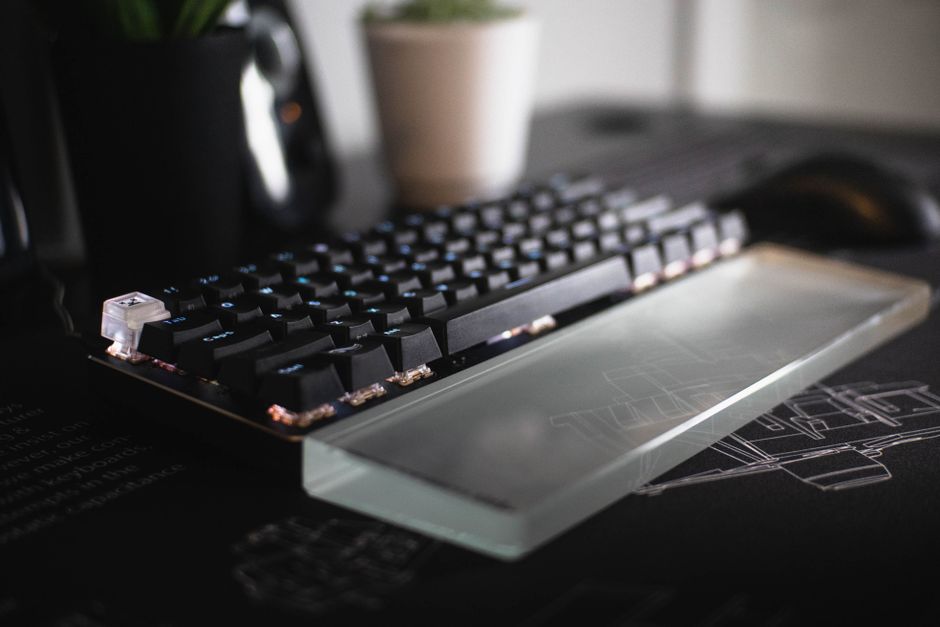
A high-quality support pad acts as a bridge. It raises your palms so that your wrists can stay flat. When shopping for support pads, look for:
- Firmness: It should be supportive, not “mushy.” Memory foam or high-density gel is best.
- Height: It should match the height of your keyboard’s home row.
- Surface Material: Look for breathable fabrics to avoid the dreaded “sweaty wrist” syndrome.
For our top picks this year, check out Top 10 Wrist Support Pads To Save Your Joints and our specialized Mouse Pad With Wrist Rest Review Comfort For Your Clicker.
Using Ergonomic Mice to Complement Your Wrist Extensor Stretch
If you use a standard mouse, your forearm is likely in a fully pronated position (palm flat). This can put pressure on the radial nerve and keep the extensors in a twisted state. A vertical mouse changes the game by putting your hand in a “handshake” position.
This position is much more natural and allows the muscles targeted by the wrist extensor stretch to remain relaxed while you work. We’ve found that users who switch to vertical mice report a significant decrease in the “tightness” they feel at the end of the day.
If you are struggling with carpal tunnel or general forearm fatigue, we highly recommend reading The Best Mouse For Wrist Health And Rsi Relief and Your Wrists New Best Friend Top Mice For Carpal Tunnel.
Variations, Progressions, and Common Mistakes
Once you’ve mastered the basic wrist extensor stretch, you might find that you need a little more “oomph” to feel the relief. Or, you might be making common mistakes that are holding you back.
The Fist Progression: If you can perform the standard stretch pain-free, try making a fist before bending your wrist down. This adds tension to the tendons that control your fingers, providing a deeper stretch throughout the entire extensor mechanism.
Ulnar Deviation Tilt: To target the muscles specifically involved in tennis elbow (the radial side), perform the stretch but slightly tilt your hand toward your pinky finger as you pull down. This “twist” hits the extensor carpi radialis muscles more intensely. You can find more on this advanced technique at Wrist Extensor Stretch.
Common Mistakes to Avoid:
- The Shoulder Shrug: Many people subconsciously pull their shoulders up to their ears when stretching. Keep your shoulders down and relaxed.
- Holding Your Breath: Oxygen helps muscles relax! Breathe deeply and normally throughout the 30-second hold.
- The “No Pain, No Gain” Fallacy: You should feel a stretch, not a sharp pain. If it hurts, back off. Stretching too hard can actually trigger a protective contraction, making the muscle tighter.
- Bent Elbows: If your elbow is bent, you aren’t stretching the muscles that attach above the elbow joint. Keep that arm straight!
For a masterclass on how to keep your body aligned while at your desk, don’t miss our guide on Mastering The Neutral Wrist Position For Your Keyboard Setup.
Frequently Asked Questions about Forearm Health
How often should I incorporate the wrist extensor stretch into my routine?
We recommend performing the wrist extensor stretch 3 to 4 times a day. A great rule of thumb is the “30-30-30” rule: every 30 minutes, look 30 feet away for 30 seconds, and perform one 30-second stretch. If you’re in the middle of a high-intensity task, like a gaming tournament or a big financial report, even a quick 10-second hold can help. For more preventative tips, see Dont Let Typing Hurt Rsi Prevention Keyboard Techniques And Tips.
Can this stretch help with specific conditions like tennis elbow or arthritis?
Yes! The wrist extensor stretch is a staple in physical therapy for lateral epicondylitis (tennis elbow). It helps by lengthening the muscle-tendon unit, reducing the strain where the tendon attaches to the bone. For arthritis, gentle stretching helps maintain the range of motion in the joint, though you should always move slowly and stay within a pain-free range. You can find more clinical details on these conditions at Wrist extensor stretch.
What are the main precautions or contraindications to consider?
While stretching is generally safe, you should avoid the wrist extensor stretch if you have:
- An acute wrist fracture or recent surgery.
- Sharp, stabbing pain (this could indicate a nerve issue or a tear).
- Severe inflammation or swelling. If you’re unsure, it’s always best to consult a healthcare professional. We want you to stay productive, but safety comes first. For tips on talking to your employer about ergonomic needs, check out How To Keep Your Wrist Neutral And Your Boss Happy.
Conclusion
At Dims Finance, we believe that your greatest asset isn’t just your bank account—it’s your health. A wrist extensor stretch might seem like a small thing, but when performed consistently and paired with the right ergonomic equipment, it’s a powerful investment in your long-term productivity.
By taking 30 seconds to breathe and stretch, you are actively fighting back against the “office-worker’s claw” and ensuring that your joints stay happy well into the future. Whether you’re upgrading to a vertical mouse or just committing to a daily stretching routine, every little bit helps.
Ready to completely overhaul your workspace for a pain-free 2026? Dive into The Complete Office Ergonomics Guide To Stop Rsi Before It Starts and start your journey toward better joint health today!