Your Wrists Are Paying the Price — Here’s What to Do About It
The best mouse for carpal prevention isn’t a single product — it depends on your hand size, work habits, and how far your symptoms have progressed. That said, here are the top picks most consistently recommended by ergonomists and heavy computer users:
| Mouse | Type | Best For |
|---|---|---|
| Logitech MX Vertical | Vertical | Natural handshake grip, all-day office use |
| Logitech Lift | Vertical | Smaller hands, budget-conscious users |
| Logitech MX Ergo S | Trackball | Minimizing arm movement, tight desk spaces |
| Logitech MX Master 3S | Sculpted horizontal | Productivity users who want comfort + performance |
| Razer Pro Click V2 | Sculpted vertical | Work-to-gaming crossover users |
If you spend hours at a computer every day, your wrists are taking a hit you may not even notice yet.
Carpal tunnel syndrome happens when the median nerve — which runs through a narrow passage in your wrist — gets compressed. The result: pain, numbness, and tingling in your hand and fingers. It’s one of the most common repetitive strain injuries among office workers.
The problem with most standard mice? They force your wrist into a flat, palm-down position for hours at a time. That constant pronation puts steady pressure on the carpal tunnel area. Over time, it adds up.
The good news: switching to the right mouse can make a real difference. Users with carpal tunnel symptoms have reported everything from reduced tingling to near-complete pain relief after switching to an ergonomic design.
This guide breaks down the top options — vertical mice, trackballs, and sculpted performance mice — so you can find the one that actually fits your situation.
Understanding Carpal Tunnel and Mouse Ergonomics
To understand why we need the best mouse for carpal prevention, we first have to look at the anatomy of the “crime scene.” The carpal tunnel is a narrow passageway on the palm side of your wrist surrounded by bones and ligaments. The median nerve passes through this tunnel to provide sensation to your thumb and first three fingers.
When you use a traditional “flat” mouse, your forearm undergoes “pronation.” This is a fancy way of saying your palm is forced to face the floor. This position crosses the two bones in your forearm (the radius and ulna) and places direct pressure on the carpal tunnel. If you do this for eight hours a day, five days a week, the tissues in the tunnel can become inflamed, squeezing that poor median nerve like a kink in a garden hose.
Repetitive motion exacerbates the issue. Every time you click or drag a standard mouse, you are likely performing “flick” motions with your wrist rather than using your larger arm muscles. This is where mastering the neutral wrist position for your keyboard setup becomes vital. A neutral position is one where the wrist is straight—not bent up, down, or to the side.
Scientific research on vertical ergonomics suggests that rotating the hand into a “handshake” position—roughly 57 degrees—significantly reduces the pressure on the carpal tunnel. By mimicking the way your hand naturally rests at your side, you allow the muscles in your forearm to relax, which is the cornerstone of RSI prevention.
The Best Mouse for Carpal Prevention: Top Models Reviewed
Choosing the best mouse for carpal prevention isn’t just about picking the weirdest-looking device. It’s about finding a tool that reduces muscle strain and forearm pressure. When we look at ergonomic mice, we evaluate how they distribute the load across your hand and whether they encourage you to move from the elbow or shoulder rather than the delicate wrist joint.
According to scientific research on muscle strain reduction, certain trackball designs can result in up to 25% to 27% less muscle strain in the forearm compared to a standard mouse. This is because the hand remains stationary while the thumb or fingers do the work.

Vertical Designs: The Best Mouse for Carpal Prevention for Natural Grip
Vertical mice are the “gold standard” for many carpal tunnel sufferers. By tilting the mouse on its side, these devices force your hand into a handshake position.
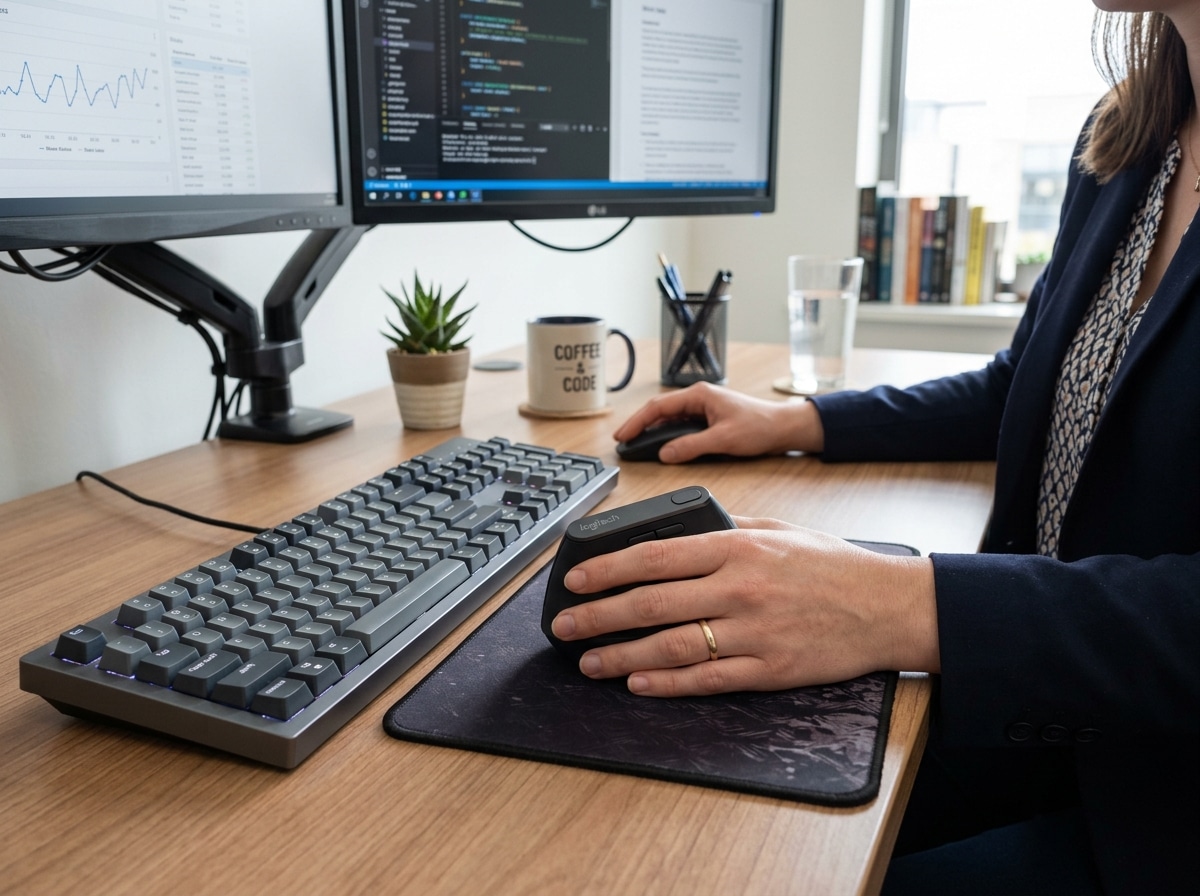
- Logitech MX Vertical: This is often cited as the premier choice for office professionals. It features a specific 57-degree vertical angle that is ergonomist-approved. It’s designed to reduce muscular activity by 10% without compromising a single bit of performance. It’s a full-sized mouse, making it ideal for those with medium to large hands. You can learn more about its specific design here: Logitech MX Vertical Ergonomic Wireless Mouse.
- Logitech Lift: If you have smaller hands, the MX Vertical might feel like trying to drive a semi-truck. The Logitech Lift is the “little sibling,” offering the same 57-degree tilt but in a more compact, approachable frame. It’s also available in a left-handed version, which is a huge win for inclusivity.
The primary benefit of these designs is that they take the pressure off the carpal tunnel area even during active flare-ups. By rotating the hand 90 degrees (or close to it), you stop the “pinching” of the median nerve that occurs with flat mice.
Trackball Options: The Best Mouse for Carpal Prevention to Minimize Movement
If your pain is triggered by the act of moving the mouse across the desk, a trackball might be your savior. With a trackball, the device stays in one place, and you move the cursor by rolling a ball with your thumb or fingers.
- MX Ergo S: This is the “heavy lifter” of the trackball world. It features a unique adjustable hinge that allows you to tilt the mouse between 0 and 20 degrees. This customization is key because everyone’s “neutral” is slightly different. It provides full palm support and is certified by ergonomists to reduce muscle strain in the forearm by 27%. Check out the latest version here: MX Ergo S – Wireless Trackball Mouse | Logitech.
- Logitech MX ERGO Advanced: The predecessor to the S model, this version still holds up as a top-tier choice for those who need precise thumb control and multi-device connectivity. You can find the classic model here: Logitech MX ERGO Advanced Wireless Trackball Mouse.
Trackballs are excellent for tight desk spaces or for users who find that shifting their whole arm causes shoulder or neck tension. Because the arm stays still, the repetitive “swiping” motion is eliminated entirely.
Sculpted Performance: Ergonomic Mice for Productivity
Not everyone is ready to jump into the “vertical” deep end. If you want a mouse that feels familiar but offers significantly better support than a standard plastic slab, sculpted horizontal mice are the way to go.
- Logitech MX Master 3S: This is widely considered the best all-around mouse for power users. It features an 8K optical sensor that tracks on glass and “Quiet Clicks” that won’t annoy your coworkers. While it isn’t vertical, its deep thumb rest and arched palm support encourage a much healthier grip than a flat mouse. MX Master 3s Wireless Mouse – 8K Optical Sensor | Logitech.
- Razer Pro Click V2: This is a fantastic crossover. It has the high-precision sensor of a gaming mouse but the ergonomics of a professional tool. It was designed in collaboration with Humanscale (a leading office ergonomics firm) and features a tilt that helps keep the wrist in a more neutral state. Razer Pro Click V2 – Wireless Ergonomic Mouse | Razer United States.
- Logitech MX Anywhere 3S: For those who travel or work from coffee shops, this is the compact version of the Master series. It’s small, but its shape is still carefully sculpted to support the hand better than a standard travel mouse. Buy MX Anywhere 3S Wireless Bluetooth Mouse | Logitech.
Beyond the Mouse: Strategies for Long-Term Wrist Health
Buying the best mouse for carpal prevention is a massive first step, but it shouldn’t be your only step. Ergonomics is a holistic game. If you have a $100 mouse but your desk is so high that your shoulders are up at your ears, you’re still going to have problems.
Here are a few strategies we recommend to supplement your new hardware:
- The “Handshake” Check: Periodically check your posture. Your elbows should be at a 90-degree angle, and your wrists should be straight. If you find yourself “planting” your wrist on the desk, you are creating a pivot point that increases pressure.
- Take Micro-Breaks: Every 30 minutes, take 30 seconds to shake out your hands. This prevents the “static loading” of muscles. We’ve covered more on this in our guide on how employees can stop repetitive strain injuries before they start.
- Vary Your Input Devices: One of the most unique insights from heavy computer users is the benefit of switching between a vertical mouse and a trackball throughout the day. This changes the muscle groups being used and prevents any single tendon from becoming overworked. For more on this, see our article on wrist-management-finding-the-best-rsi-mouse-for-pain-free-scrolling.
Comparison: Vertical vs. Trackball
| Feature | Vertical Mouse | Trackball Mouse |
|---|---|---|
| Primary Benefit | Reduces wrist pronation | Eliminates arm movement |
| Learning Curve | Low (feels like a normal mouse) | Moderate (thumb control takes time) |
| Desk Space | Needs room to glide | Stationary (great for small desks) |
| Muscle Focus | Uses larger arm muscles | Uses thumb/finger muscles |
How to Choose Your Ergonomic Mouse
When you’re ready to invest in the best mouse for carpal prevention, keep these four factors in mind:
- Hand Size: This is the most common mistake. A mouse that is too large will force you to overextend your fingers to reach the buttons, causing new types of strain. A mouse that is too small will cause your hand to “claw,” which is equally bad.
- Connectivity: Do you have enough USB ports for a dongle, or do you need a Bluetooth-enabled mouse? Most high-end ergonomic mice offer both, but it’s always worth checking.
- Adjustability: Models like the MX Ergo S offer adjustable tilt angles. If you aren’t sure what angle feels best for you, an adjustable model is a safer bet.
- Handedness: If you are a “southpaw,” your options are more limited. Check out our guide on the best left-handed wireless mouse for sinister comfort to see the top picks for lefties.
Your mouse is just one part of the puzzle. You should also look at your ergonomic keyboard and mouse setup as a whole to ensure your monitor height and chair support are working in harmony with your new mouse.
Frequently Asked Questions about Ergonomic Mice
How long does it take to adapt to a vertical or trackball mouse?
Most users report a “weirdness” period of about 2 to 3 days. For vertical mice, the transition is usually very quick because the clicking motion is the same—only the angle has changed. Trackballs take a bit longer (usually about a week) to build the muscle memory in your thumb for precise cursor placement.
Are there ergonomic gaming mice that help prevent carpal tunnel?
Yes, though “gaming” and “ergonomic” sometimes have conflicting goals. Gaming mice prioritize being lightweight for speed, while ergonomic mice prioritize support. However, mice like the Razer Pro Click V2 or the Logitech G502 X offer a middle ground with sculpted shapes that provide better support than standard symmetrical gaming mice.
Should I use a trackpad instead of a mouse for carpal tunnel relief?
Trackpads (like the Apple Magic Trackpad) can be a good way to “break up” repetitive motions, but they aren’t necessarily a cure-all. Using a trackpad often involves “planting” the wrist and using fine finger movements, which can still lead to strain. We suggest using a trackpad as a secondary device for gestures rather than your primary pointing tool.
Conclusion
Finding the best mouse for carpal prevention is an investment in your future self. It’s easy to ignore a little bit of tingling or a dull ache in your wrist, but these are the early warning signs of an injury that can eventually require surgery or long-term physical therapy.
At Dims Finance, we believe that your workspace should work for you, not against you. By switching to a vertical or trackball design, you are giving your median nerve the space it needs to breathe and your muscles the chance to relax.
If you’re ready to overhaul your entire desk for maximum health, don’t stop at the mouse. Dive into our comprehensive guides on ergonomic keyboard and mouse setup for enhanced comfort and our deep dive into the ergonomic keyboard and mouse setup to ensure your whole body is supported while you work. Your wrists will thank you!