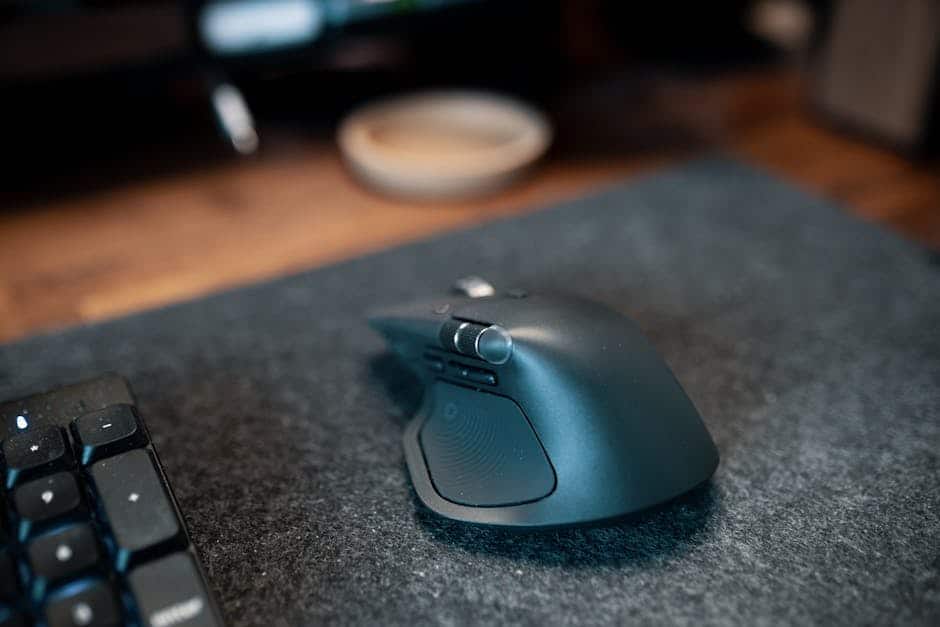
Wrist Pain at Your Desk? The Best Ergonomic Mouse Pads Can Help
The best ergonomic mouse pad you can buy in 2026 depends on your needs, but here are the top picks to know right away:
| Mouse Pad | Best For | Material | Price Range |
|---|---|---|---|
| MROCO Gel Wrist Rest | Office all-day use | Lycra + gel | Budget |
| Loftmat V2 | Full-hand cushioning | PillowCore foam | Mid-range |
| Kensington Duo Gel | Ventilated comfort | Gel + cloth | Mid-range |
| Allsop Ergoprene | Compact desks | Gel rubber | Budget |
If you spend hours at a computer every day, your wrists are taking a hit. That dull ache, the tingling in your fingers, the red pressure mark on your wrist — these are warning signs you shouldn’t ignore.
Repetitive strain injuries (RSIs), carpal tunnel syndrome, and tendonitis are all common among heavy computer users. And a big part of the problem is how your wrist sits while you mouse.
Most standard mouse pads offer zero support. Your wrist bends upward, your median nerve gets compressed, and over time that adds up to real pain.
An ergonomic mouse pad changes that. A good one keeps your wrist in a neutral, flat position — reducing pressure on nerves, joints, and soft tissue — so you can work longer without discomfort.
This guide cuts through the noise and tells you exactly which pads are worth buying, what materials actually work, and what to avoid.

Why You Need an Ergonomic Mouse Pad for Health
We often think of a mouse pad as just a surface for a sensor, but for your body, it is a piece of medical equipment. When you use a standard flat pad, your wrist often performs a “cocked back” motion called extension. This position puts immense pressure on the carpal tunnel—a narrow passageway in your wrist surrounded by bones and ligaments.
Inside that tunnel sits the median nerve. When you compress this nerve through poor positioning or resting your wrist directly on a hard desk, you risk developing carpal tunnel syndrome. This often starts as a “red pressed area” on the skin but can lead to permanent numbness or “hand clumsiness.”
Beyond the nerves, your tendons are also at risk. Tendonitis occurs when the thick cords attaching muscle to bone become inflamed from repetitive micro-movements. Without a dedicated support to keep your wrist in a neutral alignment, these tendons rub against the “tunnel” walls, causing pain and swelling.
The best ergonomic mouse pad solves this by providing pressure point relief. Instead of your weight resting on the delicate underside of your wrist, a gel or foam support redistributes that weight. This improves blood flow and prevents the wrist strains that send many office workers to the doctor. At Dims Finance, we believe a proper ergonomic keyboard and mouse setup is the first line of defense against long-term injury.
Top Picks for the Best Ergonomic Mouse Pad in 2026
Choosing the right pad is about balancing support with the freedom to move. Some users prefer a “hump” at the bottom, while others want a fully cushioned surface. Here is how the top models compare:
| Feature | MROCO Gel | Loftmat V2 | Kensington Duo | Allsop Ergoprene |
|---|---|---|---|---|
| Support Type | Integrated Gel Rest | Full-Surface Foam | Duo-Gel Cushion | Memory Foam/Gel |
| Cooling | Lycra Surface | Breathable Fabric | Ventilation Channel | Cloth Cover |
| Sustainability | 50% Recycled | N/A | N/A | N/A |
| Best Use | General Office | Creative/Design | Hot Environments | Tight Spaces |
MROCO Gel Pad
The MROCO model is a powerhouse in the budget category. It currently holds a 4.6 out of 5-star rating from over 32,000 users, and for good reason. It features a soft gel wrist rest encased in smooth Lycra that doesn’t get sticky against your skin. One of our favorite things about this pad is its commitment to the environment—it contains at least 50% recycled material and is Global Recycled Standard certified. It’s a great choice if you want reliable pain relief without spending a fortune.
Loftmat V2
If you find that traditional wrist rests “trap” your hand in one spot, the Loftmat V2 is a game-changer. Unlike pads with a single raised bump, the Loftmat is cushioned across its entire surface. It uses “PillowCore” technology—a semi-rigid frame with foam that re-expands instantly. It feels like resting your arm on a high-end mattress all day. This design is scientifically safer for some because it prevents you from bending your wrist at an awkward angle to reach the top of the pad.
Kensington Duo Gel
For those who suffer from “sweaty wrist syndrome,” the Kensington Duo Gel is the best ergonomic mouse pad choice. It features a unique ventilation channel between two gel pillars. This allows air to flow under your wrist while still providing firm support. It’s a slightly larger pad (approx. 9.37″ x 13″), making it ideal for those who use multiple monitors and need more room to roam. This is a staple for a professional best mouse pads for work from home setup.
Allsop Ergoprene
The Allsop Ergoprene is a classic. It uses a circular design that fits perfectly in small cubicles or on laptop trays. The “Ergoprene” material is a blend that feels firmer than standard gel but softer than hard plastic. It provides excellent tracking for optical mice while keeping your joint in a neutral “handshake” position.
Key Features of the Best Ergonomic Mouse Pad
When you are shopping for your next pad, don’t just look at the color. Look for these technical specs that separate the “desk decor” from the actual ergonomic tools:
- Wrist Rest Height: The support should be level with your mouse. If it’s too high, you’re just trading one bad angle for another.
- Non-slip PU Base: There is nothing more frustrating than a mouse pad that migrates across the desk during a spreadsheet marathon. A sticky PU or rubber base is essential.
- Lycra or Nano-Knit Surface: You want a surface that feels soft but allows for “pixel-precise” aim. High-quality fabrics also prevent skin irritation over 8-hour shifts.
- Reinforced Stitched Edges: Cheap pads peel at the edges within three months. Look for low-profile stitching that won’t rub against your forearm.
- Tracking Precision: Ensure the material is “sensor-friendly.” Some highly reflective “ergonomic” pads can actually make your mouse cursor jump and skip.
Investing in these features is a core part of building ergonomic keyboard and mouse setups for maximum comfort.
Choosing the Best Ergonomic Mouse Pad Material

The “feel” of your pad is a personal preference, but the materials behave differently under pressure:
- Memory Foam: This is the king of contouring. It uses your body heat to mold to your specific wrist shape. It’s excellent for long-term comfort but can sometimes “trap” heat.
- Gel: Gel provides better pressure distribution. It feels cooler to the touch initially and offers a “squishier” response that many users find more relaxing.
- Beaded “Bean Bag” Cushions: Some users swear by beaded rests like the Allsop ComfortBead. These are filled with tiny plastic beads, allowing you to “mold” the support exactly where you need it. They are arguably the most breathable option.
- Silicone and Leather: These are for the aesthetics. While silicone is incredibly durable and waterproof, it lacks the “give” of foam. Leather pads, like the Aothia Desk Mat, look professional and are easy to clean but offer less vertical support unless paired with a separate rest. For more on these, check out our guide on desk mats for comfortable typing.
Ergonomic Alternatives and Enhancements
Sometimes, a mouse pad alone isn’t enough to stop the pain. If you’ve tried the best ergonomic mouse pad and still feel strain, you might need to look at your hardware.
Vertical Mice: Standard mice force your hand to lay flat (pronation), which twists the bones in your forearm. A vertical mouse, like those from Anker or Logitech, keeps your hand in a “handshake” position. This naturally aligns your wrist and often eliminates the need for a high wrist rest altogether.
Separate Wrist Rests: If you love your current large gaming mat but need support, you can buy standalone rests. Gliding palm supports are a newer innovation—they sit under your palm and slide across the desk with you, preventing you from “planting” your wrist in one spot. This encourages movement from the elbow and shoulder rather than just the wrist.
Integrated Tech: In 2026, the best ergonomic mouse pad might do more than just support your arm. Some premium models now include:
- Wireless Charging: Charge your phone or wireless mouse while you work.
- USB Hubs: Connect your keyboard or thumb drives directly to the pad.
- Spill-Resistant Coatings: Essential for those of us who live on coffee.
Pairing these with wireless keyboard and mouse combos for seamless work creates a clean, pain-free environment.
How to Maintain and Test Your Mouse Pad
A mouse pad is a magnet for dead skin cells, oils, and spilled drinks. If you don’t maintain it, the surface friction will increase, forcing you to push harder and causing more strain.
Cleaning Your Pad:
- Cloth/Lycra: Most can be hand-washed with mild soap and warm water. NZXT recommends dabbing spills immediately to prevent deep stains. Avoid the dryer! Air drying prevents the glue from melting and the base from warping.
- Gel/Foam: Use a damp cloth or a lint roller for daily debris. Do not submerge memory foam, as it can act like a sponge and take days to dry (or grow mold).
- Testing Migration: To see if your pad is still “good,” place it on your desk and try to push it from the side with one finger. If it slides easily, the PU base has lost its grip. You can often restore the “stick” by wiping the bottom with a little rubbing alcohol.
Most ergonomic pads have a service life of 12 to 18 months. If the gel starts to leak or the foam doesn’t “bounce back,” it’s time for a replacement. A worn-out cushion is just a flat piece of fabric that provides no medical benefit.
Frequently Asked Questions about Ergonomic Mouse Pads
Can a mouse pad with a wrist rest cause carpal tunnel?
This is a controversial topic in the ergonomic world. Some experts argue that if you rest your wrist heavily on a hard gel “hump,” you are actually increasing the pressure on your median nerve. The key is to use the rest as a guide or a soft landing spot, not a weight-bearing pillar. Ideally, you should “float” your wrists while typing and use the pad to support your palm or the base of your hand while mousing. Beaded cushions are often recommended here because they are more flexible and don’t create a hard pressure point.
How do I clean a gel or memory foam mouse pad?
For gel pads, a simple wipe-down with a damp cloth and a drop of dish soap usually does the trick. For memory foam, be much more careful. Use a slightly damp microfiber cloth to “spot clean” the surface. Never put a memory foam pad in the washing machine—the agitation will shred the internal structure. Always let the pad dry completely before using it, or you’ll just trap moisture against your desk.
Is a vertical mouse better than an ergonomic mouse pad?
They solve different problems. A vertical mouse fixes the rotation of your arm (pronation), while an ergonomic mouse pad fixes the angle and pressure on your wrist. For the ultimate relief, we recommend using both. Combining a neutral handshake grip with a soft, supportive surface is the gold standard for injury prevention. You can find more about these setups in our review of wireless keyboard and mouse combos for seamless work 2.
Conclusion
Your desk shouldn’t be a source of pain. Whether you are a gamer making “huge plays” or an office worker crunching numbers, the best ergonomic mouse pad is a small investment that pays massive dividends in your long-term health.
By choosing materials like memory foam or ventilated gel and ensuring your wrist stays in a neutral alignment, you can boost your workplace productivity and stop RSIs before they start. Remember to look for quality indicators like stitched edges and non-slip bases to ensure your comfort lasts.
At Dims Finance, we are dedicated to helping you build a healthier workspace. For more science-based advice on ergonomic desk accessories for comfort, explore our other expert guides and take the first step toward a pain-free workday.