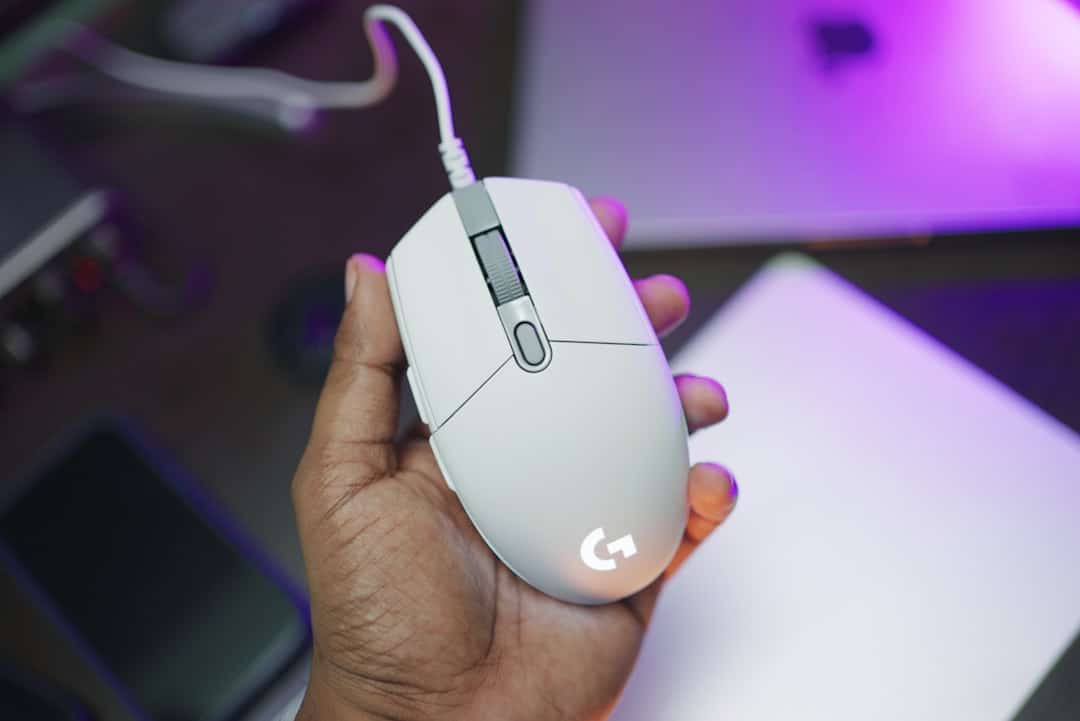
Why the Best Ergonomic Wireless Mouse for Small Hands Matters More Than You Think
The best ergonomic wireless mouse for small hands can make a real difference if you spend hours at a computer every day. A mouse that’s too large forces your fingers to stretch, your wrist to angle awkwardly, and your forearm muscles to work harder than they should — all day long.
Over time, that adds up to pain, fatigue, and in serious cases, repetitive strain injury (RSI) or carpal tunnel syndrome.
Here are the top picks at a glance:
| Mouse | Type | Best For | Weight | Hand Size |
|---|---|---|---|---|
| Logitech Lift | Vertical | Wrist health | ~125g | Under 18 cm |
| TeckNet Vertical | Vertical | Budget value | 89g | Small hands |
| Logitech MX Anywhere 3S | Compact | Portability | ~99g | Small-medium |
| Logitech G705 | Compact gaming | Small-hand gaming | 85g | Small hands |
| Glorious Model O 2 Mini | Ultralight gaming | Fast movements | 57g | Under 17.5 cm |
Quick rule of thumb: If your hand measures under 17.5 cm from wrist to middle fingertip, you have small hands — and most standard mice are simply not built for you.
The good news: there are wireless ergonomic options designed specifically for this hand size. They’re lighter, shorter, and shaped to keep your wrist in a healthier position without sacrificing performance.
The bad news: the market is crowded, and specs alone won’t tell you what actually fits.
That’s exactly what this guide cuts through.

Defining Small Hands: How to Measure for the Perfect Fit
Before you click “buy,” we need to make sure we’re speaking the same language. In ergonomics, “small” isn’t just a feeling; it’s a measurement. Most peripherals are designed for the 50th to 95th percentile of the population, often leaving those with smaller frames struggling to reach side buttons or scroll wheels.
The 17.5cm Threshold
Industry standards generally categorize hands under 17.5 cm (about 6.9 inches) as “small.” If your hand falls into this range, a standard mouse—which often exceeds 125mm in length—will feel like trying to drive a car where you can barely reach the pedals.
How to Measure Like a Pro
To find your perfect match, you need two measurements: length and width.
- Length: Place your hand flat on a table. Measure from the base of your palm (the first crease at your wrist) to the tip of your middle finger.
- Width: Measure across your palm at the widest point (usually where your knuckles are), excluding the thumb.

The “Bank Card” Hack
Don’t have a ruler handy? Use a standard credit card or ID card. These follow the ISO/IEC 7810 ID-1 size, which is exactly 85.6 mm long. If your hand is roughly two card-lengths long, you are firmly in the “small hand” category.
Following OSHA’s Computer Workstation Guidelines is a great starting point for overall desk health, but they emphasize that tools must fit the user. A mouse that is even 5mm too long can shift the center of gravity away from your fingertips, making the device feel “heavy” and sluggish, regardless of its actual weight.
Criteria for the best ergonomic wireless mouse for small hands
When we evaluate the best ergonomic wireless mouse for small hands, we look at more than just the “small” label on the box. True comfort comes from the intersection of geometry and physics. At Dims Finance, we advocate for ergonomic keyboard and mouse setups for enhanced comfort that respect your body’s natural limits.
The Golden Dimensions
For small hands, we recommend staying within these ranges:
- Length: 100–120 mm. Anything longer forces a “palm stretch” that strains the carpal tunnel.
- Grip Width: 56–62 mm. A wider grip forces the hand into an over-extended position, increasing tension in the forearm.
- Weight: Ideally under 85g for productivity and under 75g for gaming. Smaller hands have less leverage, so a heavy mouse requires more effort to start and stop, leading to quicker fatigue.
Grip Style Matters
How you hold your mouse dictates which dimensions are most critical:
| Grip Style | Focus Area | Ideal Length | Ideal Weight |
|---|---|---|---|
| Palm | Hump Height | 115–120 mm | 70–85g |
| Claw | Rear Support | 110–115 mm | 60–75g |
| Fingertip | Grip Width | 100–110 mm | Under 70g |
Click Force and Sensor Positioning
A hidden culprit of finger fatigue is “click force.” Some premium mice require up to 60g of force to actuate a button. For smaller hands, we look for “light” switches (like those from Kailh or Huano) that respond to a gentle touch. Furthermore, sensor positioning is vital. A centered sensor provides a predictable arc, while a forward-positioned sensor can feel more intuitive for those who use wrist-flick movements.
Comparing Vertical, Trackball, and Compact Designs
Not all ergonomic mice look the same. Depending on your specific discomfort—whether it’s wrist pain, forearm tightness, or shoulder strain—different shapes offer different solutions.
Vertical Mice: The Handshake Revolution
Vertical mice are designed to keep your hand in a “neutral handshake” position. This prevents forearm pronation (twisting your arm flat), which is the leading cause of strain. However, many vertical mice are massive. The key for small hands is finding “mini” vertical versions that don’t force your thumb and fingers to wrap around a giant “mountain.”
Trackball Mice: The Stationary Solution
Trackballs like the Logitech M575S or MX Ergo S are unique because the mouse itself never moves. You control the cursor with your thumb. This is a lifesaver for users with limited desk space or those who experience pain when moving their entire arm. Interestingly, some small-handed testers prefer trackballs because the smaller ball units are easier to manipulate with shorter thumbs.
Compact Designs: The Traditionalist’s Choice
Sometimes, you don’t need a radical shape; you just need a smaller version of what you already know. Compact mice provide the familiar horizontal grip but are scaled down so your fingers sit perfectly over the “sweet spot” of the buttons.
Vertical Designs: The best ergonomic wireless mouse for small hands for Wrist Health
If you suffer from “mousers’ wrist,” a vertical design is often the best medicine. By tilting the mouse at a roughly 57-degree angle, these devices align your wrist and forearm in a way that minimizes pressure on the median nerve.
The Logitech Lift is the gold standard here. While its big brother, the MX Vertical, is often too large for hands under 18 cm, the Lift was designed specifically for the “small to medium” demographic. It features a soft, textured grip and a 57-degree angle that feels immediately natural.
For those on a budget, the TeckNet Rechargeable Vertical Mouse is a fantastic entry point. It weighs only 89 grams and scores high in comfort tests, offering that same handshake grip without the premium price tag. Using these designs helps prevent ulnar deviation (tilting the wrist side-to-side), which is a major contributor to long-term RSI.
Travel-Ready Options: The best ergonomic wireless mouse for small hands on the Go
Ergonomics shouldn’t stop when you leave your desk. Mobile professionals often settle for tiny, flat mice that are ergonomic nightmares. Instead, we recommend high-performance compact options like the Logitech MX Anywhere 3S.
This mouse is a powerhouse for several reasons:
- Glass Tracking: Its 8K DPI sensor works on virtually any surface, including the glass table at your favorite coffee shop.
- MagSpeed Scrolling: You can scroll 1,000 lines per second, which is a massive productivity booster for long spreadsheets.
- Silent Clicks: Perfect for working in quiet environments without annoying your neighbors.
When paired with wireless-keyboard-and-mouse-combos for seamless work, these compact tools create a mobile workstation that protects your health. They often feature multi-device pairing, allowing you to switch between your laptop, tablet, and desktop with a single button press.
Essential Features for Productivity and Comfort
Choosing the best ergonomic wireless mouse for small hands involves looking under the hood. It’s not just about the shell; it’s about the technology that reduces the “work” your hand has to do.
DPI and Precision
DPI (Dots Per Inch) measures how sensitive the mouse is. For office work, a range of 800 to 4000 DPI is standard. High DPI is actually beneficial for ergonomics because it allows you to move the cursor across the entire screen with very small physical movements of your hand.
Connectivity and Latency
Modern 2.4GHz wireless technology is now as fast as wired connections. According to the RTINGS Mouse Click Latency Methodology, the delay is often imperceptible to the human eye. Bluetooth is great for portability and connecting to tablets, but for a “main” work mouse, a 2.4GHz USB receiver (like the Logi Bolt) usually offers a more stable connection.
Battery Life: Rechargeable vs. AA
- Rechargeable: Convenient and usually lighter. The MX Anywhere 3S, for example, can last up to 70 days on a full charge.
- AA/AAA Batteries: Great for longevity. Some mice, like the Logitech M317, can last up to 12 months on a single AA battery.
Customization and Software
The ability to program buttons is a massive ergonomic win. By assigning “Copy,” “Paste,” or “Undo” to side buttons, you reduce the number of times your hand has to travel back and forth to the keyboard. Check out our guide on wireless-keyboard-and-mouse-combos for seamless work-2 to see how software integration can streamline your day.
Frequently Asked Questions
What mouse size is best for hands under 7 inches?
If your hand is under 7 inches (approx. 17.8 cm), you should look for a mouse with a length between 105 mm and 115 mm. A width of 60 mm or less is ideal to prevent your hand from over-stretching. The Logitech Lift and the Glorious Model O 2 Mini are excellent examples of devices that fit this specific size bracket perfectly.
Are vertical mice actually better for small hands?
Vertical mice are better for wrist health, but only if they are sized correctly. A vertical mouse that is too large (like the MX Vertical) can actually cause more strain because you’ll have to “reach up” to click. However, a small-framed vertical mouse like the Logitech Lift or the TeckNet Vertical provides the ergonomic benefit of the handshake position without the sizing issues of standard models.
How does grip style affect mouse selection for small hands?
Grip style changes where your hand makes contact with the mouse.
- Palm Grippers need a mouse with a more pronounced “hump” to support the center of the palm.
- Claw and Fingertip Grippers usually prefer shorter, flatter mice because they provide more room for micro-adjustments using just the fingers. For small hands, a claw grip is often the most natural way to use a compact mouse.
Conclusion
Finding the best ergonomic wireless mouse for small hands is an investment in your future self. It’s about more than just avoiding a bit of soreness at the end of the day; it’s about preventing chronic conditions that can sideline your career or hobbies.
At Dims Finance, we believe in science-based ergonomics. Whether you choose a vertical “handshake” model to save your wrists or an ultralight compact mouse to reduce muscle fatigue, the most important factor is that the tool fits you—not the other way around.
Ready to complete your ergonomic transformation? Explore our full range of ergonomic desk accessories to find the perfect keyboard, monitor stand, and setup guides to keep you productive and pain-free. Your hands will thank you!