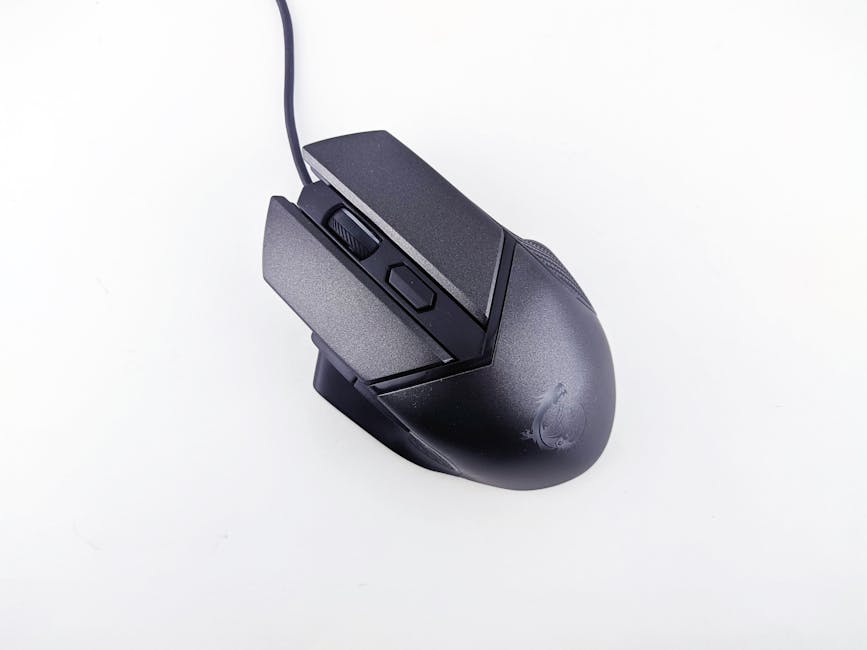
Why the Best Ergonomic Mouse for Gaming Matters for Your Hands
The best ergonomic mouse for gaming can make a real difference — not just in comfort, but in your long-term hand and wrist health.
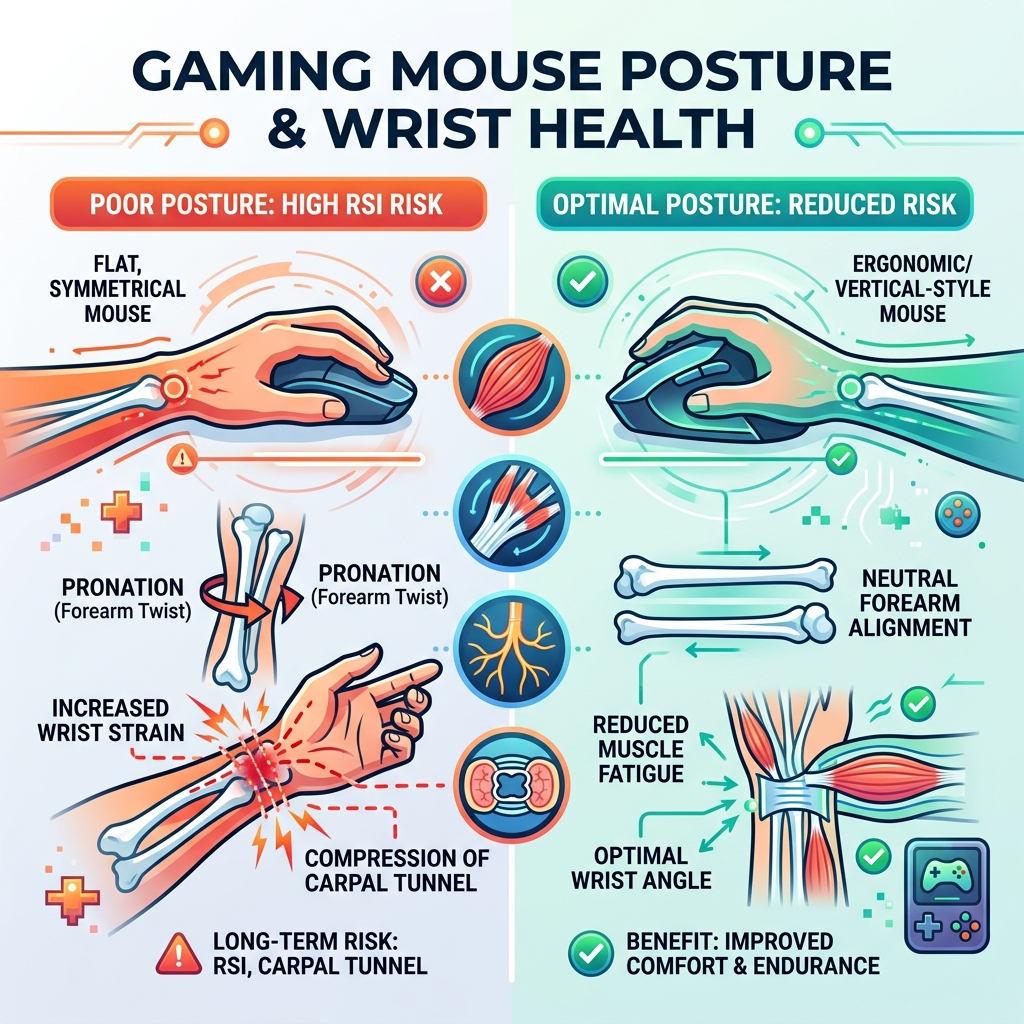
If you use a computer for hours every day, a poorly shaped mouse forces your wrist into an unnatural flat, rotated position called pronation. Over time, that leads to repetitive strain injuries (RSIs), carpal tunnel syndrome, and chronic wrist pain. Gamers are especially at risk due to long, intense sessions.
Here are the top ergonomic gaming mice worth considering right now:
| Mouse | Best For | Weight | Price |
|---|---|---|---|
| Razer Basilisk V3 Pro 35K | Gaming + Work | ~141g | ~$159 |
| Logitech PRO X Superlight 2 DEX | Competitive Gaming | 60g | ~$160 |
| Turtle Beach Pure Air | Lightweight Comfort | 54g | ~$100 |
| Razer DeathAdder V3 Pro | Ergonomic Esports | 63g | ~$150 |
| Glorious Model I 2 | Budget Ergonomic | 75g | ~$80 |
A few things stand out across all the top picks:
- Sculpted right-handed shapes reduce wrist pronation compared to flat, symmetrical mice
- Lighter designs (under 80g) reduce fatigue during long gaming sessions
- Wireless 2.4GHz connections now match wired latency — even pro gamers can’t tell the difference in blind tests
- High-precision sensors (26K–44K DPI) give you accurate tracking without needing to move your arm excessively
The good news? Research published on PubMed shows that angled and vertical mouse designs reduce discomfort without significantly hurting movement accuracy. You don’t have to sacrifice performance to protect your wrists.
Whether you’re grinding ranked matches or just want to stop reaching for the ibuprofen after long sessions, the right ergonomic gaming mouse is a smart first step.
What Makes the Best Ergonomic Mouse for Gaming?
When we talk about the best ergonomic mouse for gaming, we aren’t just looking at flashy RGB lights. We are looking at how the device interacts with your anatomy. Standard mice are often symmetrical “pucks” that force your forearm to twist so your palm is parallel to the desk. This is called pronation, and it puts pressure on the carpal tunnel.
According to scientific research on angled and vertical mice, designs that tilt the hand upward—even by 20 to 57 degrees—can significantly reduce muscle activity in the forearm. For gamers, this means less fatigue during a six-hour raid or an intense tournament.
The core difference between a standard productivity mouse and an ergonomic gaming mouse lies in the sensor and weight. While a vertical office mouse might have a low polling rate that feels “choppy” in a shooter, the best ergonomic mouse for gaming combines a healthy, sculpted shape with high-performance internals like the Pixart 3395 or HERO 2 sensors.

Finding the Best Ergonomic Mouse for Gaming for Your Grip Style
Your grip style is the biggest factor in whether a mouse feels like a dream or a cramp-inducing nightmare. We generally categorize these into three types:
- Palm Grip: Your entire hand rests on the mouse. You need a mouse with a high, supportive arch and a large surface area. The Razer DeathAdder V3 Pro is a classic choice here.
- Claw Grip: Your palm rests on the back, but your fingers are arched like claws. You need a mouse with a pronounced rear hump for stability.
- Fingertip Grip: Only your fingertips touch the mouse. This style usually favors smaller, lighter mice, though some “ergo” mice like the Logitech PRO X Superlight 2 DEX provide enough sculpted support to make this comfortable for medium to large hands.
If you have larger hands, look for mice with a dedicated ring finger ledge and a wide base. This prevents your fingers from dragging on the mouse pad, which can cause friction and inconsistent aim.
Top Performance Picks: Sensors, Weights, and User Ratings
In competitive gaming, specs matter. We’ve looked at the data from experts like RTINGS and user feedback from Best Buy to see how the top contenders stack up.
| Feature | Logitech G PRO X Superlight 2 DEX | Razer Basilisk V3 Pro 35K | Turtle Beach Pure Air |
|---|---|---|---|
| Sensor | HERO 2 (44K DPI) | Focus Pro 35K Gen-2 | Owl-Eye 26K |
| Weight | 60g | 112g (approx.) | 54g |
| Polling Rate | Up to 8000Hz | Up to 8000Hz (with dongle) | 1000Hz |
| Battery Life | ~95 Hours | ~140 Hours (HyperSpeed) | ~125 Hours |
The Logitech PRO X Superlight 2 DEX is a standout because it takes the legendary performance of the “Superlight” series and adds a right-handed, sculpted tilt. It’s perfect for those who want the speed of an esports mouse without the wrist strain of a flat ambidextrous shape.
Meanwhile, the Razer Basilisk V3 Pro 35K is often cited as a top-tier hybrid. It features a signature thumb rest and a HyperScroll Tilt Wheel that can switch from tactile clicks to free-spinning. For more insights on how to pair these with the right desk setup, check out our guide on ergonomic keyboard and mouse setups for enhanced comfort.
The Best Ergonomic Mouse for Gaming and Work Hybrid Use
Many of us use the same desk for our 9-to-5 and our 5-to-9. If you don’t want to swap peripherals mid-day, you need a hybrid. The Razer Basilisk V3 Pro is arguably the king here. Its “sensitivity clutch” (a thumb button that temporarily lowers DPI) is just as useful for precise sniping as it is for pixel-perfect photo editing.
If you prefer something more “office-leaning” that can still game, the Keychron M6 is a fantastic alternative. It mimics the shape of the famous Logitech MX Master series but swaps the heavy, low-polling office sensor for a high-performance gaming sensor. It even includes a side scroll wheel, which is a lifesaver for horizontal spreadsheets.
Premium vs. Budget Ergonomic Gaming Options
You don’t always have to spend $160 to get a great experience. While premium mice offer optical switches (which are rated for 90 million clicks and won’t “double-click” over time), budget options have caught up significantly.
- The Turtle Beach Pure Air (~$100): An ultra-lightweight (54g) champion that feels premium but costs less than the top-tier Razer or Logitech flagships.
- Glorious Model I 2 (~$80): This mouse offers 9 programmable buttons and a comfortable thumb rest, making it a great value for MMO and MOBA players who need shortcuts without the “brick-like” weight of older mice.
Technical Analysis: Wired vs. Wireless and Latency
One of the most common questions we hear at Dims Finance is: “Is wireless fast enough for gaming?” The answer is a resounding yes. Modern 2.4GHz wireless technology, like Razer’s HyperSpeed or Logitech’s LIGHTSPEED, has zero perceptible latency compared to a wire.
In blind tests, even professional gamers were unable to distinguish between a wired connection and a high-quality 2.4GHz wireless signal. However, we always recommend avoiding Bluetooth for gaming. While Bluetooth is great for saving battery life during work, it has significant input lag that will make your mouse feel “floaty” in games.
Standout Features to Look For:
- 8000Hz Polling: This refers to how many times the mouse reports its position to the PC per second. While 1000Hz is standard, 8000Hz offers a smoother cursor feel on high-refresh-rate monitors.
- Optical Switches: Unlike mechanical switches, these use a beam of light to register a click. They are faster and far more durable.
Weight Dynamics in Competitive Play
The trend in the gaming industry is “lighter is better.” Why? Because a lighter mouse requires less force to move and, more importantly, less force to stop. This leads to fewer overshoots when aiming.
For ergonomics, a lightweight mouse (under 80g) is a blessing. It reduces the strain on your wrist and tendons during repetitive “flick” motions. Mice like the SteelSeries Aerox 5 Wireless use a “holey” honeycomb shell to drop weight to 74g while maintaining a comfortable, ergonomic shape. If you want to go even lighter, the Turtle Beach Burst II Air hits an incredible 47g.
Setup Optimization: Grip, Sensitivity, and Desk Height
Buying the best ergonomic mouse for gaming is only half the battle. If your desk is too high, you’ll still end up with shoulder pain.
Proper Alignment Tips:
- The L-Shape: Adjust your chair so your elbows are at a 90-degree angle, resting level with your desk.
- Mouse Placement: Keep your mouse close to your keyboard to avoid “reaching,” which strains the rotator cuff.
- Sensitivity Settings: We recommend using a higher sensitivity (DPI) to minimize large arm movements. If you can navigate your whole screen by moving your wrist just an inch or two, you’re less likely to develop shoulder fatigue.
For more on creating the perfect environment, see our article on office furniture for gaming and work combo.
Software Customization and Accessibility
Most top-tier ergonomic mice come with robust software like Razer Synapse or Logitech G HUB. These allow you to:
- Remap Buttons: Move difficult-to-reach keyboard commands to your mouse thumb buttons.
- Adjust Lift-Off Distance: Control how high you have to lift the mouse before it stops tracking—essential for low-sensitivity players.
- RGB Control: Because we all know RGB adds 10% to your skill (just kidding, but it does look cool).
For left-handed gamers, the market is unfortunately limited. However, Razer has historically offered left-handed versions of the Naga, and some ambidextrous mice with side buttons on both sides can serve as a functional compromise.
Frequently Asked Questions about Ergonomic Gaming Mice
Are vertical mice good for competitive FPS gaming?
Vertical mice like the Logitech MX Vertical or Hansker Productivity are amazing for reducing wrist pain, but they have a steep learning curve for shooters. Because you are gripping the mouse like a joystick, “flicking” accurately can feel less intuitive than a traditional horizontal mouse. However, for casual gaming and MMOs, they are excellent.
How important is mouse weight for preventing wrist pain?
Extremely important. A heavy mouse (120g+) requires more effort from your tendons to move and stop. If you already have wrist sensitivity, switching to a mouse under 70g can provide immediate relief.
Can I use one ergonomic mouse for both gaming and office work?
Yes! Mice like the Razer Basilisk V3 Pro and the Keychron M6 are specifically designed for this. They have the high-end sensors needed for gaming and the extra buttons/scroll features needed for productivity.
Conclusion
At Dims Finance, we believe that your gaming setup shouldn’t be a source of pain. By choosing the best ergonomic mouse for gaming that fits your hand size and grip style, you are making a long-term investment in your health and your performance.
Remember to pair your new mouse with a high-quality surface to ensure smooth tracking. You can power up your setup with ergonomic desk accessories to create a workspace that supports your well-being while you climb the leaderboards. Happy gaming!