Why Finding the Best Trackball Mouse for Small Hands Actually Matters
The best trackball mouse for small hands is one that fits your grip without strain — and getting this right can make a real difference if you spend hours at a computer every day.
Here are the top picks at a glance:
| Trackball Mouse | Type | Best For |
|---|---|---|
| Logitech MX Ergo S | Thumb-operated | Best overall for small hands |
| Logitech M575S | Thumb-operated | Budget-friendly ergonomic option |
| Kensington Orbit | Finger-operated | Portability and simplicity |
| Ploopy Mini | Finger-operated | Compact and customizable |
| Ergohaven Trackball Mini | Finger-operated | Keyboard-integrated setups |
Most trackball mice are designed for average to large hands. If your hands are on the smaller side — roughly under 18–19 cm in length — a standard trackball can feel awkward. You may find yourself stretching for buttons, gripping too tight, or bending your wrist at an uncomfortable angle. Over time, that leads to exactly the kind of strain you were trying to avoid.
The good news: there are trackballs built for smaller grips, and the right one can genuinely reduce wrist fatigue and repetitive strain.
One user with 19 cm hands summed it up well after testing several models — they found the Logitech M570 “pretty much perfect” for their hand, while larger options like the Kensington Expert felt like too much of a stretch.
This guide cuts through the noise and focuses on what actually fits small hands well.

What Defines the Best Trackball Mouse for Small Hands?
When we talk about the best trackball mouse for small hands, we aren’t just looking for a “mini” version of a standard mouse. True ergonomics for smaller grips involves a combination of reach, ball size, and button placement.
If you have smaller hands, you’ve likely experienced the “claw” grip. This happens when a mouse is too wide or too long, forcing your fingers to arch aggressively just to reach the primary buttons or the scroll wheel. In a trackball, this problem is amplified because your hand remains stationary. If the ball is positioned too far forward or the buttons are splayed too wide, you’ll constantly be shifting your palm, which defeats the purpose of an ergonomic ergonomic keyboard and mouse setup.
Key Factors for Small Hand Comfort
- Grip Width: A narrower chassis allows your hand to rest in a more natural, relaxed position.
- Ball Diameter: Research suggests that for smaller thumbs, a ball between 32mm and 34mm is often easier to maneuver than the massive 55mm balls found in “pro” finger-operated models.
- Button Placement: Can you reach the “Back” and “Forward” buttons without lifting your palm? If not, the mouse is too large.
- Wrist Neutrality: The height of the trackball matters. A high-profile trackball can force the wrist into “extension” (bending upward), which is a major contributor to carpal tunnel issues.
According to Scientific insights on ergonomic mouse comfort, the goal is a “handshake” or neutral position. For those of us with smaller spans, finding a device that doesn’t feel like a literal boulder on our desk is the first step toward a pain-free workday.
Top Thumb-Operated Picks for Smaller Grips
Thumb-operated trackballs are the most popular entry point for people switching from traditional mice. They look familiar, but instead of sliding the whole device across a pad, you move the cursor with your thumb. This is a game-changer for cluttered desks or anyone dealing with shoulder pain.
Logitech MX Ergo S: The Best Trackball Mouse for Small Hands Overall
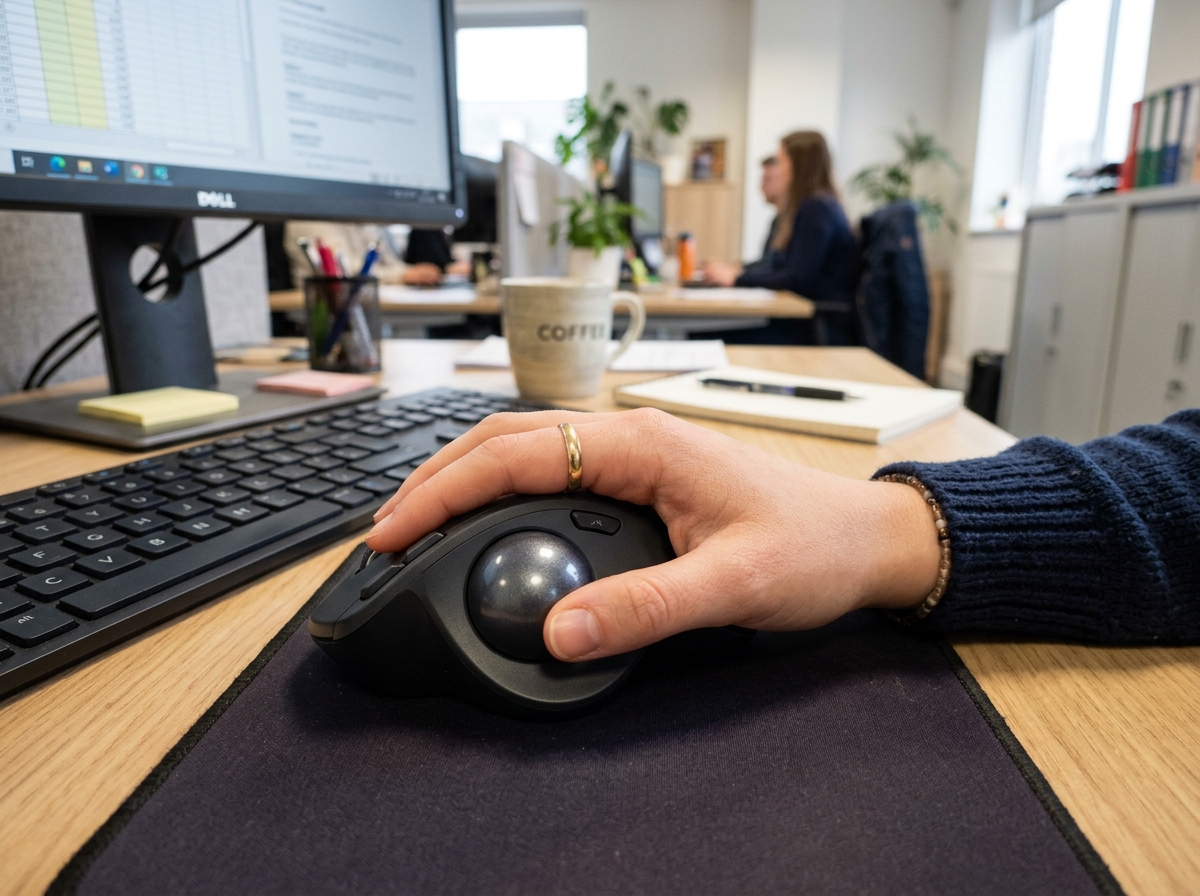
The Logitech MX Ergo S consistently ranks as a top contender, but it holds a special place for those with smaller hands. While it is a premium, feature-rich device, it offers a level of customization that cheaper models lack.
Our research shows that testers with smaller hands often prefer the MX Ergo S because the ball itself feels easier to maneuver. One tester specifically noted that “the ball is smaller and therefore easier to maneuver” compared to larger, clunkier alternatives.
Why it works for small hands:
- Adjustable Tilt: You can toggle between a 0-degree and 20-degree angle. For smaller hands, the 20-degree tilt often feels more natural as it reduces forearm pronation.
- Removable Base: On the “Plus” version, the base can be removed to make the device sit lower, which can help those with shorter fingers reach the top buttons more easily.
- Precision Mode: A dedicated button next to the trackball slows down the cursor for fine-detail work, which is helpful if your thumb reach is limited.
Logitech M575S: An Affordable Ergonomic Entry
If you aren’t ready to drop significant cash on the MX Ergo S, the Logitech M575S is the “little sibling” that many find quite comfortable. It has a measured weight of 155 grams and a much smaller footprint on the desk.
However, we should note that user experiences are mixed. While many love it, some testers with very small hands felt it could occasionally feel “unnatural.” It is best suited for those in the “small-to-medium” range (around 17-19 cm). It is an excellent choice for a wireless keyboard and mouse combos for seamless work setup because it doesn’t require any desk space to move.
Elecom EX-G Series: The “Hand-Shaped” Specialist
Elecom is a Japanese brand that takes hand sizes very seriously. They actually offer different sizes of the same mouse (Small, Medium, Large). Their EX-G series is specifically sculpted to follow the natural curves of the palm. For those who find Logitech’s “one size fits most” approach frustrating, Elecom is often the answer.
Finger-Operated and Mini Trackball Specialists
Finger-operated trackballs use your index and middle fingers to move the ball, while your thumb handles the clicking. This can be more precise for tasks like photo editing or coding.
| Feature | Kensington Orbit | Ploopy Mini | Ergohaven Trackball Mini |
|---|---|---|---|
| Ball Size | 32mm | 32mm | 32mm |
| Connection | Wireless/Wired | Wired (USB) | Wired (USB-C) |
| Best For | Portability | Customization | Ergo Keyboards |
| Ambidextrous | Yes | No (Right-hand) | Yes |
Kensington Orbit: The Best Trackball Mouse for Small Hands and Portability
The Kensington Orbit is a classic for a reason. Its design is symmetrical, making it a great ambidextrous option. For small hands, the standout feature is the Scroll Ring. Instead of a tiny wheel that requires precise finger placement, you just rotate a rubberized ring around the ball. It’s incredibly intuitive and requires zero stretching.
It also comes with a detachable wrist rest, allowing you to customize the height based on your desk setup. This is a key part of an ergonomic keyboard and mouse setup for enhanced comfort.
Ploopy Mini and Nano 2: Customizable and Compact
For the tech enthusiasts among us, the Ploopy line is fascinating. These are open-source, 3D-printed trackballs.
- Ploopy Mini: Designed specifically to solve the “this trackball is too big” problem. It has a molded shape that supports the wrist while keeping the buttons within easy reach of shorter fingers.
- Ploopy Nano 2: This is arguably the smallest trackball on the market (62mm x 54mm). It doesn’t even have buttons! It’s designed to be used alongside an ergonomic keyboard where the keyboard handles the clicking.
The Nano 2 uses a high-end PAW-3222 sensor, providing gaming-grade precision in a package that fits in the palm of your hand. If you are a fan of DIY or radical transparency in your hardware, these are the picks for you.
Ergonomic Alternatives: When a Trackball Isn’t Enough
Sometimes, even the best trackball mouse for small hands doesn’t feel quite right. If you find that moving your thumb or fingers across a ball still causes “twinges,” you might want to look at a vertical mouse.
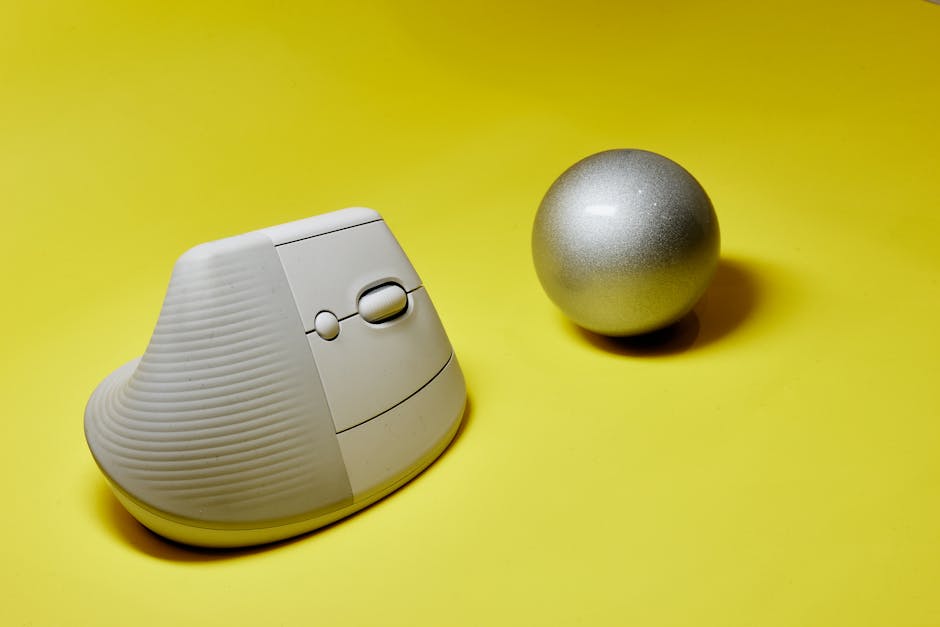
The Logitech Lift
While the MX Vertical is a great mouse, it is notoriously large. Logitech solved this by releasing the Logitech Lift, which is specifically designed for hands smaller than 7 inches (18 cm).
It puts your hand in a “handshake” position, which stops you from twisting your forearm (pronation). This is often the best alternative if a trackball feels too foreign or if you prefer the traditional “sliding” motion but want to save your wrists.
When using a vertical mouse, your choice of surface matters too. Check out our guide on the best mouse pads for work from home to ensure you have the right glide and support.
Further Research on vertical mouse ergonomics indicates that switching between a trackball and a vertical mouse throughout the day can actually be the best way to prevent RSIs, as it keeps different muscle groups from becoming overworked.
Frequently Asked Questions about Small Hand Trackballs
Is a thumb or finger trackball better for small hands?
This usually comes down to personal preference and the specific task.
- Thumb-operated trackballs (like the Logitech M575S) have a smaller learning curve because they feel like a standard mouse. However, if you have thumb arthritis or very short thumbs, you might find the constant flicking tiring.
- Finger-operated trackballs (like the Kensington Orbit) allow you to use your strongest fingers (index and middle) for movement. They are often better for precision but can take a few days to get used to.
Can kids or users with very small hands use standard trackballs?
Yes, but with caveats. Some models, like the Logitech MX Ergo S Plus, have a removable base that makes the device shorter. You can also adjust the “pointer speed” (DPI) in the software. By increasing the sensitivity, you can move the cursor across the whole screen with just a tiny movement of the ball, meaning your hand doesn’t have to travel as far.
How do I measure my hand to find the right fit?
To find your hand size, measure from the crease of your wrist to the tip of your middle finger:
- Small: Under 17 cm (6.7 inches)
- Medium: 17–19 cm (6.7–7.5 inches)
- Large: Over 19 cm (7.5 inches)
If you fall into the “Small” category, we strongly recommend looking at the Ploopy Mini, Elecom Small models, or the Logitech Lift.
Summary of Recommendations
Choosing the best trackball mouse for small hands is a personal journey, but here is our final expert take:
- For the Office Professional: The Logitech MX Ergo S is the gold standard. Its adjustable tilt and precision mode make it a productivity powerhouse that actually fits.
- For the Budget-Conscious: The Logitech M575S is a solid entry point, though very small hands should test it first.
- For the Minimalist: The Kensington Orbit with its scroll ring is the easiest to use and takes up the least amount of desk real estate.
- For the Ergonomic Enthusiast: The Ploopy Mini or Ergohaven Trackball Mini offer unparalleled customization for those who want a device that truly adapts to them.
At Dims Finance, we believe that your workspace should work for you, not against you. By choosing a mouse that fits your specific anatomy, you’re not just buying a peripheral — you’re investing in your long-term health and productivity.
Don’t let a “one size fits all” world dictate your comfort. Take the time to measure your hand, consider your daily tasks, and choose a trackball that lets you work without the ache.
Ready to optimize the rest of your desk? Explore more ergonomic desk accessories to complete your setup.