Why You Need to Reduce Typing Related Wrist Strain Before It Gets Serious
To reduce typing related wrist strain, follow these core steps:
- Keep wrists neutral – straight, not bent up or down while typing
- Use the 20-2 rule – every 20 minutes, take a 2-minute break to stretch
- Set up your workstation correctly – elbows at 90°, monitor at eye level
- Float your hands – hover above the keyboard instead of resting wrists on the desk
- Stretch regularly – wrist circles, finger flexion, and prayer stretches daily
- Use ergonomic tools – split keyboards, vertical mice, and palm rests
Your fingers fly across the keyboard all day. Emails, reports, spreadsheets – it never stops. And for a huge number of desk workers, that routine quietly causes real damage.
Studies show that up to 60% of computer users experience some form of wrist discomfort. That’s not a fringe problem – it’s the majority.
The tricky part? The pain often builds slowly. A little stiffness here. Some tingling there. Easy to ignore. But repetitive strain injuries don’t fix themselves – they compound. What starts as mild aching can develop into conditions like carpal tunnel syndrome or tendinitis that seriously disrupt daily life.
The good news is that most typing-related wrist problems are preventable – and even reversible in the early stages – with the right habits and setup. You don’t need to overhaul your life. Small, science-backed changes to your posture, workstation, and routine make a big difference.
This guide walks you through exactly what to do.

Identifying the Causes and Symptoms of Wrist Pain
We often think of typing as a “low-impact” activity. After all, you aren’t lifting heavy boxes or running marathons. However, the sheer volume of repetitive motion is what gets us. When we perform the same micro-movements thousands of times a day, it places a massive cumulative load on our tendons and nerves.
The most common culprit is Carpal Tunnel Syndrome (CTS). This happens when the median nerve, which runs from your forearm into the palm of your hand, becomes pressed or squeezed at the wrist. While many believe computer use causes CTS directly, scientific evidence suggests that computer misuse—poor posture and bad habits—is the real trigger.
Other frequent visitors include:
- Tendinitis: This is the inflammation or irritation of the tendons. In the wrist, it usually manifests as a dull ache that worsens with movement.
- Cubital Tunnel Syndrome: This is similar to carpal tunnel but involves the ulnar nerve at the elbow. If you notice your “funny bone” tingling or your ring and pinky fingers going numb, this might be why. It often stems from leaning your elbows on hard armrests for hours.
If you want to dive deeper into why your hands might be protesting, check out our guide on keyboard-wrist-injury-when-your-hands-go-on-strike.
Common Symptoms to Watch For
Don’t wait for “scream-out-loud” pain. Most repetitive strain injuries (RSIs) start with whispers. Look out for:
- Aching or Stiffness: Especially after a long session of emails.
- Numbness and Tingling: Often described as a “pins and needles” sensation in the thumb and first three fingers.
- Burning Sensations: A sign that nerves are becoming irritated.
- Weakness: Finding it harder to grip a coffee mug or turn a doorknob.
Understanding these early signs is the first step in learning how-employees-can-stop-repetitive-strain-injuries-before-they-start.
When to seek professional medical help for persistent wrist pain
We are big fans of DIY ergonomics, but we also know when it’s time to call in the pros. You should consult a doctor or a physical therapist if:
- Symptoms persist for more than a few days despite rest and ergonomic adjustments.
- Grip weakness becomes noticeable (e.g., you start dropping things).
- Pain radiates up your arm or into your neck/shoulders.
- Daily tasks like buttoning a shirt or writing with a pen become difficult.
- Night pain wakes you up or prevents you from sleeping.
Optimizing Your Workstation to Reduce Typing Related Wrist Strain
Think of your desk as your cockpit. If the seat is too low or the controls are too far away, you’re going to crash. Proper ergonomics isn’t just about comfort; it’s about mechanical efficiency.

The “Golden Rule” of ergonomics is the 90-degree angle. Your elbows should be bent at roughly 90 to 110 degrees, allowing your forearms to stay parallel to the floor. Your wrists should be in a neutral position—meaning they are straight, not tilted up (extension) or down (flexion).
If you find yourself hunching, your monitor height is likely the problem. The top of your screen should be at or slightly below eye level. This prevents the “forward head” posture that adds weight to your spine and causes issues “downstream” in your wrists.
For a deep dive into chair mechanics, see our office-chair-tips-for-posture-improvement and learn how-to-set-up-workstation-ergonomically-for-peak-comfort.
Standard vs. Ergonomic Workstation Setups
| Feature | Standard Setup (High Strain) | Ergonomic Setup (Low Strain) |
|---|---|---|
| Wrist Angle | Bent upward or “pigeon-toed” | Straight and neutral |
| Elbow Position | Flared out or resting on hard arms | Tucked at sides, 90-110° angle |
| Monitor Height | Too low (looking down) | Eye level (looking straight) |
| Keyboard Tilt | Positive tilt (propped up at back) | Flat or negative tilt |
| Mouse Distance | Reaching far to the side | Close to the keyboard |
Correct typing posture and hand position to avoid injury
One of the most common mistakes we see is “planting.” This is when you rest your wrists firmly on the desk or a wrist rest while actively typing. This creates “contact stress” on the carpal tunnel and restricts blood flow.
Instead, you should float your hands. Imagine you are playing the piano. Your hands should hover slightly above the keys, with your movement coming from the shoulders and elbows rather than just the wrists. When you aren’t typing, that is when you can rest your palms on a support.
Mastering this technique is essential. You can find more tips on mastering-the-neutral-wrist-position-for-your-keyboard-setup.
Essential Exercises and Stretches for Immediate Relief
If you’re already feeling the burn, don’t panic. There are several physical therapy-approved stretches that can provide quick relief and help reduce typing related wrist strain.
- The Prayer Stretch: Place your palms together in front of your chest. Slowly lower them toward your waistline while keeping them pressed together until you feel a stretch in your forearms. Hold for 30 seconds.
- Wrist Circles: Extend your arms and make gentle fists. Rotate your wrists in a circular motion 5 times clockwise, then 5 times counter-clockwise.
- Finger Flexion/Extension: Clench your fists tightly, then splay your fingers out as wide as possible. Repeat this “fist-to-fan” motion 10 times.
- Wrist Extensor Stretch: Extend one arm straight out, palm down. Use your other hand to gently pull your fingers back toward your body.
For those in the recovery phase, tools like therapy putty or resistance bands can help with gentle strengthening. If inflammation is high, ice therapy (10-15 minutes at a time) and over-the-counter NSAIDs (like ibuprofen) can help manage the swelling. In some cases, a wrist brace worn at night can prevent you from curling your wrists while you sleep, which is a common hidden cause of morning pain.
Daily routines to reduce typing related wrist strain
Consistency beats intensity every time. You don’t need a 30-minute workout; you need “exercise snacks.”
The 20-2 rule is our favorite habit: Every 20 minutes, take 2 minutes to stand up, shake out your hands, and reset your posture. During these breaks, try to rotate your tasks. If you’ve been typing for an hour, switch to a phone call or some filing to give your “typing muscles” a rest.
Also, don’t forget to stay hydrated! Proper hydration supports joint lubrication, which keeps everything moving smoothly.
How to strengthen wrists long-term to prevent future pain
Once the acute pain is gone, you want to build a “fortress” around your joints. Long-term prevention involves strengthening the muscles that support the wrist.
- Wrist Curls: Using a very light weight (or even a water bottle), rest your forearm on a table with your palm facing up. Curl your wrist upward, then slowly lower it.
- Eccentric Loading: This involves focusing on the “lowering” phase of an exercise, which is scientifically proven to help with tendon health.
- Grip Strengthening: Using a soft stress ball can help maintain the small muscles in the hand.
The key is progressive resistance. Start with no weight, move to a light weight, and only increase when you are 100% pain-free.
Choosing the Right Ergonomic Tools for Long-Term Health
Sometimes, your hardware is the problem. Standard rectangular keyboards force your wrists to bend outward to meet the keys (a position called “ulnar deviation”).
Split keyboards allow you to keep your hands in line with your shoulders, significantly reducing strain. Similarly, a vertical mouse keeps your hand in a “handshake” position, which prevents the forearm bones from crossing and putting pressure on the wrist.
If you’re looking for recommendations, we’ve reviewed the best options in our guide on wrist-management-finding-the-best-rsi-mouse-for-pain-free-scrolling and explored ergonomic-keyboard-and-mouse-setup-for-enhanced-comfort.
Whether you are on a Mac or PC, finding the right fit is crucial. Check out wireless-and-painless-the-best-ergonomic-keyboards-for-mac-and-pc for our top picks.
Using accessories to reduce typing related wrist strain
Accessories aren’t just “extras”—they can be game-changers for your comfort levels.
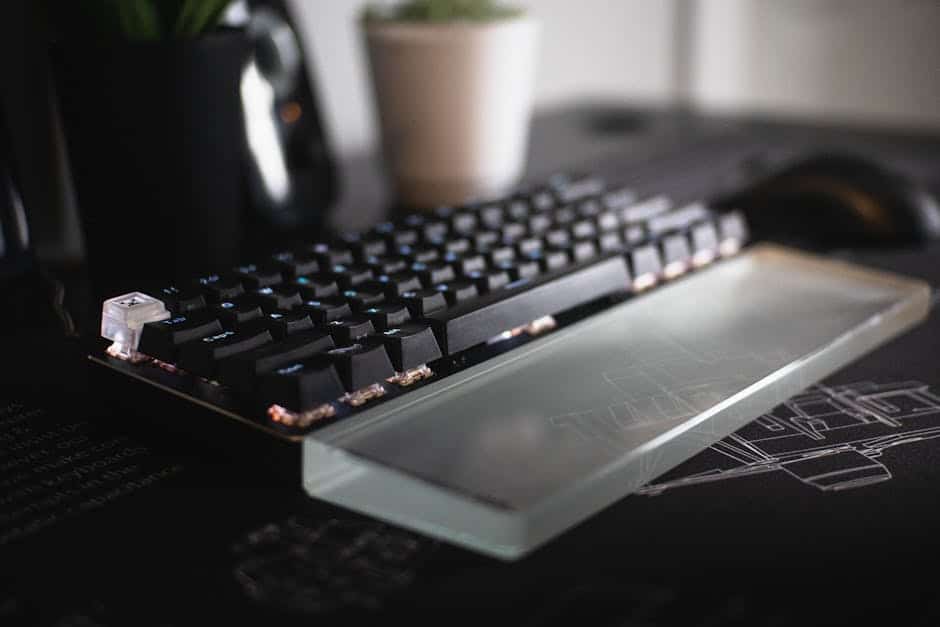
- Palm Rests: We call them palm rests, not wrist rests. They should support the fleshy part of your hand between typing bouts. Learn more at ergonomic-wrist-rests-for-typing.
- Mechanical Switches: Unlike “mushy” membrane keyboards, mechanical keyboards provide tactile feedback. This means you don’t have to “bottom out” or hammer the keys to know they’ve been pressed, which saves your joints from unnecessary impact.
- Dvorak Layout: For the truly dedicated, the Dvorak keyboard layout places the most common letters on the “home row.” This reduces finger travel distance by up to 60%, drastically lowering the repetitive strain on your hands.
Frequently Asked Questions about Wrist Strain
Do wrist rests actually help prevent carpal tunnel?
Yes and no. If you use them to rest your wrists while you type, they can actually increase pressure on the carpal tunnel and make things worse. However, if used as a palm support during breaks to maintain a neutral alignment, they are very helpful. The goal is to avoid contact pressure on the underside of the wrist where the nerves are most vulnerable.
What are the best home remedies for quick relief?
For immediate discomfort:
- Rest: Stop the aggravating activity immediately.
- Cold Therapy: Use an ice pack for 10-15 minutes to bring down inflammation.
- Compression: A light elastic bandage can provide support.
- Elevation: Keep your wrist above the level of your heart to reduce swelling.
- OTC Meds: Ibuprofen or naproxen can help with the pain and inflammation.
How often should I take breaks during a workday?
We recommend the 20-2 rule: every 20 minutes, take a 2-minute break. Short, frequent breaks are much more effective at preventing cumulative strain than one long lunch break. Use these 120 seconds to stretch, look away from the screen (the 20-20-20 rule for eyes), and reset your sitting posture.
Conclusion
At Dims Finance, we believe that your work shouldn’t hurt. By adopting proactive habits—like maintaining a neutral wrist position, using the 20-2 rule, and investing in the right tools—you can reduce typing related wrist strain before it ever becomes a chronic problem.
Workplace wellness isn’t a luxury; it’s the foundation of long-term productivity. Start with one small change today—maybe it’s adjusting your chair height or trying a prayer stretch—and your wrists will thank you for years to come.
Ready to upgrade your workspace? Explore our ergonomic desk accessories to find the perfect tools for a pain-free workday.