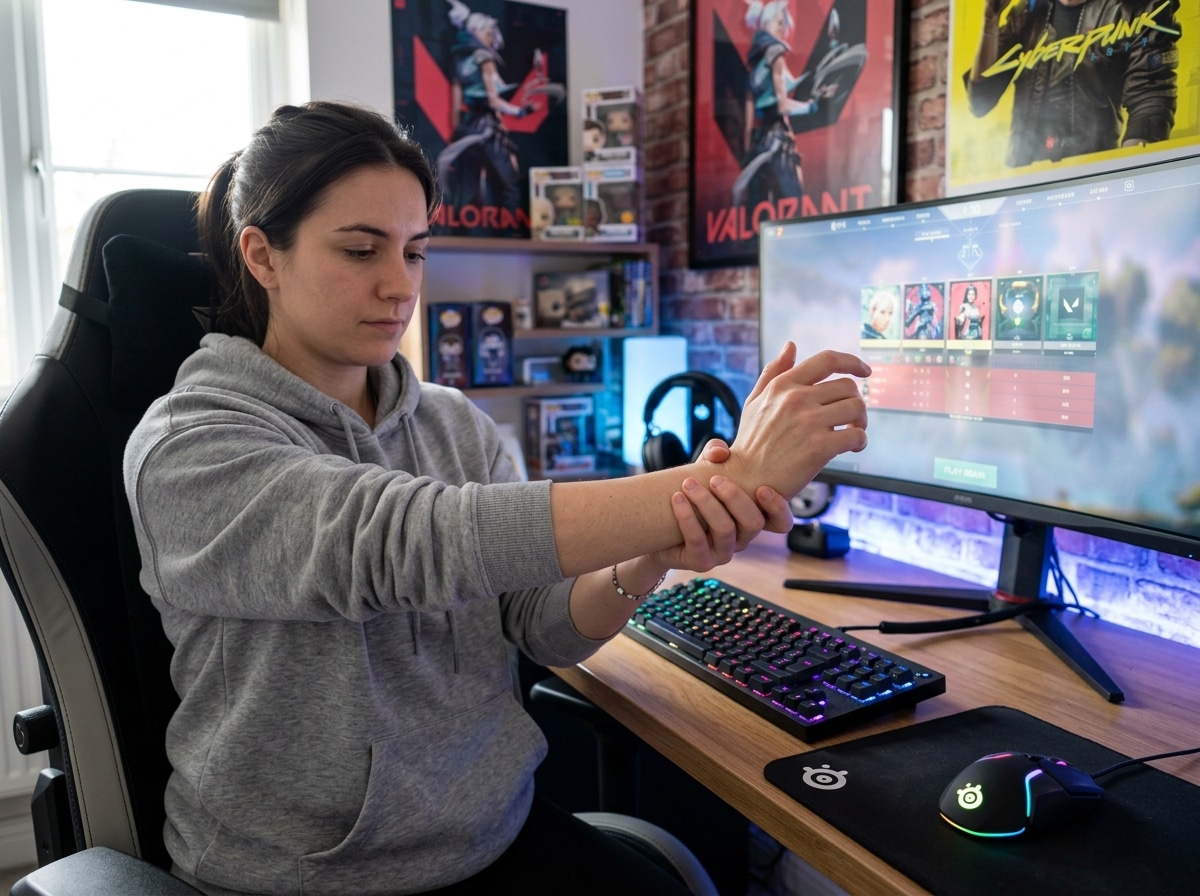
Why Gamers Are Getting Hurt (And What to Do About It)
Exercises to prevent repetitive strain injuries in gamers are more important than most people realize — and if you’re already feeling tightness, aching, or numbness in your hands or wrists, you’re not alone.
Here are the key exercises to start with:
- Wrist Flexor Stretch – Extend one arm, palm up. Pull fingers down and back with your other hand. Hold 15-30 seconds per side.
- Finger Lift – Place hand flat on a surface. Lift each finger one at a time, hold 10 seconds. Repeat 10 times per hand.
- Thumb Flex – Stretch thumb outward, then bend it across your palm toward the base of your little finger. Repeat 5 times per hand.
- Wrist Circumduction – Slowly rotate both wrists in full circles, 3 times clockwise and 3 times counter-clockwise.
- Prayer Position Stretch – Press palms together, fingers pointing up, elbows out. Hold 30 seconds.
- Finger Abduction – Spread fingers as wide as possible, hold, then bring together. Repeat 5 times.
- Lumbrical Stretch – Curl fingers at the knuckles, then gently push them back with your opposite hand. Hold 10 seconds, repeat 3 times per hand.
Gaming looks easy from the outside. You’re sitting down. No running, no jumping, no contact.
But the physical reality is brutal. A top-level gamer can perform 500 to 600 moves per minute — roughly 10 moves every single second. Professional esports athletes train anywhere from 5.5 to 10 hours per day. That’s a staggering amount of repetitive motion concentrated almost entirely in the hands, wrists, and forearms.
Over time, that load adds up. Muscles fatigue. Tendons get inflamed. Nerves get compressed. The result? Repetitive strain injuries (RSIs) — conditions like carpal tunnel syndrome, tendonitis, and “gamer’s thumb” — that can sideline you for weeks or even months if ignored.
The frustrating part: these injuries are largely preventable. A few minutes of targeted exercise before, during, and after gaming sessions can make a significant difference. And unlike muscle injuries that heal in 2-3 weeks, tendon injuries can take 6 weeks or more to recover from — so prevention is always the smarter play.

Understanding RSI and Why Gamers are at Risk
When we talk about Repetitive Strain Injury (RSI), we are describing a family of conditions caused by the repeated use of a body part, leading to damage in the muscles, tendons, or nerves. In the gaming world, these aren’t just “aches and pains”; they are genuine medical issues that arise because our bodies weren’t designed to click a mouse 600 times a minute for ten hours straight.
Gamers are particularly susceptible because of the sheer volume of “micro-movements.” Whether you are a PC gamer flicking a mouse in League of Legends or a console player mashing buttons in Super Smash Bros, you are placing a massive “load” on small muscle groups. This is a load management issue. If the demand you place on your hand and wrist exceeds their capacity to recover, tissue breakdown begins.
Common gaming-related injuries include:
- Carpal Tunnel Syndrome: Compression of the median nerve in the wrist, leading to tingling and numbness.
- Tendonitis (and Tenosynovitis): Inflammation of the tendons, often felt as a sharp or burning pain.
- De Quervain’s Tenosynovitis (Gamer’s Thumb): Pain at the base of the thumb caused by repetitive thumb movements on controllers or spacebars.
- Lateral Epicondylitis (Gamer’s Elbow): Overuse of the forearm muscles that attach to the outside of the elbow.
As noted in the research on Preventing Injuries from Video and E-Gaming, these injuries often develop gradually. You might ignore a slight twinge today, but without intervention, it can become a chronic condition. We’ve explored this further in our guide on keyboard-wrist-injury-when-your-hands-go-on-strike, where we detail how repetitive typing and gaming can lead to a total “strike” from your hands.
Essential Exercises to Prevent Repetitive Strain Injuries in Gamers
To stay in the game, we need to adopt an “athlete’s mindset.” No professional basketball player walks onto the court and starts dunking without a warm-up. Gamers should be no different. Warm-up routines increase blood flow to the fingers and wrists, making the tissues more elastic and resilient to the high-speed demands of gaming.
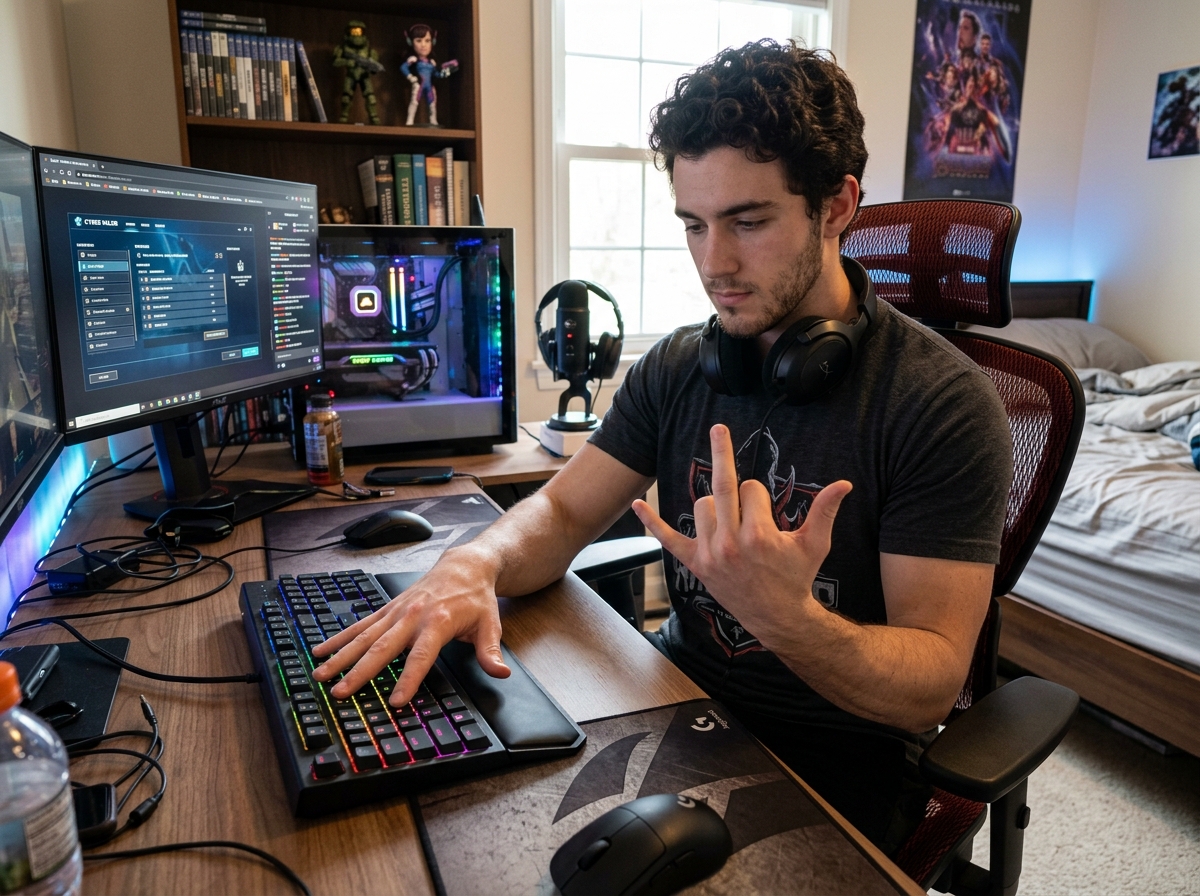
The goal of these exercises to prevent repetitive strain injuries in gamers is to prepare the “meat” of the hand and the “strings” (tendons) of the forearm. By increasing muscle elasticity, we reduce the friction that leads to inflammation.
As highlighted in 3 Ways to Prevent Gaming Injuries, a combination of breaks, posture, and exercise is the gold standard for prevention. Furthermore, finding the right tools, such as wrist-management-finding-the-best-rsi-mouse-for-pain-free-scrolling, can complement these exercises by reducing the initial strain.
Hand and Finger Exercises to Prevent Repetitive Strain Injuries in Gamers
Our hands are the primary interface between us and the digital world. These exercises target the intrinsic muscles of the hand and the long tendons that control our fingers.
1. Opposition Finger-Taps This is great for coordination and warming up the thumb.
- Touch the tip of your thumb to the tip of your index finger.
- Move to the middle, ring, and pinky fingers.
- Do two sets of 10 “laps” on each hand.
- Expert Tip: Try doing this with just the finger pads, then switch to touching the very tips of the nails for different muscle engagement.
2. Finger Abduction (The “Spock” Stretch) This strengthens the muscles that move your fingers sideways.
- Place your hand flat on the desk.
- Spread your fingers as wide as possible, like a fan.
- Hold for 5 seconds, then relax.
- Repeat 5-10 times.
3. Joint Distraction This sounds scary, but it’s actually a gentle way to “decompress” the joints.
- Relax your hand.
- Grip the tip of one finger with your opposite hand.
- Gently pull outward (away from the palm) for 5-10 seconds.
- Repeat for all fingers and the thumb. This helps relieve the pressure built up from hours of clicking.
4. Lumbrical Stretches The lumbricals are small muscles in the palm that help us flex our knuckles while keeping our fingers straight.
- Make a “tabletop” with your hand (bend at the knuckles, keep fingers straight).
- Use your other hand to gently push the fingers back toward the top of your hand.
- Hold for 10 seconds.
Using ergonomic-wrist-rests-for-typing during your actual gaming sessions can help maintain the benefits of these stretches by preventing your wrists from collapsing into the desk.
Wrist and Forearm Exercises to Prevent Repetitive Strain Injuries in Gamers
The forearm is essentially the “engine” for your fingers. Most of the muscles that move your fingers are actually located in your forearm.
1. Prayer and Reverse Prayer Stretches
- Prayer: Press your palms together in front of your chest. Slowly lower your hands toward your waist while keeping your palms together. Hold for 30 seconds.
- Reverse Prayer: Press the backs of your hands together, fingers pointing down. Raise your elbows slightly to increase the stretch. Hold for 30 seconds.
2. Wrist Circumduction This is a fancy term for wrist circles.
- Make a light fist.
- Slowly rotate your wrists in the largest circle possible.
- Go 5 times clockwise, then 5 times counter-clockwise. Focus on making the movement smooth, not fast.
3. Pronated Extensor Stretch
- Extend your arm straight out, palm facing down.
- Use your other hand to pull your wrist downward (fingers pointing toward the floor).
- Hold for 30 seconds. This targets the muscles on the top of your forearm, which are often overused during mouse clicking.
Maintaining a healthy wrist position is vital. We recommend mastering-the-neutral-wrist-position-for-your-keyboard-setup to ensure you aren’t undoing all your hard work the moment you jump back into a match.
Ergonomics and Posture: Beyond the Exercises
Exercises are only half the battle. If you do your stretches but then spend 8 hours slouched over like a question mark, the injuries will still find you. Proper posture is about maintaining a “neutral spine” and ensuring your joints are in their strongest, least-stressed positions.
When we sit improperly, we create “referred pain.” For example, tightness in your neck can compress nerves that travel all the way down to your fingertips. This is why we often say that hand health starts in the back.
Key posture checkpoints:
- Eyes: The top third of your monitor should be at eye level so you aren’t tilting your head down.
- Shoulders: Relaxed and down, not hunched up toward your ears.
- Elbows: Bent at roughly 90 to 100 degrees, tucked close to your body.
- Wrists: Neutral (straight), not bent upward or downward.
For those who use their desk for both gaming and professional work, we’ve put together a guide on office-furniture-for-gaming-and-work-combo to help you find the right balance. You can also explore ergonomic-keyboard-and-mouse-setups-for-maximum-comfort to see how hardware affects your body’s alignment.
Optimizing Your Setup for Long-Term Health
Your chair is your cockpit. An adjustable chair with lumbar support is non-negotiable for serious gamers. It should support the natural curve of your lower back and allow your feet to rest flat on the floor.
Peripheral placement is equally important. Your keyboard and mouse should be close enough that you don’t have to reach for them. Reaching strains the shoulders and creates a chain reaction of tension down to the wrists. We have detailed resources on ergonomic-keyboard-and-mouse-setup-for-enhanced-comfort and a general ergonomic-keyboard-and-mouse-setup guide to help you dial in your specific measurements.
Implementing a Professional Recovery Routine
Even with the best setup, the body needs breaks. We recommend the “52/17 rule” or at least a 5-minute break every hour. During this time, you should stand up, move, and reset your vision.
The 20-20-20 Rule for Eye Strain: Every 20 minutes, look at something 20 feet away for at least 20 seconds. This relaxes the ciliary muscles in your eyes, which can help prevent the headaches and neck tension often associated with RSIs.
Active Recovery: Don’t just sit on your phone during your break. Perform “active breaks.” This includes:
- Self-Massage: Use your thumb to massage the “meaty” part of your opposite palm and forearm.
- Hydration: Water keeps your tissues hydrated and supple.
- Core Strengthening: A strong core supports your posture, taking the load off your neck and shoulders.
Understanding recovery times is crucial. If you feel pain, you need to know what you’re dealing with:
| Injury Type | Healing Time (With Rest) | Management Strategy |
|---|---|---|
| Muscle Strain | 2 – 3 Weeks | Rest, gentle stretching, heat |
| Tendon Overuse | 6 – 8 Weeks | Ice (for inflammation), strict rest, ergonomics |
| Nerve Compression | Varies (Weeks to Months) | Professional PT, ergonomic overhaul, possible splinting |
Warning Signs: When to See a Specialist
We know it’s tempting to “play through the pain,” but in RSIs, pain is a signal that damage is occurring. If you catch an injury in the first week, you might only need a few days of rest. If you wait three months, you might need surgery.
Seek professional medical advice if you experience:
- Numbness or Tingling: Especially in the thumb, index, or middle fingers (a sign of Carpal Tunnel).
- Burning Sensations: This often indicates nerve irritation or severe tendon inflammation.
- Loss of Grip Strength: If you find yourself dropping things or struggling to hold a controller firmly.
- Night Pain: If your hands or wrists ache so much they wake you up at night.
- Swelling or Redness: Signs of acute inflammation that need immediate attention.
Early intervention with a physical therapist or hand specialist can save your gaming career. They can provide custom exercise programs and “joint distraction” techniques tailored to your specific anatomy.
Frequently Asked Questions about Gaming Injuries
How often should I perform these stretches?
We recommend a “Pre-Game, Mid-Game, Post-Game” approach. Do 2 minutes of warm-ups before you start, a quick 30-second stretch every hour during breaks, and a 2-minute “cool down” when you finish for the day. Consistency is more important than intensity.
Can ergonomic equipment replace the need for exercise?
No. Ergonomic equipment reduces the rate of strain, but it doesn’t eliminate it. Think of ergonomic gear as a better road for your car; it makes the drive smoother, but you still need to maintain the engine (your body) with exercise.
What is the difference between “Gamer’s Thumb” and Carpal Tunnel?
“Gamer’s Thumb” (De Quervain’s) is a tendon issue on the thumb side of the wrist, usually causing sharp pain when moving the thumb. Carpal Tunnel is a nerve issue inside the wrist, usually causing numbness and tingling in the fingers. They require different treatment approaches, which is why a proper diagnosis is key.
Conclusion
At Dims Finance, we believe that peak performance shouldn’t come at the cost of your health. By integrating these exercises to prevent repetitive strain injuries in gamers into your daily routine, you aren’t just preventing pain — you’re extending your gaming lifespan and ensuring your reactions stay sharp.
Sustainable gaming is about balance: the right gear, the right posture, and the right movement habits. Don’t wait for the pain to start before you take action. Start your “pre-hab” today and keep your hands in peak condition for the next raid, match, or tournament.
Check out our full range of ergonomic desk accessories for maximum comfort