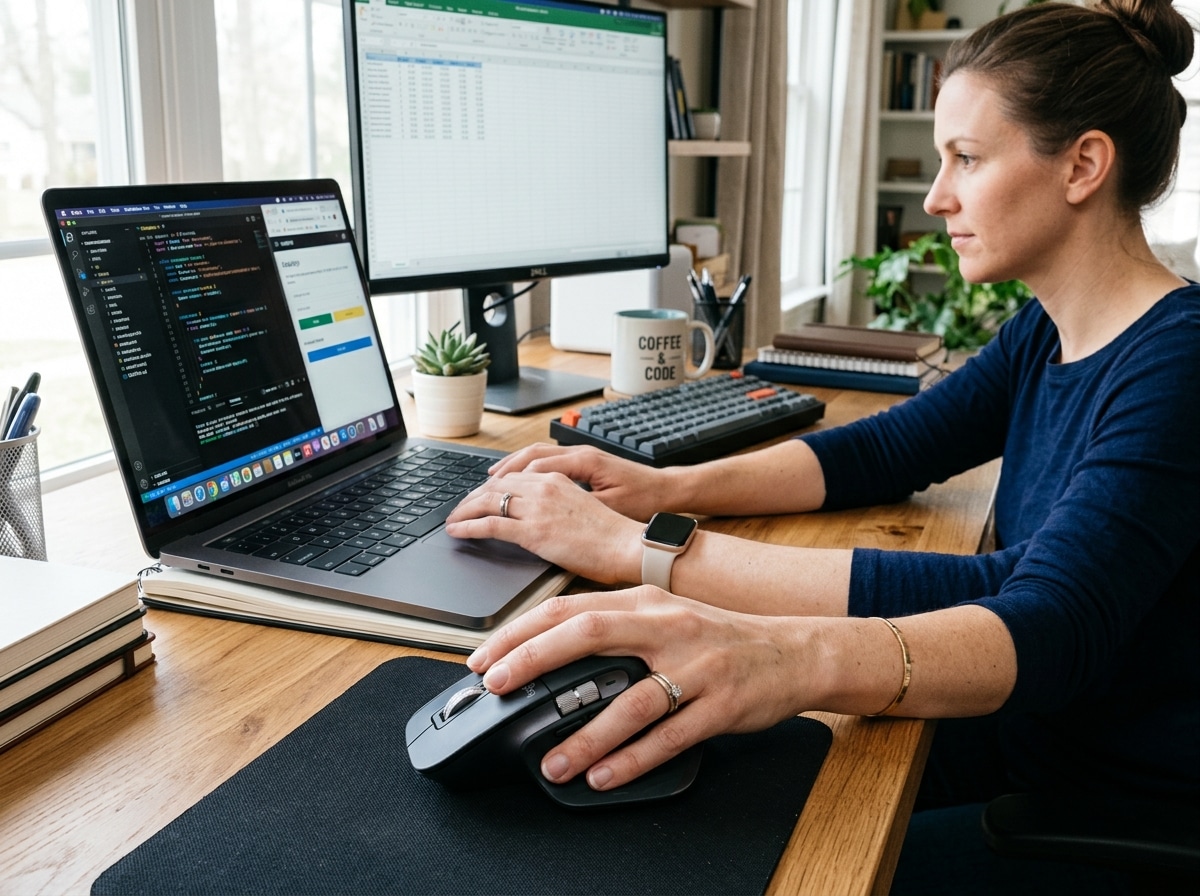
The Most Comfortable Mice for Wrist Pain Relief and All-Day Use
The most comfortable mice can make a real difference if you spend hours at a computer every day. Here are the top picks:
| Mouse | Type | Best For |
|---|---|---|
| Logitech MX Vertical | Vertical | Best overall comfort |
| Logitech MX Master 4 | Sculpted horizontal | Power users and productivity |
| Logitech MX Ergo S | Trackball | Zero wrist movement |
| Hansker Productivity | Vertical | Best vertical runner-up |
| Logitech M575S | Budget trackball | Easy entry into trackballs |
| TeckNet Rechargeable Vertical | Budget vertical | Best value for RSI prevention |
| Razer Basilisk V3 35K | Gaming/ergonomic hybrid | Work and play balance |
Using a standard flat mouse feels normal — until it doesn’t. For many office workers and heavy computer users, hours of gripping a traditional mouse leads to wrist aches, forearm tension, and in serious cases, repetitive strain injuries (RSI) or carpal tunnel syndrome.
The problem is how a flat mouse forces your hand to sit. Your palm faces downward, which rotates your forearm inward — a position called forearm pronation. Hold that position for eight hours a day, and your muscles and tendons pay the price.
Ergonomic mice are designed to fix that. Vertical mice tilt your hand into a natural “handshake” position. Trackball mice eliminate wrist movement entirely. Sculpted horizontal mice add thumb rests, contoured grips, and smart scroll wheels to reduce strain without changing how you hold the mouse.
The right mouse depends on your hand size, your work style, and how much strain you’re already dealing with. This guide covers the best options across every category, tested and ranked by comfort, tracking accuracy, and real-world usability.

The Science of Ergonomics: Why Shape Matters for Most Comfortable Mice
When we talk about the most comfortable mice, we aren’t just talking about soft plastic or a nice click sound. We are talking about anatomy. Traditional mice require “pronation,” which is the act of turning your palm to face the floor. This crosses the two bones in your forearm (the radius and ulna), putting constant pressure on the nerves and soft tissues of the wrist.
To achieve a neutral alignment, your hand should ideally rest at an angle. Scientific research on how vertical mice reduce discomfort shows that angled designs significantly lower muscle activity in the forearm. By mimicking a natural “handshake” position, these mice prevent ulnar deviation—the awkward side-to-side bending of the wrist—which is a leading cause of carpal tunnel syndrome.
At Dims Finance, we emphasize that a proper ergonomic-keyboard-and-mouse-setup is the foundation of workplace wellness. But comfort isn’t the only metric. In lab environments, experts measure performance using Speed-Related Accuracy Variation (SRAV). This tracks how accurately the cursor moves regardless of how fast you move your hand. A high-quality ergonomic mouse like the Logitech MX Vertical boasts an SRAV accuracy of 0.05%, meaning it is nearly perfect.
Furthermore, “click force” tension matters. If a button requires 60 grams of force to click, your finger tendons are working twice as hard as they would with a mouse that only requires 30 grams. Over thousands of clicks a day, that difference determines whether you leave the office with a “soul-crushing” ache or a hand that feels fresh.
Top-Rated Vertical Mice for Natural Alignment
Vertical mice are the most radical departure from the “norm,” but they offer the most immediate relief for chronic wrist strain. By tilting the primary buttons and scroll wheel to the side, these devices allow your arm to sit on the desk in a relaxed, neutral state.

The primary benefit is forearm relief. Because you aren’t twisting your arm to reach the buttons, the muscles in your upper forearm remain soft rather than tensed. While the 57-degree tilt angle found in models like the Logitech Lift and MX Vertical is considered the “sweet spot,” finding the right fit depends heavily on hand size. Small hands often struggle with the bulk of the original MX Vertical, while extra-large hands might find compact models like the Logitech Lift too cramped.
Logitech MX Vertical: The Gold Standard for Most Comfortable Mice
The Logitech MX Vertical remains the benchmark for vertical design. In comprehensive lab testing, it earned a comfort score of 8.5 out of 10. Its 57-degree angle is scientifically calculated to reduce muscle strain by up to 10% compared to a traditional mouse.
What sets it apart is the refinement. It features a textured rubber grip that feels premium and secure, preventing your hand from sliding down the slope. It’s also a performance beast, with that near-perfect 0.05% SRAV accuracy. While it is best suited for medium to large hands, its four programmable buttons and fast USB-C charging make it a top-tier productivity tool. If you are serious about RSI prevention, this is arguably the most effective investment you can make.
TeckNet Rechargeable Vertical: Best Value for Budget Buyers
You don’t always have to spend over $100 to save your wrist. The TeckNet Rechargeable Vertical is proof that affordable ergonomics can be highly effective. It promotes that same stress-free handshake position without the premium price tag.
While it lacks the advanced software customization of high-end brands, it offers reliable tracking and a comfortable internal battery that eliminates the need for AA replacements. For entry-level RSI prevention, it’s a fantastic “test drive” for the vertical category. It’s lightweight, easy to glide, and provides enough support to notice a difference within the first hour of use.
Sculpted Horizontal Mice: Productivity Meets Comfort
Not everyone is ready to flip their grip 90 degrees. For many, the most comfortable mice are those that take the traditional shape and perfect it. Sculpted horizontal mice feature deep thumb rests, asymmetrical slopes, and advanced scrolling tech to make a standard grip feel vastly more supportive.
These mice are often the cornerstone of wireless-keyboard-and-mouse-combos-for-seamless-work. They focus on “dynamic” features, such as 4D scrolling (tilting the wheel left and right) and infinite scroll wheels that can fly through thousands of spreadsheet rows with a single flick. By reducing the number of repetitive finger movements needed to navigate, they protect your hand from the “inside out.”
Logitech MX Master 4: The Most Comfortable Mice for Power Users
The MX Master series has long been the “king of the office,” and the latest iteration continues that legacy. It features an 8,000 DPI sensor that tracks on virtually any surface—including glass—meaning you don’t have to tense your hand while struggling with a jumpy cursor.
The standout feature is the MagSpeed electromagnetic scrolling. It’s quiet, incredibly fast (1,000 lines per second), and precise enough to stop on a single pixel. With the Logi Options+ software, you can remap every button to specific apps, creating a workflow that requires less physical effort. The clicks are “quiet,” providing tactile feedback without the sharp noise that can be distracting in a focused environment. For power users, it is the ultimate blend of luxury and utility.
Razer Basilisk V3 35K: Ergonomics for Work and Play
Gaming mice aren’t just for teenagers playing shooters; they are often some of the most comfortable mice for high-intensity work because they are built for speed and long-duration use. The Razer Basilisk V3 35K is a hybrid masterpiece.
It features a signature thumb rest and a high-arching back that supports the palm perfectly. The “DPI clutch” is a game-changer for creative professionals; you can hold a button to instantly lower the sensitivity for precise photo editing or CAD work, then release it to fly across your dual-monitor setup. With 11 programmable buttons, it offers a level of customization that most office mice can’t touch, making it ideal for anyone who balances spreadsheets by day and gaming by night.
Trackball Mice: The Stationary Solution for Wrist Pain
If moving your arm at all causes pain, a trackball is your best friend. Unlike standard mice, trackballs stay completely stationary. You navigate by moving a ball with your thumb or fingers, meaning your wrist and shoulder never have to move.
As we discuss in our guide on ergonomic-keyboard-and-mouse-setups-for-maximum-comfort, trackballs are a “stationary mousing” solution. They are incredibly efficient for small desks or cluttered workspaces. Because they don’t require a mousepad or a flat surface, you can even use them on the arm of a chair or your lap. This lack of movement is a direct path to shoulder pain reduction, as it eliminates the “reaching” motion that strains the rotator cuff.
Logitech MX Ergo S: Precision Without the Strain
The MX Ergo S is widely considered the best trackball on the market. Its unique selling point is a 20-degree adjustable hinge. This allows you to tilt the mouse to find the exact angle that feels best for your unique anatomy.
It features a heavy metal base plate that keeps it anchored to your desk, providing a premium, stable feel. It’s particularly well-suited for large or extra-large hands, though testers with small hands have also praised its tactile response. The “Precision Mode” button near the ball allows you to instantly slow down the cursor for fine-tuned tasks, giving you the control of a traditional mouse without the physical strain.
Logitech M575S: Best Budget Trackball
The M575S is the “gateway” trackball. It’s affordable, durable, and remarkably easy to learn. It features a 38g click force—one of the lowest measured—making it incredibly easy on the finger joints.
The thumb-operated ball is smooth and requires very little effort to move. It’s a low-power device that lasts for months on a single battery and offers both Bluetooth and USB receiver connectivity. If you’ve been curious about switching to a trackball to save your wrist but didn’t want to commit to a high-price model, the M575S is the perfect starting point.
Choosing the Right Fit: Hand Size and Customization
Finding the most comfortable mice is a bit like finding the right pair of shoes—the “best” one is the one that fits you. Hand size is the most critical variable.
- Small Hands: Look for the Logitech Lift or the Signature M650. These are designed to be gripped without overextending your fingers.
- Large/XL Hands: The MX Master 4 and MX Ergo S offer the surface area needed to prevent your fingers from dragging on the desk.
- Surface Compatibility: If you work in cafes or on glass tables, ensure your mouse has a high-end laser sensor (like Logitech’s Darkfield) that doesn’t require a mousepad.
Beyond physical fit, software is your secret weapon. Using wireless-keyboard-and-mouse-combos-for-seamless-work-2 allows you to sync gestures across devices. Programmable buttons can replace repetitive keyboard shortcuts (like Ctrl+C/Ctrl+V), shifting the workload from your tired wrists to your stronger thumb muscles. Weight distribution also plays a role; some users prefer a “hefty” mouse for stability, while those with weak wrists should look for lightweight options under 100 grams.
Frequently Asked Questions about Mouse Comfort
How do I know if a vertical mouse will help my wrist pain?
If you feel a “twisting” sensation in your forearm or if your wrist feels sore after just an hour of work, a vertical mouse is likely to help. These symptoms are often caused by forearm pronation. By switching to a handshake grip, you allow the muscles to stay in their natural resting state, which usually provides immediate relief from tension.
Is there a steep learning curve for trackball mice?
There is a learning curve, usually lasting about 3 to 7 days. At first, you might find yourself trying to move the whole mouse. However, once your “muscle memory” kicks in, many users find they are just as fast—if not faster—with a trackball than a standard mouse. It is especially helpful for those with limited desk space or shoulder issues.
Which ergonomic mice are best for MacOS users?
Logitech’s MX series (MX Master 4, MX Vertical, MX Ergo S) is arguably the best for Mac users because the Logi Options+ software is fully optimized for macOS. It allows you to use “Gesture Buttons” to mimic Mac trackpad swipes (like Mission Control or switching desktops), which keeps the seamless Apple experience while providing much better physical support than the flat Magic Mouse.
Conclusion
At Dims Finance, we believe that workplace wellness starts with the tools you touch every single day. Finding the most comfortable mice isn’t just a luxury; it’s a science-based strategy for RSI prevention and long-term health. Whether you choose the radical relief of a vertical mouse, the stationary precision of a trackball, or the refined support of a sculpted horizontal mouse, the goal is the same: to boost your productivity without sacrificing your well-being.
Your hands do the hard work of building your career and expressing your soul. Give them the support they deserve. For more tips on optimizing your workstation, explore our latest guides on Desk Accessories and ergonomic setups.