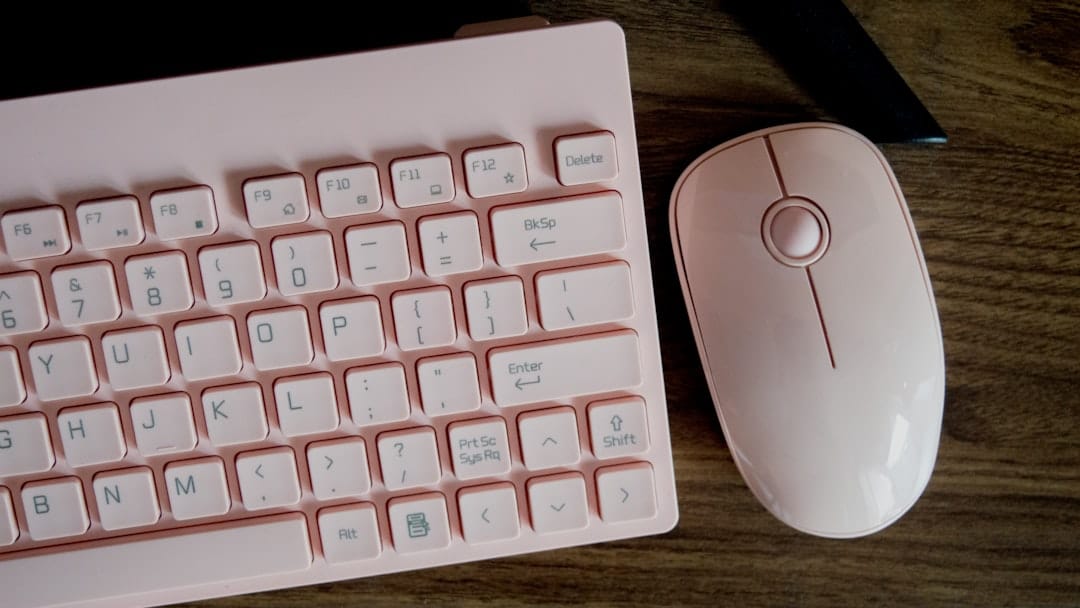
Why a Comfortable Keyboard and Mouse Can Save Your Wrists
A comfortable keyboard and mouse setup is one of the most important investments you can make for your long-term health at a desk. Beyond just physical comfort, a well-designed workspace fosters a “flow state,” where you can focus entirely on your tasks without the nagging distraction of a dull ache in your wrist or a cramp in your hand. If you want the short answer, here are the top picks:
Top Comfortable Keyboard and Mouse Combos:
| Combo | Best For | Standout Feature |
|---|---|---|
| Logitech MK850 | Most users | 36-month keyboard battery, multi-device |
| Logitech Wave Keys MK670 | Budget ergonomics | Wave-shaped keys, cushioned palm rest |
| Targus EcoSmart ErgoFlip | Eco-conscious users | 85% recycled materials, antimicrobial |
| Logitech MX Keys S Combo | Power users | Low-profile keys, hand-sculpted mouse |
| Perixx Periduo-605 | Split + vertical | Wireless split keyboard + vertical mouse |
Wrist pain, finger fatigue, and shoulder tension are not just annoyances. Over time, they can develop into repetitive strain injuries (RSIs) or conditions like carpal tunnel syndrome. These are serious, and they affect a huge number of people who spend long hours at a computer. The psychological toll of chronic pain can also lead to decreased job satisfaction and increased stress levels.
The good news? The right keyboard and mouse combo can make a real difference. Ergonomic designs reduce the strain on your joints by promoting a more natural hand and wrist position while you type and click. By aligning your body correctly, you allow your muscles to work more efficiently, which directly translates to higher productivity and fewer sick days.
This guide breaks down the best options available, what to look for, and how to choose the right setup for your needs.

How Ergonomic Design Reduces Strain
When we talk about a comfortable keyboard and mouse, we aren’t just talking about soft plastic. True comfort comes from biomechanics—the science of how your body moves. Traditional flat keyboards force your wrists to bend outward (ulnar deviation) and your forearms to twist downward (pronation). Over an eight-hour workday, this “unnatural” position creates micro-traumas in your tendons and nerves. By understanding the “Neutral Reach Zone”—the area you can reach without leaning or stretching—you can position your keyboard and mouse to minimize unnecessary movement.
The Magic of the Split Design
One of the most effective ways to combat this is the split keyboard design. By dividing the keys into two angled sections, a split keyboard allows your hands to rest at a shoulder-width distance. This keeps your wrists straight and aligned with your forearms. Some models, like the Perixx Periduo-605, even “tent” the keyboard, raising the middle to match the natural angle of your resting hands. This tenting effect is crucial because it prevents the forearm bones from crossing over each other, which is the primary cause of fatigue in standard setups.
Vertical and Sculpted Mice
Similarly, a standard mouse requires you to keep your palm flat against the desk. An ergonomic or vertical mouse allows for a “handshake” grip. This position significantly reduces pressure on the carpal tunnel area. At Dims Finance, we emphasize that a ergonomic-keyboard-and-mouse-setup-for-enhanced-comfort is the first line of defense against chronic pain. A vertical mouse ensures that the weight of your hand is supported by the side of your palm rather than the sensitive underside of your wrist.
Scientific Benefits of Neutral Posture
Research into workplace ergonomics shows that maintaining a “neutral” posture—where joints are naturally aligned and muscles are at their most relaxed length—can significantly reduce the risk of RSIs. Features like cushioned palm rests and concave keys aren’t just for show; they ensure your fingers don’t have to travel as far and your wrists don’t bear the weight of your arms. For more technical details on positioning, check out our guide on the ergonomic-keyboard-and-mouse-setup.
Choosing the Most Comfortable Keyboard and Mouse
Finding the right pair is like finding the right pair of shoes; it has to fit your specific workflow. If you are constantly switching between a laptop, a tablet, and a desktop, multi-device connectivity is a must. If you work in a quiet office, silent membrane switches are better than clicky mechanical ones. You should also consider the “travel distance” of the keys; shorter travel often means less effort for your fingers over thousands of keystrokes.
Feature Comparison Table
| Feature | Logitech MK850 | Targus EcoSmart | Logitech MX Keys S |
|---|---|---|---|
| Connectivity | Bluetooth & 2.4GHz | Bluetooth BLE 5.0 | Bluetooth & Logi Bolt |
| Battery Life | 36 Months (KB) | Ultra-low energy | Rechargeable (15 days) |
| Palm Rest | Large Cushioned | Integrated | Detachable |
| Multi-Device | Up to 3 devices | Up to 3 devices | Up to 3 devices |
| Sustainability | Standard | 85% Recycled | PCR Plastic |
Check Price at Amazon
Best Overall Comfortable Keyboard and Mouse: Logitech MK850
The Logitech MK850 Performance remains a gold standard for a reason. It balances a traditional layout with ergonomic curves. The keyboard features a subtle wave shape that guides your fingers into a natural position without the steep learning curve of a fully split board. The keys are slightly concave, which helps center your fingertips and prevents slipping, reducing the overall tension in your hands.
With a 4.4-star rating from thousands of users, it’s praised for its “Easy-Switch” technology, allowing you to jump from your PC to your Mac with the tap of a button. The mouse is hyper-efficient, featuring a scroll wheel that can fly through 1,000 lines of code or spreadsheet rows in a single second. This speed is not just for efficiency; it reduces the number of repetitive finger flicks required to navigate long documents.
Buy now at Amazon
Best Sustainable Comfortable Keyboard and Mouse: Targus EcoSmart
For those who want to save their wrists and the planet, the Targus EcoSmart Ergonomic Combo is a standout. It is manufactured from up to 85% post-consumer recycled materials and features the ErgoFlip mouse—a 2023 Good Design® Award winner.
What makes it unique? The ErgoFlip mouse actually twists to convert between left-handed and right-handed use. It also features DefenseGuard™ Antimicrobial Protection, which is infused into the material to prevent the growth of microorganisms. This makes it an excellent choice for shared workstations or anyone concerned about hygiene. The keyboard itself is designed with a low-profile aesthetic that keeps your wrists at a minimal angle relative to the desk surface.
Connectivity and Sustainability Features
Modern comfortable keyboard and mouse sets have evolved beyond simple USB plugs. We now have to consider how these devices talk to our computers and what they are made of. The reliability of your connection can actually impact your physical comfort; a lagging mouse causes you to grip tighter and move more abruptly, increasing muscle tension.
Bluetooth vs. 2.4GHz Wireless
Most high-end combos offer both. Bluetooth Low Energy (BLE) is great because it doesn’t require a dongle, making it perfect for tablets and modern laptops. However, 2.4GHz wireless (using a USB receiver) is often more stable in “noisy” environments with lots of electronic interference. For a deep dive into choosing the right connection, see our article on wireless-keyboard-and-mouse-combos-for-seamless-work-2.
The Eco-Friendly Office
Sustainability is no longer a niche requirement. Brands are now measuring their carbon footprints—for example, the Logitech MK345 has a footprint of 8.72 kg CO2e. Choosing devices made with recycled plastics or those that use ultra-low energy Bluetooth helps reduce your environmental impact while you work. For those interested in the broader standards of workplace safety, the Occupational Safety and Health Administration (OSHA) offers comprehensive resources on how ergonomic interventions reduce workplace injuries. You can find more wireless-keyboard-and-mouse-combos-for-seamless-work that prioritize these green features in our extended reviews.
Maintenance, Setup, and Frequently Asked Questions
Even the best comfortable keyboard and mouse won’t help if your desk is at the wrong height. Your elbows should be at a 90-degree angle, and your feet should be flat on the floor. If your chair doesn’t allow for this, consider a footrest to ensure your lower back is supported, which indirectly affects how you hold your arms and wrists.
Pro Maintenance Tips
- Cleaning: Use compressed air to blow out dust from under the keys once a month. For antimicrobial boards, a simple damp microfiber cloth is usually enough. Keeping the sensor on your mouse clean is also vital for smooth tracking.
- Surface: Always use a high-quality mouse pad. It reduces the friction on your wrist and improves sensor accuracy. Check out our picks for the best-mouse-pads-for-work-from-home.
- Wrist Support: If your keyboard doesn’t have a built-in rest, consider adding one. We have a guide on the best ergonomic-wrist-rests-for-typing to help you choose.
Are combos better than buying separately?
Generally, yes. Combos are often cheaper than buying the components individually. More importantly, they share a single USB receiver, saving you precious ports. However, if you have very specific needs—like a mechanical keyboard but a vertical mouse—buying separately might be your only option.
How long do wireless batteries last?
It depends on the model. The Logitech MK850 boasts a massive 36-month battery life for the keyboard. Rechargeable models, like the MX Mechanical, usually last about 15 days with backlighting on or up to 10 months with it off. If you hate changing batteries, look for “long-haul” models that use AA or AAA batteries, as they often last years.
Is a mechanical keyboard more comfortable than a membrane one?
This often comes down to personal preference, but mechanical keyboards offer “tactile feedback” that tells your brain exactly when a keypress has been registered. This can prevent “bottoming out”—hitting the keys with more force than necessary—which reduces the impact on your finger joints. However, membrane keyboards are often quieter and require less travel distance, which some users find more comfortable for long-form typing.
Is Bluetooth or 2.4GHz better for office work?
For most office workers, 2.4GHz is the winner for reliability. It connects instantly when you wake your computer. Bluetooth is better for “on-the-go” setups where you don’t want to keep track of a tiny USB dongle.
Conclusion
At Dims Finance, we believe that your workspace should work for you, not against you. Investing in a comfortable keyboard and mouse is a science-backed way to boost your productivity and ensure you aren’t dealing with chronic pain a decade from now. Whether you choose a premium mechanical setup or a sustainable recycled combo, the key is to listen to your body.
If your wrists are already starting to tingle, don’t wait. Switch to an ergonomic duo and feel the difference that a neutral posture makes. Explore more ergonomic desk accessories on our pillar page to complete your healthy workspace transformation.