
Stop the Ache with a Pro Carpal Tunnel Desk Setup
Your Wrists Are Trying to Tell You Something
A proper carpal tunnel desk setup can be the difference between pain-free productivity and weeks of wrist numbness, tingling, and lost work time. Here’s what the research says matters most:
Quick-answer checklist for a carpal tunnel-safe desk:
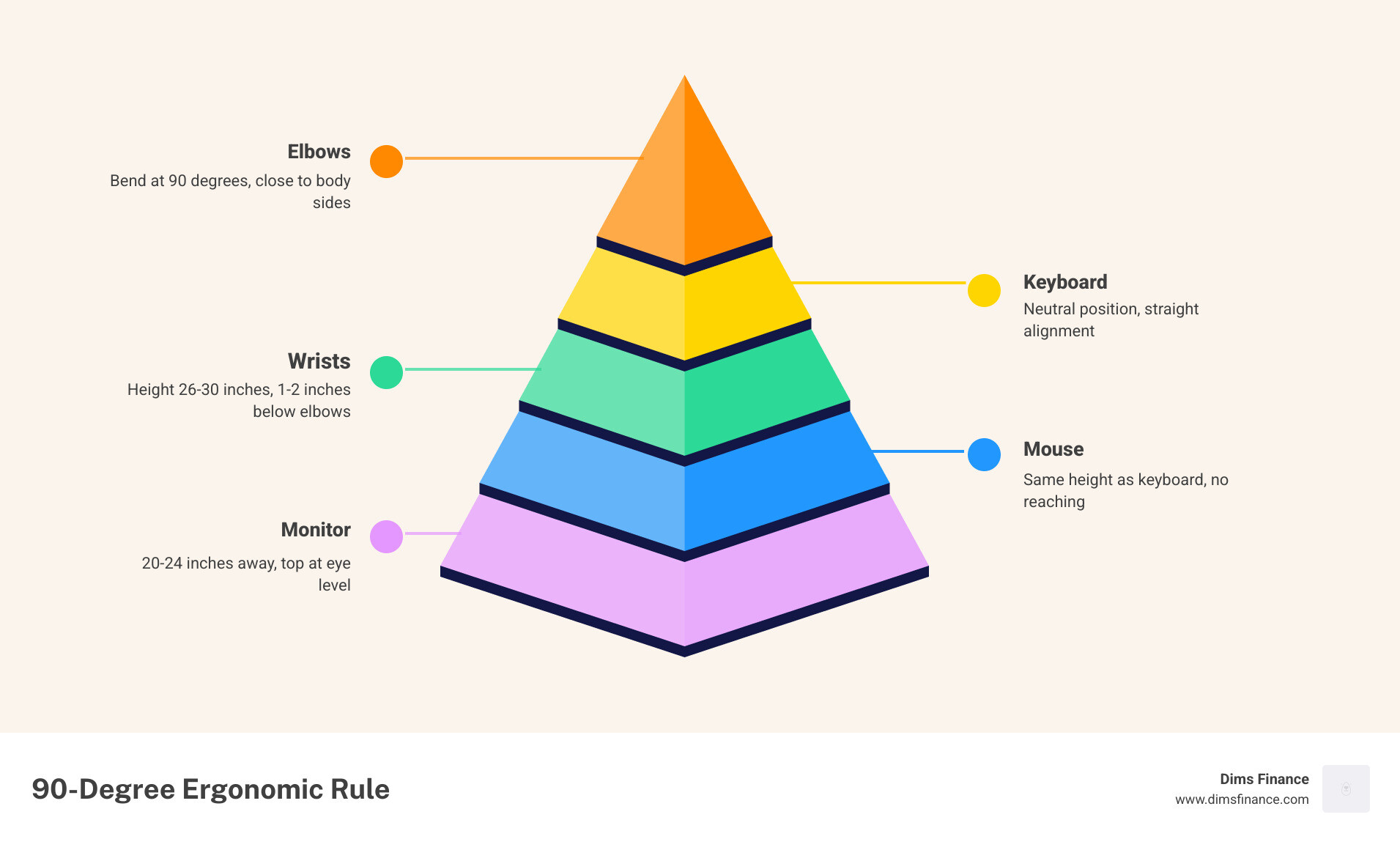
- Keyboard height: 26-30 inches from the floor, 1-2 inches below your elbows
- Wrist position: Straight and neutral — no bending up, down, or sideways
- Mouse placement: Same height as keyboard, close enough to avoid reaching
- Elbows: Bent at 90 degrees, close to your sides
- Monitor: 20-24 inches away, top of screen at or just below eye level
- Chair: Feet flat on the floor, lumbar support engaged
- Breaks: Every 30-60 minutes, with wrist stretches
It often starts small. A faint tingling in your thumb or index finger after a long session at the keyboard. Maybe you shake your hand out and move on. But for millions of people, that subtle signal is the first warning of carpal tunnel syndrome — and ignoring it tends to make things worse.
Carpal tunnel syndrome affects up to 1 in 5 adults in the United States. It happens when the median nerve, which runs from your neck all the way through your wrist and into your fingers, gets compressed inside the narrow carpal tunnel passage. Repetitive typing, poor wrist angles, and long hours at a poorly configured desk are among the most common triggers.
The good news? Most cases are entirely preventable with the right desk setup and habits. You don’t need to overhaul your entire office — just a few intentional adjustments to your gear and positioning can make a significant difference.
This guide breaks down the best ergonomic products and setup strategies to protect your wrists, ranked and compared so you can make smart choices fast.
Understanding Carpal Tunnel Syndrome in the Modern Office
As of April 2026, the shift toward hybrid and remote work has only increased the time we spend at our screens. Unfortunately, our bodies haven’t evolved as fast as our software. Carpal tunnel syndrome (CTS) occurs when the median nerve—the main nerve providing sensation and motor function to your thumb and first three fingers—is squeezed as it passes through the wrist.
In a typical office environment, this compression is usually the result of three “ergonomic culprits”:
- Wrist Extension: Bending your wrists upward to reach a keyboard that is too high.
- Wrist Deviation: Bending your wrists sideways toward your pinky or thumb.
- Forearm Pronation: Twisting your forearm to lay your palm flat against a traditional mouse or keyboard.
When these movements are repeated thousands of times a day, the tendons in the carpal tunnel can become inflamed. This swelling puts pressure on the median nerve, leading to that hallmark tingling, numbness, and grip weakness. According to experts at Prevent Carpal Tunnel Pain with Better Workspace Setup, these symptoms often flare up at night, making it difficult to get the rest you need for the next workday.
Women are up to four times more likely to develop the condition than men, often due to a smaller anatomical carpal tunnel. Regardless of your biology, if your work involves repetitive motion and poor alignment, you are at risk.
The Core Components of a Carpal Tunnel Desk Setup
The goal of any carpal tunnel desk setup is to achieve a “neutral” position. Think of your wrist like a garden hose; if you kink it by bending it up or sideways, the flow (in this case, nerve signals and blood) is restricted.
A neutral wrist looks like a straight continuation of your forearm. When viewed from above or the side, there should be no sharp angles. Achieving this requires looking at the “posture chain”—the way your neck, shoulders, and elbows dictate the position of your hands.

To get started, we recommend focusing on the 90-degree rule. Your elbows should be bent at a right angle, tucked close to your sides, with your forearms parallel to the floor. If your desk is too high, you’ll find yourself shrugging your shoulders or resting your wrists on the hard edge of the desk—both of which are fast tracks to nerve compression.
For a deeper dive into the geometry of comfort, check out The Home Office Ergonomics Equation For Pain Free Typing/ and our guide on How To Set Up Workstation Ergonomically For Peak Comfort/.
Optimizing Keyboard and Mouse Placement for Your Carpal Tunnel Desk Setup
The most common mistake we see is a keyboard sitting too high. For most people, the keyboard should sit 26–30 inches from the floor, which is often lower than a standard dining table or cheap office desk. Ideally, the keys should be 1–2 inches below your elbow height.
One of the most effective tools for achieving this is an adjustable keyboard tray. These allow for a “negative tilt”—where the back of the keyboard is lower than the front. This sounds counterintuitive, but it actually mimics the natural downward slope of your hands when your arms are relaxed, preventing you from “cocking” your wrists upward.
Learn how to dial in these settings with The Ultimate Guide To Setting Up Your Keyboard Tray Height/ and How To Master The Wrist Neutral Keyboard Position/.
Monitor and Chair Alignment for Total Body Health
If your monitor is too low, you’ll slouch. If you slouch, your shoulders roll forward. If your shoulders roll forward, your wrists are forced into an awkward angle. It’s all connected!
- Monitor Height: The top third of your screen should be at eye level. This keeps your neck neutral. If you’re on a laptop, use a riser and an external keyboard.
- Distance: Position the screen about 20–24 inches away (roughly an arm’s length).
- Chair Support: Your chair should provide firm lumbar support to maintain the natural curve of your lower back. Your feet should be flat on the floor; if they aren’t, use a footrest or a sturdy box.
Following The No Nonsense Way To Set Up Your Desk Ergonomically/ will help you create a foundation that supports your wrists by first supporting your spine.
Essential Gear Roundup for Wrist Health
When it comes to a carpal tunnel desk setup, your input devices are your most important investment. Standard flat keyboards and “soap bar” mice force your body into a “pronated” position (palms flat), which rotates the two bones in your forearm and pinches the carpal tunnel.
| Feature | Standard Setup | Ergonomic Setup | Why It Matters |
|---|---|---|---|
| Keyboard Style | Flat, one-piece | Split or Tented | Reduces wrist deviation and pronation. |
| Mouse Type | Horizontal | Vertical or Trackball | Keeps hand in a “handshake” position. |
| Wrist Support | Hard desk edge | Soft palm rest | Prevents direct pressure on the median nerve. |
| Key Switch | High-force membrane | Low-force mechanical | Reduces the impact of “bottoming out” while typing. |
If you’re looking to upgrade your pointing device, we’ve reviewed the best options in Prevent The Pain The Best Mice To Reduce Wrist Strain/ and Your Wrists New Best Friend Top Mice For Carpal Tunnel/.
Selecting the Right Accessories for a Carpal Tunnel Desk Setup
Beyond the basics, specific accessories can bridge the gap between a “standard” desk and a professional ergonomic workstation.
- Vertical Mice: These rotate your hand 60 to 90 degrees into a neutral handshake grip. This eliminates forearm twisting entirely.
- Split Keyboards: By separating the keyboard into two halves, you can place them shoulder-width apart. This prevents “uinar deviation,” where your wrists bend outward toward your pinkies.
- Keyboard Trays: If your desk is too high to allow for 90-degree elbows, a tray is the only way to fix the height without buying a new desk. We recommend checking out Stop Reaching And Start Typing With These Adjustable Keyboard Trays/.
- Supportive Pads: A good mouse pad with a wrist rest can help, but only if used correctly (more on that below!). See our top picks in Wrist Relief Is Here With The Best Ergonomic Mouse Pads/ and Soft Landing Top Mouse Pads With Wrist Support For Your Desk/.
Habits and Stretches to Prevent Nerve Compression
Even the most expensive carpal tunnel desk setup won’t help if you stay frozen in one position for eight hours straight. Static loading—holding your muscles in a tense, unmoving state—is just as damaging as repetitive motion.

We recommend the 20-20-20 rule: Every 20 minutes, look at something 20 feet away for 20 seconds. While you’re at it, give your wrists some love.
The “Prayer” Stretch:
- Place your palms together in front of your chest.
- Slowly lower your hands toward your waistline, keeping your palms together, until you feel a moderate stretch under your forearms.
- Hold for 15–30 seconds. Repeat 3 times.
The Wrist Extensor Stretch:
- Extend one arm in front of you with the palm facing down.
- Use your other hand to gently pull your fingers toward your body.
- Hold for 15–30 seconds to release tension in the top of the forearm.
Incorporating these micro-breaks helps flush out inflammation and resets your posture. For more protection tips, explore Top 10 Wrist Support Pads To Save Your Joints/ and The Ultimate Guide To Ergonomic Mouse Support And Wrist Health/.
Frequently Asked Questions about Carpal Tunnel Desk Setups
Should I use a wrist rest while typing?
This is a “yes, but” situation. You should not rest your wrists on a pad while you are actively typing. Doing so puts direct pressure on the carpal tunnel—exactly what we’re trying to avoid! Instead, let your hands “float” above the keys like a concert pianist. Use the wrist rest to support the heels of your palms during brief pauses or breaks.
For a look at which rests provide the best cushion for those pauses, see our Mouse Pad With Wrist Rest Review Comfort For Your Clicker/.
How do I know if my desk is too high?
If you find yourself shrugging your shoulders toward your ears or if the edge of the desk is digging into your forearms, your desk is likely too high. Another sign is “wrist extension,” where your hand is angled upward to reach the keys. If you can’t lower your desk, try raising your chair and using a footrest to keep your legs supported.
If that’s not enough, a tray is your best bet. Check out Keyboard Trays Finding The Perfect Height For Your Setup/ to find your ideal measurements.
When should I see a doctor for wrist pain?
Ergonomics is about prevention, but it isn’t a substitute for medical care if nerve damage has already occurred. You should consult a professional if:
- Symptoms like numbness or tingling persist for more than two weeks.
- The pain is severe enough to wake you up at night.
- You notice you are dropping objects or have lost grip strength.
- Conservative treatments (rest, icing, and ergonomic changes) provide no relief.
Early intervention can often prevent the need for surgery, so don’t wait until the “pins and needles” become permanent.
Conclusion
At Dims Finance, we believe that your workspace should be an investment in your future, not a tax on your health. A carpal tunnel desk setup is one of the most cost-effective ways to ensure long-term productivity and avoid the steep medical costs of repetitive strain injuries.
By aligning your monitor, choosing a split keyboard, and mastering the art of the neutral wrist, you can stop the ache before it starts. Ready to build your pain-free office? Explore our recommended ergonomic office furniture solutions and take the first step toward a more comfortable workday.