When Your Mouse Is Too Small, Your Hands Pay the Price
If you’re looking for the most comfortable mouse for big hands, here are the top picks to consider:
| Mouse | Best For | Key Feature |
|---|---|---|
| Logitech MX Vertical | Office/RSI relief | 57° handshake angle, 8.5/10 comfort |
| Razer DeathAdder V4 Pro | Gaming | Large ergonomic curve, palm support |
| ASUS ROG Spatha X | MMO gaming | Tank-sized, 12 programmable buttons |
| Logitech MX Master 3S | Productivity | Full palm support, quiet clicks |
| Logitech MX Ergo S | Trackball/ergonomics | Adjustable 20° tilt, extra-large fit |
| Logitech ERGO M575S | Budget trackball | Thumb control, compact stationary base |
A mouse that’s too small isn’t just annoying — it can genuinely hurt you.
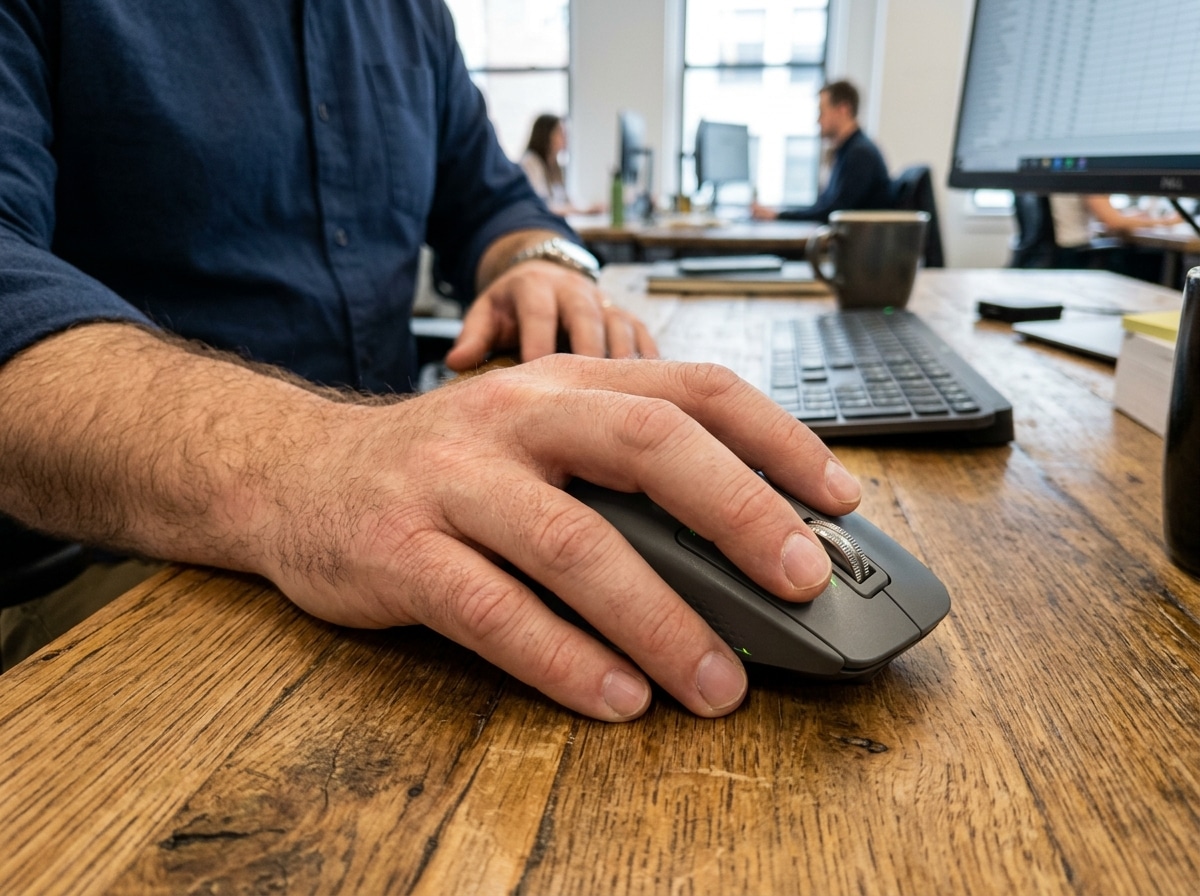
When your fingers hang off the edge, your palm hovers above the desk, or your wrist twists into an unnatural angle, your tendons and muscles pay the price over time. For people with larger hands, this is an everyday reality with standard-sized mice.
One frustrated user put it bluntly in a gaming forum: their Logitech G502 Lightspeed was “legitimately too small” for their hands — and they needed something bigger.
If you use a computer for hours each day, the wrong mouse can accelerate repetitive strain injury (RSI), carpal tunnel symptoms, and general hand fatigue. The right one can make a real difference in how your hands feel by the end of the day.
The good news? There are mice built specifically for larger hands — across gaming, productivity, and ergonomic categories.
How to Measure Your Hand for the Perfect Fit
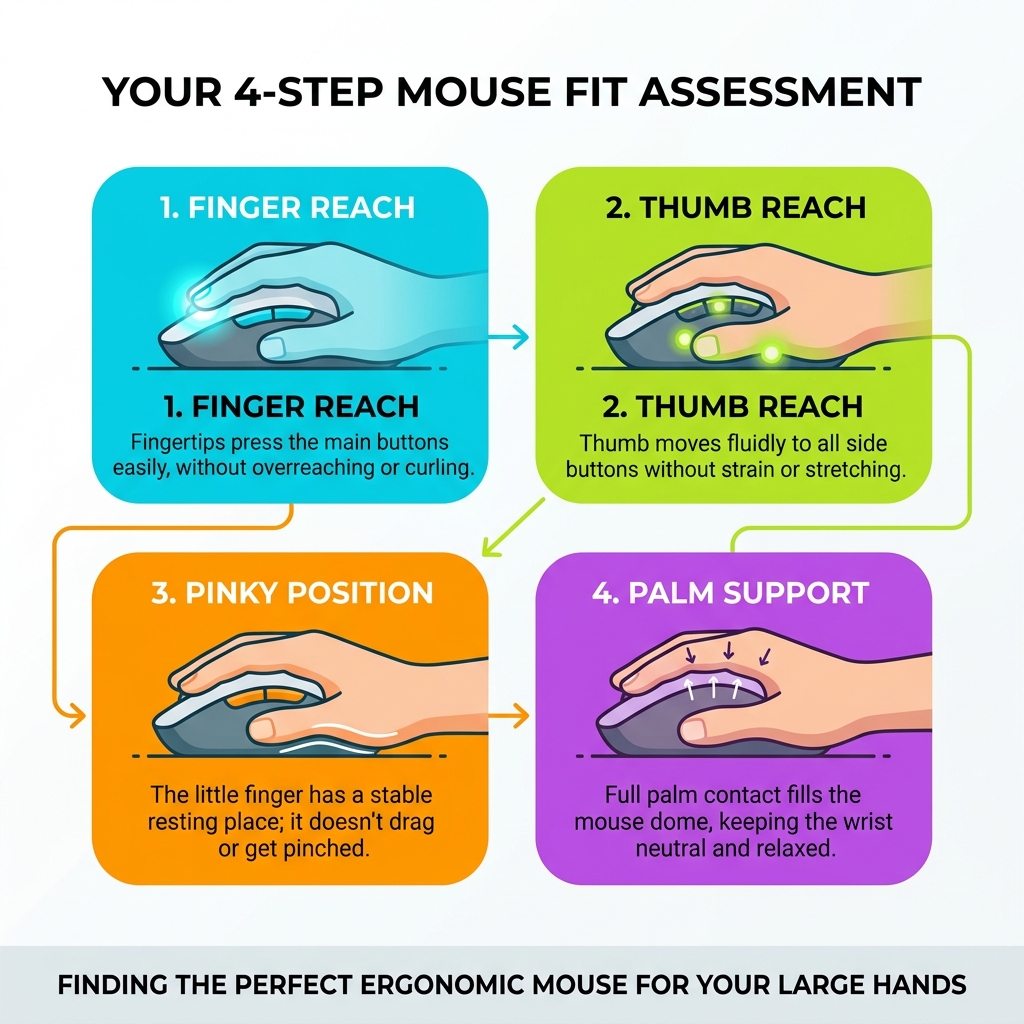
Before you go out and buy the biggest mouse you can find, we need to talk about measurement. Just as you wouldn’t buy a pair of shoes without knowing your size, you shouldn’t pick a mouse based on a “vibes-only” assessment.
At Dims Finance, we emphasize that ergonomic keyboard and mouse setup for enhanced comfort starts with understanding your body’s specific dimensions.
To find your hand size, you’ll need a ruler or measuring tape. Follow these two simple steps:
- Hand Length: Measure from the first crease at the base of your palm (where your wrist meets your hand) to the very tip of your middle finger.
- Palm Width: Measure across the widest part of your palm, from the base of your thumb to the outer edge of your hand.
Generally, if your hand length is over 19 cm (about 7.5 inches), you fall into the “Large” category. If you’re pushing past 20 cm, you’re looking at “Extra Large” or what some affectionately call “gorilla hands.”
Recommended Mouse Sizes Based on Hand Dimensions
| Hand Length | Hand Category | Recommended Mouse Length |
|---|---|---|
| Under 17 cm | Small | 100 – 110 mm |
| 17 – 19 cm | Medium | 110 – 120 mm |
| 19 – 21 cm | Large | 120 – 130 mm |
| Over 21 cm | Extra Large | 130+ mm |
When a mouse is too small, your hand often defaults to a “claw” or “fingertip” grip because there isn’t enough surface area to support your palm. This constant tension in your fingers can lead to cramping. A properly sized mouse allows your hand to rest in a more relaxed, natural state.
Top Gaming Picks: The Most Comfortable Mouse for Big Hands
Gamers have some of the most demanding requirements for a mouse. You need precision, high DPI (dots per inch), and reliable wireless connectivity, but for those of us with big hands, we also need bulk.

If you have large hands, you likely prefer a “palm grip,” where your entire hand rests on the mouse. This requires a high arch and a wide base. Modern favorites often include USB-C charging for convenience and multiple side buttons for custom macros.
Why the Razer DeathAdder is a Large Hand Favorite
The Razer DeathAdder series has long been the “gold standard” for big-handed gamers. In various gaming forums, users repeatedly praise it for being “pretty massive” and a top choice for those who find standard mice puny.
What makes it the most comfortable mouse for big hands in the gaming world? It’s the aggressive ergonomic curve. The mouse flares out toward the front, providing a wide platform for your index and middle fingers. The hump is positioned perfectly to support the center of a large palm, preventing that “hollow” feeling where your hand is just hovering in mid-air.
- Wireless Connectivity: The latest versions use high-speed wireless tech that rivals wired connections.
- Palm Support: Its length and height ensure that even long fingers don’t hang awkwardly off the front.
- User Feedback: It is consistently recommended as the go-to alternative for people who find the Logitech G502 too narrow.
ASUS ROG Spatha X: The Tank for Gorilla Hands
If the DeathAdder is a sports car, the ASUS ROG Spatha X is an armored division. Often described as a “tank of a mouse,” this is one of the few peripherals that truly caters to the extra-large hand demographic.
With a 4.4/5 star rating from users who identify as having “bigger hands,” it addresses the common complaint that modern mice are becoming too lightweight and small.
- Weight & Feel: It’s heavy, which provides a sense of control for users with high physical strength.
- 12 Programmable Buttons: Most of these are located on the side, arranged in a way that large thumbs can actually distinguish between them.
- Magnetic Charging: It comes with a dedicated charging stand, making it a centerpiece of your desk setup.
- Size: It is significantly wider than almost anything else on the market, ensuring your pinky doesn’t drag on the mousepad.
Ergonomic and Productivity Powerhouses
While gaming mice are great, many of us spend 8 to 10 hours a day doing office work. This is where “productivity ergonomics” becomes a health necessity rather than a luxury.
Traditional mice force your forearm into a “pronated” position (palm flat against the desk). This twists the two bones in your forearm and puts pressure on the carpal tunnel. For large hands, this twist is often exaggerated because the hand is trying to “shrink” to fit the mouse.
Logitech MX Vertical: The Most Comfortable Mouse for Big Hands in the Office
The Logitech MX Vertical is frequently ranked as the top ergonomic choice. It places your hand in a 57-degree “handshake” position. This neutral posture reduces muscle strain by about 10% compared to a traditional mouse.
In lab tests, the MX Vertical scored a massive 8.5/10 for comfort. For those with large hands, the benefits are even more pronounced:
- Height: Because it stands tall, it provides a massive surface area for your palm to rest against.
- Texture: The rubberized, ribbed texture ensures a secure grip without needing to squeeze tightly.
- Tracking: It features excellent tracking precision (9.8/10), which is vital because some vertical mice can feel “floaty” or inaccurate.
If your hand is smaller than 7 inches, this mouse might actually feel too big. But for the “gorilla hand” crowd, it’s often the first time a mouse actually feels like it was made for them.
Logitech MX Master 3S: Full Palm Support and Quiet Clicks
If you aren’t ready to go full vertical, the Logitech MX Master 3S is the ultimate “standard” ergonomic mouse. It’s a favorite for power users who need to navigate complex spreadsheets or video timelines.
For large hands, the MX Master 3S offers a wide thumb rest and a high, supportive arch. Even if you have very large hands and find it slightly too short for a full palm grip, it is one of the few mice that can be “claw gripped” comfortably by large users.
- MagSpeed Scrolling: You can scroll 1,000 lines per second, which is a lifesaver for long documents.
- 8K DPI Sensor: It tracks on virtually any surface, including glass (as long as it’s at least 4mm thick).
- Quiet Clicks: It features 90% less click noise than previous versions, making it perfect for quiet office environments.
- Multi-Device Pairing: You can switch between three different computers with the press of a button.
Alternative Solutions: Trackballs and Budget Options
Sometimes, the best way to find the most comfortable mouse for big hands is to stop moving the mouse entirely. Trackball mice are a fantastic alternative for people suffering from wrist fatigue or those who have limited desk space.
Trackball Mice: A Most Comfortable Mouse for Big Hands seeking RSI Relief
The Logitech MX Ergo S is a premium trackball that is repeatedly praised for its fit for large and extra-large hands. Unlike a standard mouse, your hand stays stationary while your thumb moves the ball.
- Adjustable Tilt: A unique magnetic hinge allows you to choose between a 0-degree or 20-degree angle. The 20-degree tilt is a game-changer for reducing wrist pressure.
- Full Palm Support: Because the mouse doesn’t move, the base can be much larger and more sculpted, providing a “cradle” for your entire hand.
- Muscle Activity: Research shows that trackballs can result in 20% less muscle activity in the forearm compared to a standard mouse.
For an even larger option, the ELECOM HUGE Plus lives up to its name. It features a massive 52mm trackball and a cushioned palm rest. It’s designed specifically for professionals like engineers and editors who spend marathon sessions at their desks.
Budget-Friendly Vertical Options
You don’t always have to spend over $100 to get a comfortable fit. The TeckNet Rechargeable Ergonomic Vertical mouse is a standout budget pick. It proves that you can get a stress-free “handshake” position without the premium price tag.
While it might lack the high-end sensors of a Logitech or Razer, it provides the physical size and shape necessary to support a large hand. It’s a great “entry-level” ergonomic mouse for someone who wants to test the vertical lifestyle before committing to a more expensive model.
Frequently Asked Questions about Mice for Large Hands
Why is the Logitech G502 considered too small for big hands?
The Logitech G502 is one of the most popular gaming mice in history, but for the large-handed community, it’s a source of constant debate. The main issue isn’t the length—it’s the width.
The G502 has a very narrow frame. When a user with wide palms tries to use it, their pinky and ring finger often have nowhere to go, leading to them dragging on the mousepad or being tucked into a cramped “claw” position. This “finger overhang” is a primary cause of hand fatigue during long gaming sessions.
What role does grip style play in selecting a mouse?
Your grip style is just as important as your hand size:
- Palm Grip: You rest your whole hand on the mouse. You need a large, high-arched mouse like the MX Vertical or DeathAdder.
- Claw Grip: You arch your fingers and contact the mouse with your palm and fingertips. Larger hands often default to this on “medium” mice.
- Fingertip Grip: Only your fingertips touch the mouse. You can get away with a smaller mouse here, but it offers the least ergonomic support.
For big hands, a palm grip is usually the most comfortable for long-term health, as it distributes the weight of your hand across the entire peripheral.
How do I prevent wrist strain if I have large hands?
Preventing strain is about more than just the mouse; it’s about your entire setup. At Dims Finance, we recommend a holistic approach.
- Handshake Position: Look for a mouse with a vertical tilt (like the MX Vertical or MX Ergo S) to keep your forearm bones from crossing.
- Palm Rests: Use a supportive mousepad with a built-in rest if your palm tends to rub against the desk.
- Movement Habits: Try to move the mouse with your whole arm rather than just flicking your wrist. This is easier with a larger mouse that provides a solid grip.
For more detailed strategies, check out our guide on ergonomic keyboard and mouse setups for maximum comfort.
Conclusion
Finding the most comfortable mouse for big hands is a journey of trial and error, but it is one of the most important investments you can make for your long-term health. Whether you choose the “tank-like” ASUS ROG Spatha X for gaming or the “handshake” comfort of the Logitech MX Vertical for the office, the goal is the same: to stop your hand from straining to fit a world built for smaller people.
At Dims Finance, we are dedicated to providing science-based advice to help you reduce RSIs and boost your daily well-being. A mouse is a tool you use for thousands of hours a year—make sure it’s a tool that actually fits.
For more tips on optimizing your workspace, explore our more info about ergonomic desk accessories to ensure your entire setup is working for you, not against you.