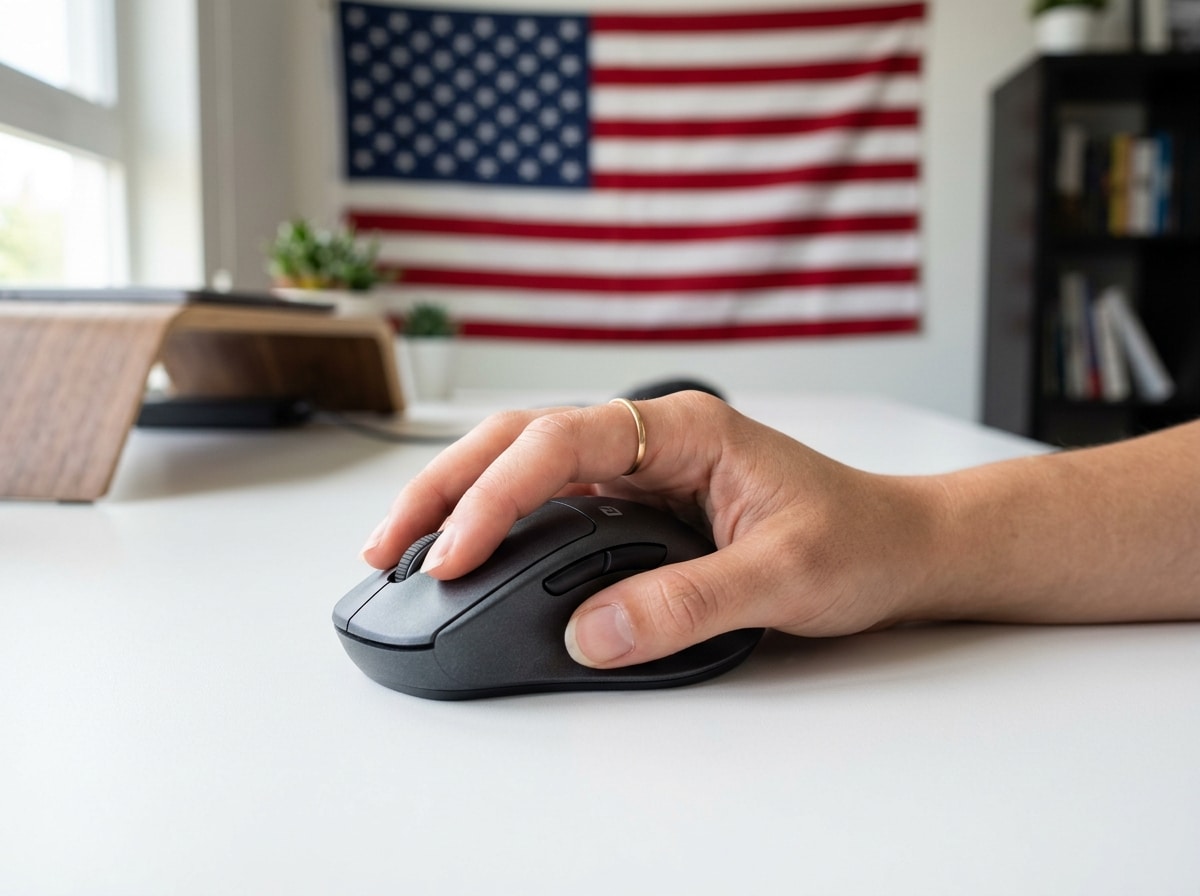
When Your Mouse Doesn’t Fit, Your Hands Pay the Price
If you’re looking for the most comfortable mouse for small hands, here are the top picks to know right away:
| Mouse | Best For | Key Feature |
|---|---|---|
| Logitech G705 | Gaming | Designed specifically for smaller hands, 85g |
| Razer DeathAdder V2 Mini | Gaming | 62g ultralight, ergonomic right-hand shape |
| Glorious O 2 Mini | Gaming | 49g, symmetrical, fits claw/fingertip grip |
| Logitech MX Vertical | Office/Ergonomic | Reduces wrist strain with handshake posture |
| Logitech M317 | General/Budget | Compact (95mm), ambidextrous, plug-and-play |
| Logitech M185 | Everyday/Kids | Lightweight, small footprint, highly rated |
Using the wrong-sized mouse is more painful than most people realize.
When a mouse is too large for your hand, your fingers stretch to reach the buttons. Your palm can’t rest naturally on the shell. Every click, every swipe requires just a little more effort than it should. Over thousands of repetitions a day, that adds up fast.
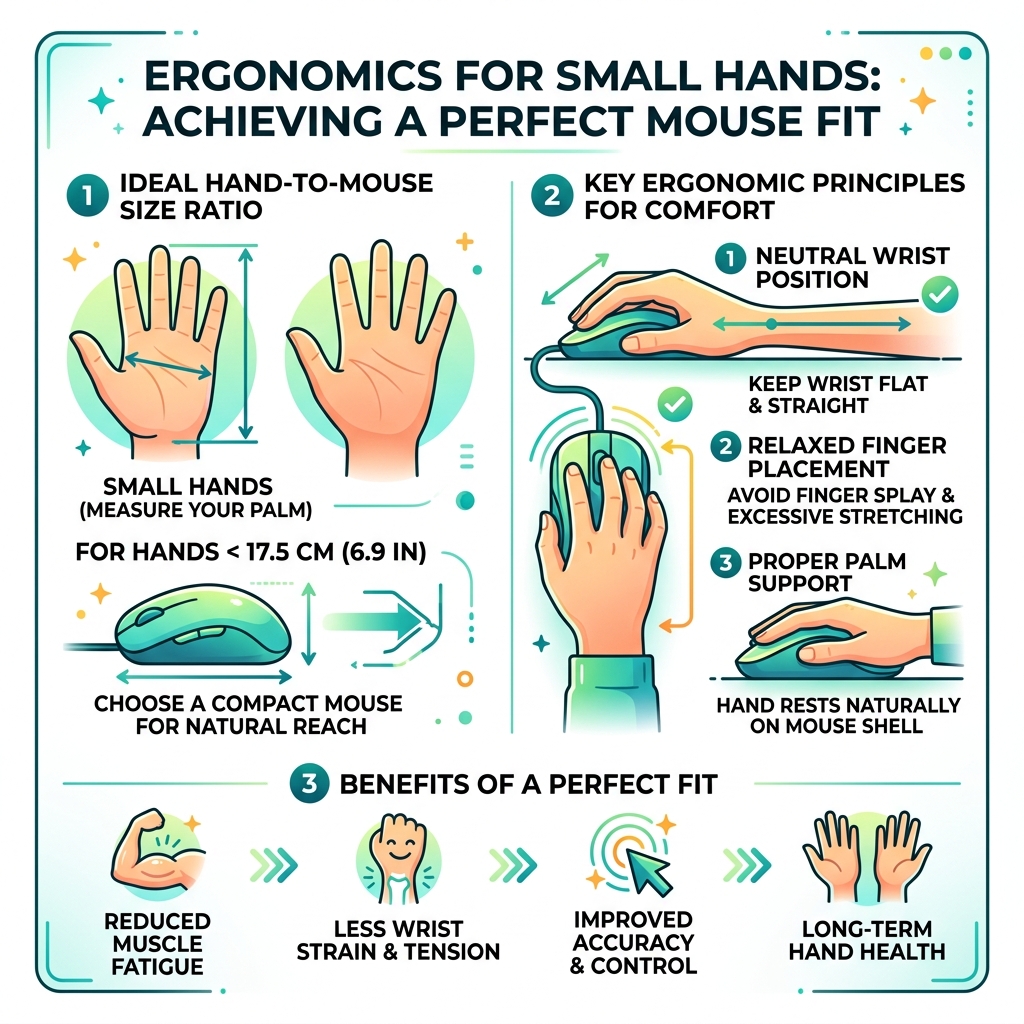
For people with hand lengths under 17.5 cm (about 6.9 inches), this mismatch is the norm — because most standard mice are simply built for larger hands.
The result? Wrist tension, finger fatigue, and in serious cases, repetitive strain injuries (RSI) like carpal tunnel syndrome. If you already work long hours at a computer, an ill-fitting mouse can quietly make things much worse.
The good news: the right compact mouse can eliminate most of that strain almost immediately.
The Science of Finding the Most Comfortable Mouse for Small Hands
At Dims Finance, we believe that comfort isn’t just a luxury—it’s a biological requirement for long-term productivity. To find the most comfortable mouse for small hands, we have to look past the marketing “fluff” and dive into the actual measurements of your hand.
Most ergonomic issues stem from an “ergonomic mismatch.” This happens when your hardware forces your body into unnatural positions. If your hand is small, a standard mouse acts like a giant lever, forcing your wrist to angle upward (extension) or your fingers to splay out just to reach the scroll wheel.

How to Measure Your Hand Accurately
To determine if you truly need a small-frame mouse, you need two measurements:
- Length: Measure from the first crease of your wrist to the very tip of your middle finger.
- Width: Measure across your palm at the widest point (usually where your knuckles are).
The Small Hand Threshold: In ergonomics, a hand length under 17.5 cm (6.9 inches) is generally considered “small.” If your hand measures around 15 cm (6 inches), you are in the “very small” category and will likely find most retail mice incredibly frustrating to use.
If you don’t have a ruler handy, you can use the Bank Card Method. Standard credit cards follow the ISO/IEC 7810 ID-1 size standards, which is exactly 85.60 mm long. If your hand is significantly less than two card-lengths long, you definitely belong in the small-hand club. Understanding these measurements is the first step in ergonomic-keyboard-and-mouse-setups-for-maximum-comfort.
Ideal Size Specifications for the Most Comfortable Mouse for Small Hands
Once you know your hand size, you can filter mice by their physical dimensions. For a hand under 17.5 cm, look for these specs:
- Length: 100–120 mm. Anything longer will likely cause finger overextension.
- Grip Width: 60–68 mm. This is the area where you actually hold the mouse. If it’s too wide, your hand muscles will stay under constant tension just to maintain a grip.
- Height (Hump): A lower profile is often better for small hands, though some users prefer a “high hump” if they use a palm grip.
Choosing a mouse within these ranges ensures that your buttons are within easy reach, preventing the repetitive micro-stretching that leads to fatigue. Proper sizing is a cornerstone of an ergonomic-keyboard-and-mouse-setup-for-enhanced-comfort.
How Grip Styles Influence Mouse Choice
Your “grip style” is essentially how you naturally hold your mouse. It’s the second most important factor after size. Even the most comfortable mouse for small hands can feel “off” if it doesn’t match your grip.
- Palm Grip: Your entire hand rests on the mouse. You need a mouse with a supportive “hump” that fills your palm.
- Claw Grip: Your palm rests on the back of the mouse, but your fingers arch up like claws. This requires a shorter mouse so your fingers don’t have to stretch too far forward.
- Fingertip Grip: Only your fingertips touch the mouse. This style benefits most from very small, lightweight mice that allow for rapid, jitter-free movements.
A mismatch here leads to unnecessary muscle tension. For example, if you have small hands and try to “palm” a large mouse, your wrist will likely be forced into a “cocked” position, which is a one-way ticket to RSI-ville. We always recommend maintaining a natural wrist posture to keep your tendons happy.
Why Weight and Connectivity Matter for Smaller Hands
Weight is often overlooked, but it’s critical for smaller hands. Because smaller hands have less muscle mass and leverage, moving a heavy 120g “tank” of a mouse all day is exhausting.
- Lightweight Benefits: We recommend mice under 70g for small hands. A lighter mouse requires less force to start and stop, which reduces the strain on your forearm.
- Wired vs. Wireless:
- Wireless: Offers the ultimate freedom. Modern wireless-keyboard-and-mouse-combos-for-seamless-work have zero noticeable latency.
- Wired: Usually lighter because they don’t have a battery. If you go wired, look for an “ascended” or “paracord” cable to reduce drag.
For a clutter-free and comfortable desk, wireless-keyboard-and-mouse-combos-for-seamless-work-2 are usually the way to go for modern professionals.
Top Recommended Models for Productivity and Ergonomics
If you spend 8+ hours a day at a desk, you need a tool built for endurance. Here are our top picks for the most comfortable mouse for small hands in a professional setting.
| Model | Type | Why It Wins for Small Hands |
|---|---|---|
| Logitech MX Vertical | Vertical | Handshake position reduces pronation; great for medium-small hands. |
| TeckNet Rechargeable Vertical | Vertical | Budget-friendly, compact, and promotes a natural wrist angle. |
| Logitech M575S Trackball | Trackball | Zero wrist movement required; great for very small workspaces. |
The Logitech MX Vertical is a gold standard for RSI prevention, though very small hands might find the Logitech Lift (its smaller sibling) even more approachable. These designs use a “handshake” position that keeps the bones in your forearm from crossing, which is a major cause of carpal tunnel. You can find more about these in our guide on ergonomic-desk-accessories-for-comfort.
Top Gaming Picks for the Most Comfortable Mouse for Small Hands
Gamers need precision and speed. If your mouse is too big, your “flick shots” will be sluggish and your hand will cramp during long sessions.
- Razer DeathAdder V2 Mini: This is a legendary shape shrunk down for us. At 62g, it’s incredibly nimble. It features optical switches (no double-clicking issues!) and 100% PTFE feet for a smooth glide.
- Glorious O 2 Mini: A favorite for the “ultralight” crowd. At 49g, it feels like you’re moving nothing at all. Its symmetrical shape is perfect for claw and fingertip grips.
- Logitech G705: Part of the Aurora collection, this was specifically “contoured for comfort and control with an intentional design to be inclusive of smaller hands.” It’s stylish, wireless, and fits like a glove.
When gaming, your mouse pad matters too. Check out the best-mouse-pads-for-work-from-home to ensure your small mouse has the perfect surface to glide on.
Frequently Asked Questions about Small Hand Mice
Are vertical mice suitable for small hands?
Absolutely! In fact, vertical mice are often better for small hands because they prevent “wrist pronation” (turning your palm flat against the desk). However, you must choose the right size. While the MX Vertical is great, the Logitech Lift is specifically marketed for small-to-medium hands. Another excellent budget option is the TeckNet Wireless Vertical, which provides that neutral handshake posture without a massive footprint.
Is a lightweight mouse better for reducing fatigue?
Yes. Think of it this way: if you have a smaller hand, you have less physical leverage over the mouse. A heavy mouse requires more “work” from your smaller muscles to move. Switching to a mouse under 70g can significantly reduce forearm fatigue during both gaming and long office shifts. For extra support, consider ergonomic-wrist-rests-for-typing to keep your wrist at a neutral height.
What is the best budget mouse for small hands?
If you’re looking for something simple, the Logitech M185 and Logitech M196 are fantastic. They are compact, ambidextrous, and very portable. The M185 is often cited as being the perfect size for children or adults with very small hands. They might not have 26,000 DPI sensors, but for everyday browsing, they are reliable and comfortable.
Conclusion
At Dims Finance, our mission is to bring science-based ergonomics to your desk. Finding the most comfortable mouse for small hands isn’t just about “feel”—it’s about measurements, grip styles, and reducing the mechanical strain on your body.
Whether you choose the ultralight Glorious O 2 Mini for gaming or the Logitech MX Vertical for your 9-to-5, the goal is the same: a neutral, pain-free posture that lets you focus on your work (or your game) rather than your wrist pain.
Investing in a mouse that actually fits your hand is one of the easiest ways to boost your well-being and prevent long-term injury. For more tips on optimizing your workspace, check out more info about desk accessories. Your hands will thank you!