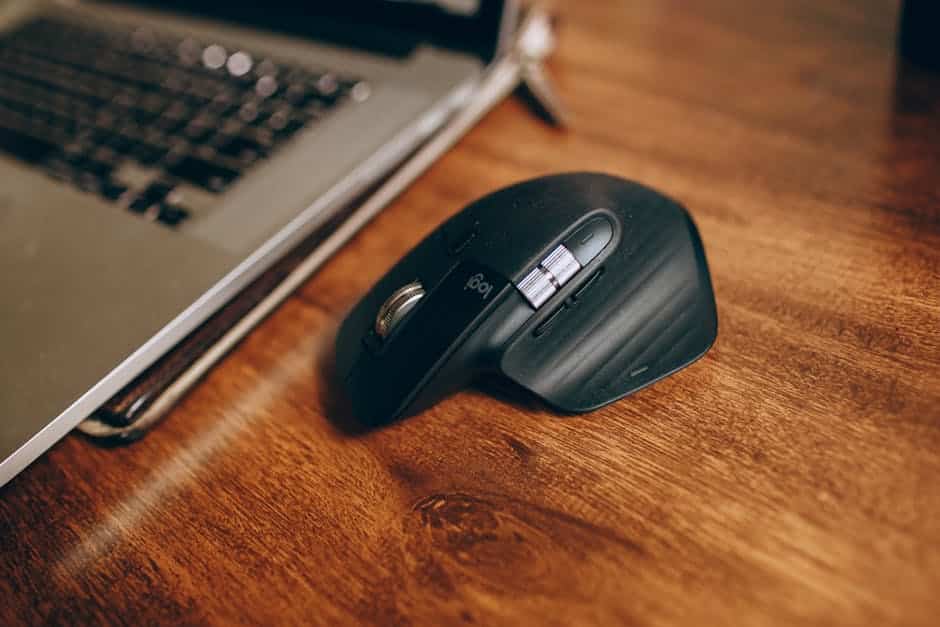
The Best Ergonomic Mouse for Medium Hands: Why Getting the Fit Right Matters
The best ergonomic mouse for medium hands can be the difference between a pain-free workday and the slow creep of wrist strain, tension, and repetitive stress injuries.
Here are the top picks for medium-sized hands at a glance:
| Mouse | Type | Best For |
|---|---|---|
| Logitech MX Master 4 | Conventional sculpted | Best overall palm support |
| Logitech MX Vertical | Vertical | Reducing wrist pronation |
| Kensington Expert Mouse Wireless Trackball | Trackball | Eliminating wrist movement |
| Razer Pro Click V2 Vertical | Vertical | Productivity + comfort |
| Logitech Signature M650 | Conventional | Best budget option |
Most people with medium hands fall somewhere in the 18–20 cm range (measured from the crease at the base of your palm to the tip of your middle finger). That puts you in a sweet spot — most ergonomic mice are designed with this size in mind.
But “most mice fit medium hands” doesn’t mean any mouse will do. The wrong shape, weight, or button layout can still cause fatigue, finger tension, or wrist pressure — especially during long work sessions.
Research backs this up. Ergonomic mice are shown to promote a more upright hand and wrist posture, reducing strain on your hands, wrists, and forearms compared to standard flat mice.
The good news? You have more options than smaller or larger-handed users. The challenge is knowing which ones actually fit well.

Defining and Measuring for the Best Ergonomic Mouse for Medium Hands
Finding the best ergonomic mouse for medium hands starts with a ruler, not a store shelf. We often guess our hand size based on glove sizes or how we “feel,” but ergonomic precision requires data. To get an accurate measurement, hold your hand flat and measure from the first crease at the base of your palm (where your hand meets your wrist) to the very tip of your middle finger.
In ergonomic computing, “medium” generally refers to hands that measure between 17.5 cm and 19 cm (roughly 7 to 7.5 inches). If your hand is shorter than 17 cm, you likely need a “small” specific model like the Logitech Lift. If you exceed 20 cm, you’re firmly in the “large” category.
Why does this measurement matter? Scientific research on how vertical mice reduce discomfort suggests that the effectiveness of an ergonomic tool is tied to how well it maintains a neutral posture. If a mouse is too small for a medium hand, your fingers will overshoot the buttons, causing “clawing” tension. If it’s too large, you’ll strain your tendons just to reach the scroll wheel.
Why the Best Ergonomic Mouse for Medium Hands Needs Palm Support
For those of us with medium hands, palm support is the “secret sauce” of comfort. Most users in this size category use a “palm grip,” meaning the entire hand rests on the surface of the mouse. A mouse with a full, curvier arch fills the hollow of your palm, allowing your muscles to relax rather than stay in a constant state of “hovering.”
When your palm isn’t supported, your wrist often takes the brunt of the pressure, pressing against the hard desk surface. This can lead to compressed nerves and long-term fatigue. By choosing a mouse with a high-profile back—like the Logitech MX Master 4—you ensure that the weight of your hand is distributed across the device rather than concentrated on your wrist bone.
Proper palm support also dictates how you move the mouse. With a fuller shape, you are more likely to move from the elbow and shoulder rather than flicking the wrist, which is a key pillar of ergonomic keyboard and mouse setups.
Finding the Best Ergonomic Mouse for Medium Hands on a Budget
You don’t always have to drop triple digits to save your tendons. While flagship models offer fancy haptic feedback and infinite scrolling, several budget-friendly options provide excellent ergonomic geometry for medium hands.
- TeckNet Rechargeable Vertical: This is a fantastic “entry-level” vertical mouse. It places the hand in a natural handshake position for a fraction of the cost of premium brands. It’s lightweight and fits the medium hand profile surprisingly well.
- Logitech M575S: If you’re interested in trackballs, this thumb-operated model is a steal. Because the mouse stays stationary, it’s excellent for cramped desks. It offers a sculpted shape that provides decent palm support for medium users.
- Logitech Signature M650: Specifically marketed for small-to-medium hands, this mouse features a contoured shape with soft thumb areas and rubber side grips. It’s a “conventional” shape but refined for all-day comfort.
Key Features to Look for in Medium-Sized Ergonomic Mice
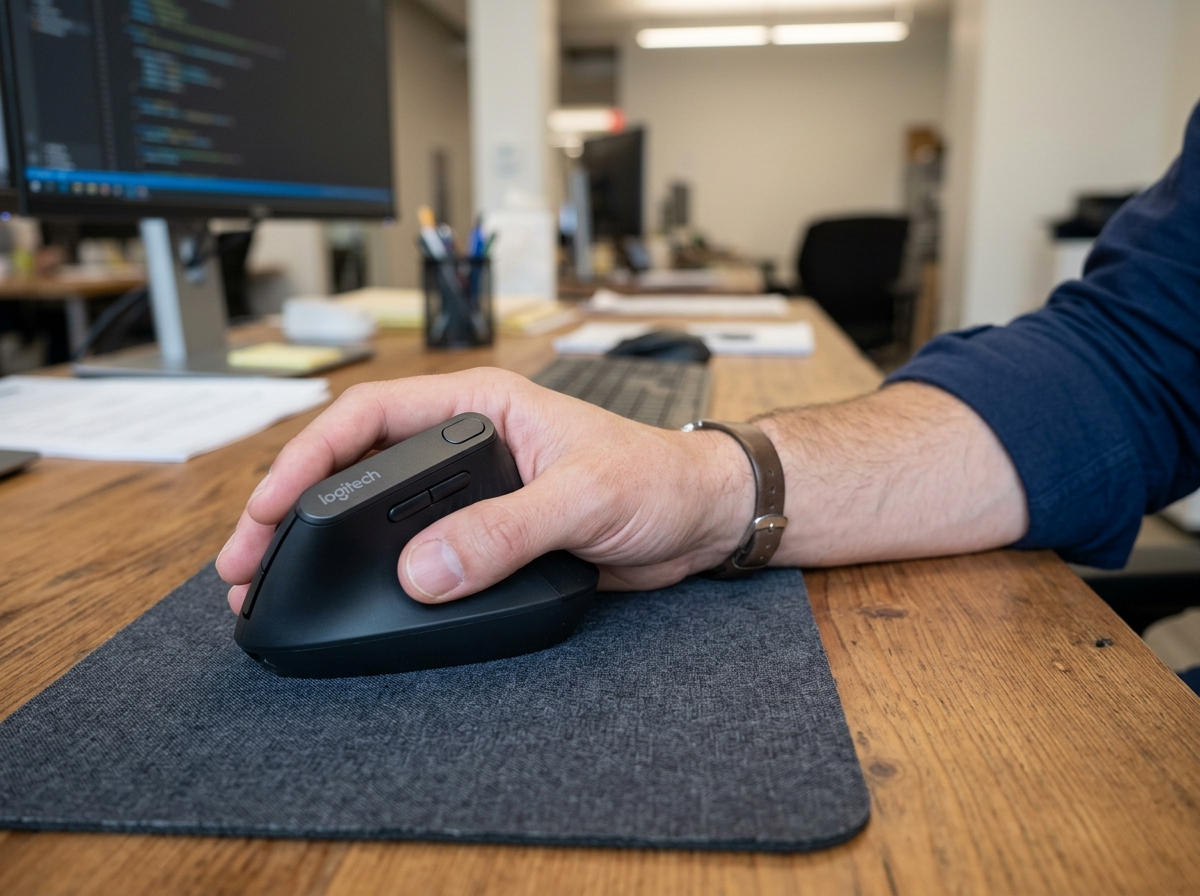
When we evaluate the best ergonomic mouse for medium hands, we look at several critical design factors that influence how your body feels after eight hours of spreadsheets.
- The Handshake Position: This is the gold standard for vertical mice. By tilting the mouse at an angle (usually between 57 and 70 degrees), the design prevents forearm pronation—the twisting of the two bones in your forearm. For medium hands, the height of the vertical peak is crucial; it needs to be tall enough that your pinky doesn’t drag on the desk, but not so tall that you can’t reach the top buttons.
- Button Reach and Tension: A common pain point for medium-handed users is “button overreach.” You want a mouse where your index and middle fingers naturally land on the “sweet spot” of the clickers. If you have to retract your fingers to click, the mouse is too small.
- DPI Sensitivity: High DPI (Dots Per Inch) allows you to move the cursor across the screen with very small physical hand movements. This is a core part of wireless keyboard and mouse combos for seamless work, as it reduces the total “mileage” your arm travels in a day.
- Weight Distribution: A heavier mouse (like the 5.2 oz MX Master 4) can actually offer more control and reduce jitter, which stops your hand muscles from over-correcting. However, it should glide effortlessly on high-quality PTFE feet to avoid “drag” strain.
Top-Rated Ergonomic Mice for Medium Hand Sizes
Based on expert testing and ergonomic principles, these models consistently rise to the top for the medium-sized demographic.
1. Logitech MX Master 4
The reigning king of conventional ergonomic mice. It is specifically designed to support the palm and thumb of medium-to-large hands. With an 8000 DPI sensor that works on glass and a unique “MagSpeed” scroll wheel that can fly through 1,000 lines in a second, it’s a productivity powerhouse. The new haptic feedback and gesture buttons make it feel like an extension of your arm.
2. Logitech MX Vertical
If you already experience wrist pain, this is our top recommendation. It features a 57-degree vertical angle that reduces muscular strain by 10%. For medium hands, the textured thumb rest provides a secure grip without requiring a “death grip” to move the device. It’s a bit larger than the Logitech Lift, making it the better choice for the 18-20 cm hand range.
3. Razer Pro Click V2 Vertical
Razer teamed up with top ergonomic researchers to create this sleek, white-and-grey vertical mouse. It’s designed to promote a neutral wrist position while offering the high-precision sensors Razer is famous for. It’s particularly noted for its comfortable “shingled” button design that accommodates various finger lengths within the medium category.
4. Kensington Expert Mouse Wireless Trackball
For those who want to eliminate wrist movement entirely, this is the “Best Fingertip-Operated Trackball.” It features a large ball that you manipulate with your fingers, while your wrist stays perfectly still on the included detachable wrist rest. The “scroll ring” around the ball is legendary for its ease of use during long editing sessions.
5. Microsoft Adaptive Mouse
A unique entry that focuses on accessibility. This mouse is highly customizable; you can add 3D-printed tails or different “toppers” to change its size and shape. If your “medium” hand has specific needs—like a wider grip or a thumb support—this modular system is a lifesaver.
Comparing Vertical Mice, Trackballs, and Conventional Shapes
Choosing between these three categories depends on your specific pain points and desk setup.
| Feature | Vertical Mice | Trackball Mice | Conventional Ergo |
|---|---|---|---|
| Primary Benefit | Reduces forearm twisting | Eliminates wrist movement | Familiar feel, palm support |
| Learning Curve | Moderate (1-3 days) | High (1 week+) | Low (Instant) |
| Desk Space | Medium | Low (Stationary) | Medium |
| Best For | Carpal Tunnel / Wrist pain | Shoulder pain / Tight spaces | General fatigue / Precision |
Wrist Pronation and the Handshake: Vertical mice are the only ones that truly address “pronation.” When you lay your hand flat on a standard mouse, the bones in your forearm cross. A vertical mouse uncrosses them.
Thumb-Operated Trackballs: These allow your hand to stay in one place. You move the cursor using only your thumb. While this is great for saving desk space, be careful if you have existing thumb joint issues. In those cases, a finger-operated trackball or a vertical mouse is better.
The Stationary Advantage: Trackballs are the ultimate solution for those with limited mobility or shoulder injuries. Since the device doesn’t move, you don’t need a large mouse pad or clear desk space. To enhance this setup, we often recommend ergonomic wrist rests to ensure your arm stays level with the trackball surface.
Frequently Asked Questions about Medium Hand Ergonomics
What is the best grip style for medium hands?
For medium hands, the palm grip is usually the most ergonomic. It allows the mouse to take the weight of your hand, reducing tension in the fingers and tendons. However, some users prefer a “claw grip” for gaming or high-precision design work. If you use a claw grip, look for a mouse with a slightly shorter back so your palm doesn’t feel “pushed” away from the buttons.
Are there ergonomic mouse options for left-handed medium hands?
Yes, though the market is admittedly smaller. The Logitech Lift has a dedicated left-handed version that fits small-to-medium hands perfectly. For a more “semi-vertical” approach, the Goldtouch Semi-Vertical also offers a left-handed model. Ambidextrous mice like the Logitech M520 L are also an option, though they usually offer less aggressive ergonomic sculpting.
How does mouse weight affect wrist strain for medium-sized users?
It’s a balancing act! An ultralight mouse (under 70g) requires less force to move, which is great for reducing muscle fatigue. However, a heavier, “hefty” mouse (like the MX Master series at 141g-150g) provides more stability and discourages “jittery” movements that can strain small hand muscles. For office work, a medium-weight mouse (around 100g-120g) is typically the “sweet spot” for comfort.
Conclusion
Finding the best ergonomic mouse for medium hands isn’t just about luxury—it’s about longevity. By taking the time to measure your hand and matching it to a device that supports your natural “handshake” posture, you are investing in years of pain-free productivity.
At Dims Finance, we believe that workplace wellness starts with the tools you touch every single day. Whether you choose the high-tech customization of the MX Master 4 or the wrist-saving angle of the Razer Pro Click Vertical, the goal is the same: reducing strain so you can focus on what matters.
Don’t stop at the mouse! A truly comfortable workstation is a holistic system. Explore the best ergonomic desk accessories for your office to find the perfect keyboard, wrist rest, and monitor setup to complement your new ergonomic mouse. Your body will thank you.