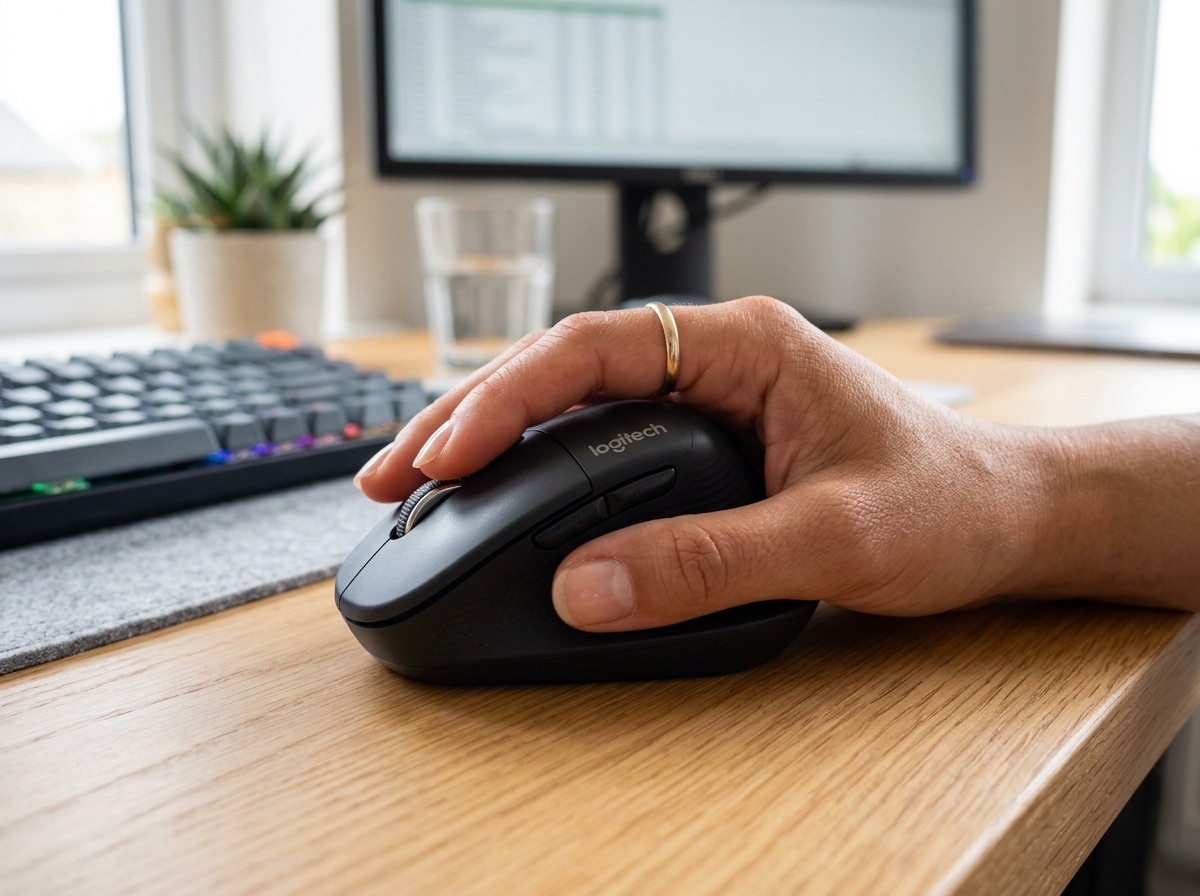
Why Most Mice Don’t Fit Small Hands (And What to Do About It)
Ergonomic mice for small hands are a genuinely different category — not just “smaller versions” of regular mice, but devices designed around specific dimensions, grip mechanics, and weight limits that match how smaller hands actually move.
Here are the top options worth considering:
| Mouse | Type | Key Benefit | Best For |
|---|---|---|---|
| Logitech Lift | Vertical | 57° handshake angle, reduces forearm strain | Office, RSI prevention |
| Logitech G705 | Gaming | 85g, compact contoured shape | Gaming, small hands |
| Keychron M2 Mini | Gaming/Productivity | Ultra-light 50g, asymmetric ergonomic shape | Precision, portability |
| Logitech MX Anywhere 3S | Compact productivity | Compact, 8K DPI, quiet clicks | Travel, desk work |
| Logitech M575S | Trackball | Stationary control, reduces shoulder strain | Limited desk space |
| TeckNet Vertical | Budget vertical | Affordable, adjustable DPI | Budget-conscious users |
| Rapoo EV250 | Vertical | Up to 9 months battery, adjustable DPI | Office, wireless |
If you’ve ever finished a long workday with a sore wrist, stiff fingers, or aching forearm — and you have small hands — there’s a good chance your mouse is part of the problem.
Most mice on the market are designed for the 50th to 95th percentile of hand sizes. That leaves a lot of people reaching too far for buttons, gripping too wide, and holding tension they don’t even notice — until it builds into real pain.
Hand length under 17.5 cm (about 6.9 inches, measured from your wrist crease to your middle fingertip) is generally considered small in the context of mouse sizing. At that size, a standard mouse forces your fingers to overextend, your thenar eminence (the pad at the base of your thumb) to work harder, and your wrist to rotate in ways that compound over hours of use.
The good news: there are ergonomic mice built specifically to fix this. This guide covers how to find them, what specs actually matter, and which models hold up in real use.

How to Measure Your Hand for Ergonomic Mice for Small Hands
Before you go shopping, we need to make sure you actually fall into the “small hand” category. In peripherals, guessing usually leads to a “mushy” experience where your fingers can’t quite reach the scroll wheel.

To get an accurate measurement, place your hand flat on a table with your fingers together. Use a ruler to measure from the first crease at the base of your palm (the wrist crease) to the very tip of your middle finger.
- Small Hands: Under 17.5 cm (6.9 inches).
- Medium Hands: 17.5 cm to 19 cm.
- Large Hands: Over 19 cm.
If you don’t have a ruler handy, you can use the “Bank Card Method.” Standard credit or debit cards follow the ISO/IEC 7810 ID-1 size, which is exactly 85.60 mm long. If your hand is significantly less than two card lengths, you definitely need to look for ergonomic mice for small hands.
Proper measurement is the first step in following OSHA’s Computer Workstation Guidelines for a healthy setup. If a mouse is too long, your fingers struggle to reach the “sweet spot” of the switches, leading to increased tension in the tendons of your hand.
Ideal Dimensions for an Ergonomic Mouse for Small Hands
Once you know your hand size, you need to look at the mouse’s physical footprint. A mouse that looks “small” might still be too wide, which is a common trap.
| Dimension | Ideal Range for Small Hands | Why It Matters |
|---|---|---|
| Length | 100mm – 120mm | Prevents overextending fingers to reach buttons. |
| Grip Width | 56mm – 59mm | Avoids “thenar eminence” fatigue (the thumb muscle). |
| Height | 35mm – 42mm | Determines how much the palm arches. |
If the grip width exceeds 60mm, it forces a wider finger spread. This might not feel bad for five minutes, but after eight hours, it causes significant fatigue in the base of the thumb. We recommend staying under 125mm in total length; anything longer usually results in your palm overhanging or your fingers clicking the very back of the buttons where the resistance is highest.
Grip Styles and Their Impact on Selection
How you hold your mouse changes which “small” mouse is right for you. Even among people with small hands, there are three main “camps”:
- Palm Grip: Your whole hand rests on the mouse. You need a mouse with a centered hump and a fuller shape to support the palm.
- Claw Grip: Only your palm’s base and fingertips touch the mouse. A rear-positioned hump is better here to provide stability for the back of the hand.
- Fingertip Grip: Only your fingertips touch the device. You want the smallest, lightest mouse possible to allow for quick micro-adjustments.
Choosing the wrong shape for your grip can lead to finger over-extension. For a deeper dive into how your physical setup affects your health, check out our guide on Ergonomic Keyboard And Mouse Setup For Enhanced Comfort.
Technical Specifications That Matter for Small Hands
It’s easy to get distracted by flashy lights, but for those of us with smaller hands, the “under the hood” specs determine long-term comfort.
Weight Optimization This is arguably the most important spec for small hands. Smaller hands naturally generate less leverage. Moving a 120g “brick” all day requires more effort from the small muscles in your wrist. We suggest a target weight of sub-75g for productivity and even lighter (under 60g) for gaming.
Sensor Positioning An underrated detail! A sensor placed further forward (toward the buttons) feels more intuitive for wrist-heavy movements, which small-handed users often rely on.
Polling Rates and Latency While “8K polling” sounds impressive, it can drain battery life by up to 75% and requires a high-end monitor (240Hz+) to actually see the difference. For most office work, 1000Hz is plenty. However, the quality of the “click” matters. As noted in the RTINGS Mouse Click Latency Methodology, the pre-travel and post-travel of the switch are as critical as the electronic latency. Look for reputable micro-switches like Huano or Kailh for a crisp, tactile feel that doesn’t require “heavy” fingers to actuate.
Top Recommended Ergonomic Mice for Small Hands
Finding a mouse that balances “small” with “ergonomic” used to be a chore. Today, we have excellent options ranging from vertical “handshake” designs to ultra-light gaming shells. For more context on building a healthy workspace, see our article on Ergonomic Desk Accessories For Comfort.
Best Vertical Ergonomic Mice for Small Hands
Vertical mice are the gold standard for RSI prevention because they place the hand in a “handshake” position. This stops the two bones in your forearm (the radius and ulna) from crossing, which reduces muscle strain by up to 25%.
- Logitech Lift: This is our top pick. It was designed specifically for hands under 17.5 cm. It features a 57-degree tilt and a grip width that doesn’t force over-extension. You can find more details in the Logitech Lift specifications.
- TeckNet Vertical: A fantastic budget-friendly option. It offers adjustable DPI and a comfortable vertical angle without the premium price tag.
- Rapoo EV250: Known for its incredible battery life (up to 9 months) and a shape that fits snugly in smaller palms.
Best Gaming and Productivity Mice for Small Hands
If you don’t like the vertical “hump,” these traditional shapes offer high precision in a compact frame.
- Logitech G705: Part of the Aurora Collection, this mouse was built from the ground up to be inclusive of smaller hands. It’s ultralight at 85g and has a sculpted thumb rest that actually fits where your thumb naturally sits.
- Keychron M2 Mini: A powerhouse for those who want performance. It weighs a mere 50g and uses the top-tier PixArt 3950 sensor. It’s essentially “holding air” while giving you pro-level accuracy.
- Logitech MX Anywhere 3S: The ultimate travel mouse. It can track on glass, has “quiet clicks” to avoid annoying coworkers, and features MagSpeed scrolling that can fly through 1,000 lines per second.
When buying wireless, always verify the device has a valid FCC ID via the FCC Equipment Authorization Search to ensure signal stability and safety.
Vertical vs. Trackball: Choosing the Right Shape
Should you go vertical or try a trackball? It depends on where your pain is.
Vertical Mice are best for wrist and forearm strain. They require you to move your whole arm, which distributes the work to larger muscle groups.
Trackball Mice, like the Logitech M575S, are stationary. You move the cursor with your thumb. This is a lifesaver for people with shoulder pain because your arm never moves. It’s also the best choice for tiny desks. However, be warned: there is a learning curve! It takes a few days to get your “thumb precision” up to speed.
Common Mistakes to Avoid When Choosing a Small Mouse
We see the same errors over and over. Avoid these to save your wrists:
- The “Mini” Trap: Some “mini” versions of famous mice keep the same width but just shorten the length. If the grip width is still over 60mm, your hand will still cramp.
- Ignoring Weight: A small mouse that is “weighted” to feel premium is an ergonomic nightmare for small hands. Aim for the lightest model you can find.
- Connectivity Neglect: Bluetooth is great for travel, but for a primary desk mouse, a 2.4GHz USB dongle provides much better stability and lower latency.
- Side Button Reach: Check if you can actually reach the “Forward/Back” buttons without shifting your entire hand. If you have to move your palm to hit a button, the mouse is too big.
Finally, always check for safety certifications. Reliable brands adhere to directives like RED and RoHS. You can check the EU Safety Gate for alerts regarding poor-quality electronic components.
Frequently Asked Questions about Ergonomic Mice
What is considered a small hand for a computer mouse?
In the industry, a hand length under 17.5 cm (6.9 inches) from the wrist crease to the tip of the middle finger is considered small. If your hand is in this range, standard “large” mice (like the MX Master series) will likely cause strain over time.
Are vertical mice better than traditional mice for small hands?
They are better for preventing “pronation” (twisting the forearm). However, the mouse must be sized correctly. A large vertical mouse can be worse than a small traditional mouse because it forces the fingers to splay too wide. The Logitech Lift is the best example of a vertical mouse done right for small hands.
Can I use a gaming mouse for office work if I have small hands?
Absolutely! In fact, gaming mice like the Keychron M2 Mini or Logitech G705 are often better for the office because they are lighter and have better sensors than cheap office mice. Just be prepared for the “gamer” aesthetic or RGB lights (which you can usually turn off).
Conclusion
At Dims Finance, we believe that your tools should work for you, not against you. Choosing ergonomic mice for small hands isn’t just about comfort; it’s about long-term health and preventing Repetitive Strain Injuries (RSIs).
By measuring your hand accurately, prioritizing weight, and choosing a shape that matches your grip style, you can transform your workday from a source of aches into a period of high-focus productivity. Don’t settle for a “one size fits all” approach when science-based ergonomic options are readily available.
For more tips on optimizing your workspace, explore our latest guides on Desk Accessories. Your wrists will thank you!