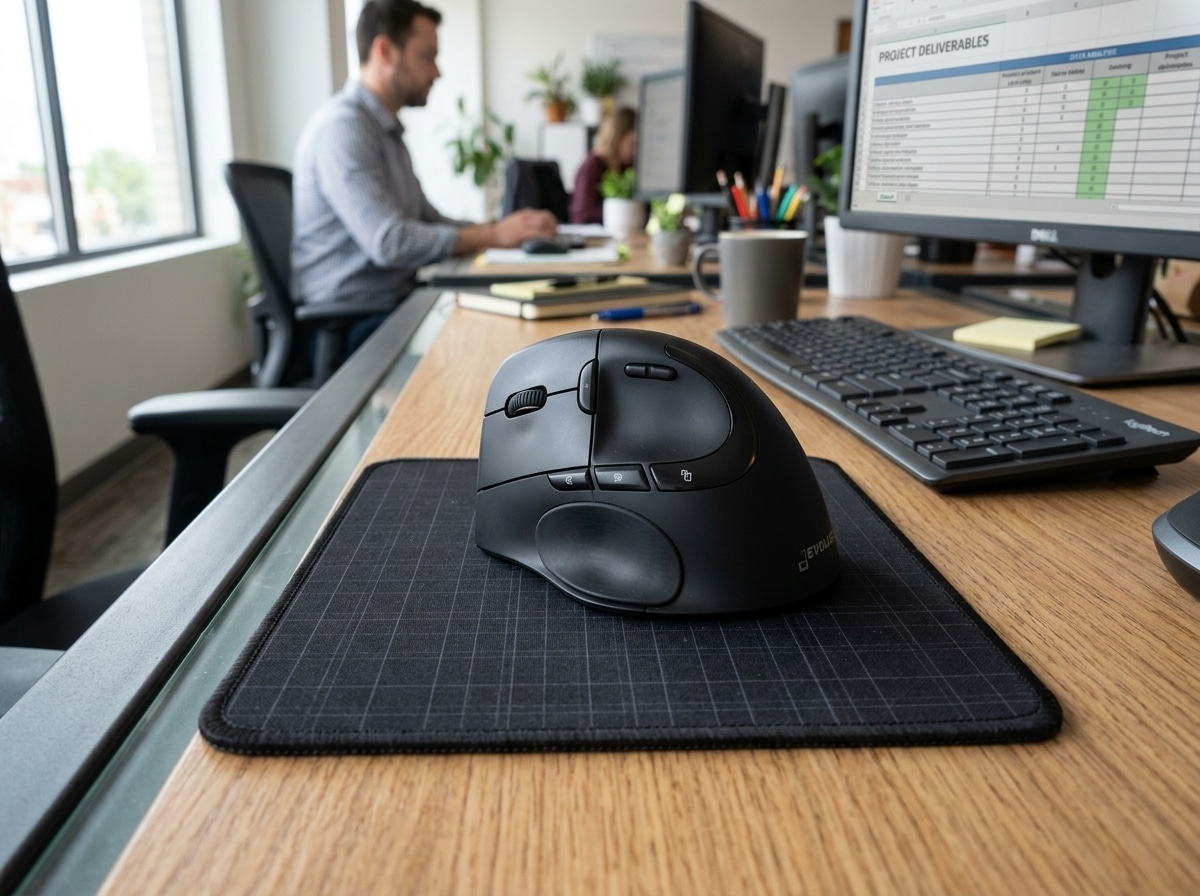
When Your Mouse Hurts: The Truth About Thumb Joint Pain at Your Desk
The best mouse for thumb joint pain is typically a vertical ergonomic mouse or a trackball — both are designed to reduce the repetitive strain that standard mice place on your thumb and wrist.
Quick answer — top picks for thumb joint pain:
| Mouse Type | Best For | Example |
|---|---|---|
| Vertical mouse | Handshake grip, wrist relief | Logitech MX Vertical |
| Thumb trackball | Minimal hand movement | Logitech MX Ergo S |
| Fingertip trackball | Thumb-free operation | Kensington Expert Mouse |
| Conventional ergonomic | General comfort upgrade | Logitech MX Master 4 |
If you spend hours every day using a computer mouse, your thumb is doing more work than you might think. Every click, scroll, and side-button press adds up — and over time, that repetitive motion can lead to real pain.
Thumb joint pain from mouse use is a form of repetitive strain injury (RSI). It affects the muscles, tendons, and joints in your hand, and it’s surprisingly common among office workers and heavy computer users.
The good news? The right mouse can make a significant difference. Ergonomic designs — especially vertical mice and trackballs — are built to put your hand in a more natural position, reducing the stress on your thumb joints throughout the day.
This guide breaks down exactly what to look for, and which models are worth your attention.
Why Standard Mice Cause Thumb Joint Pain
Have you ever looked at your hand while using a standard “flat” mouse? To hold it, you have to turn your palm downward so it’s parallel to the desk. In ergonomics, we call this wrist pronation. This position isn’t just a bit awkward; it actually crosses the two bones in your forearm and puts constant tension on the muscles and tendons leading to your thumb.
When we use a standard mouse, our thumb is often forced into a “pinching” or “gripping” posture to maintain control. This puts immense pressure on the CMC joint (the carpometacarpal joint at the base of your thumb). Over thousands of clicks and drags, this can lead to inflammation, also known as tendonitis, or even aggravate early-stage arthritis.
Different grip styles play a role, too. Whether you use a “palm grip” (resting your whole hand on the mouse) or a “claw grip” (arching your fingers), standard designs often leave the thumb unsupported or, worse, require it to do the heavy lifting for side-button navigation. According to scientific research on vertical ergonomics, shifting to a vertical orientation can reduce muscular strain by up to 10%. Without this shift, muscle fatigue sets in quickly, leading to the dull ache or sharp twinges many of us know all too well.
At Dims Finance, we believe that understanding the “why” is the first step toward healing. Creating an ergonomic keyboard and mouse setup for enhanced comfort is about more than just buying new gear; it’s about unlearning the harmful postures that standard peripherals force upon us.
Choosing the Best Mouse for Thumb Joint Pain
Finding the best mouse for thumb joint pain requires looking past the flashy lights and high-speed sensors. You need a tool that respects the biology of your hand. When we evaluate mice for thumb relief, we look at several critical factors:
- Hand Size: A mouse that is too large forces your thumb to overextend to reach buttons. A mouse that is too small causes “cramping” as your thumb tucks too far inward.
- DPI Settings: High DPI (dots per inch) means you don’t have to move your hand as much to move the cursor across the screen. This reduces the overall workload on your joints.
- Vertical Angle: The closer a mouse gets to a 57-degree “handshake” angle, the less pressure is placed on the median nerve and thumb tendons.
- Thumb Rests: A dedicated “wing” or rest allows your thumb to sit neutrally rather than hovering or gripping the side of the device.
To help you decide which path to take, here is a quick breakdown of how different ergonomic styles stack up:
| Feature | Vertical Mouse | Trackball Mouse | Roller Mouse |
|---|---|---|---|
| Primary Benefit | Neutral “Handshake” posture | Zero wrist/arm movement | Ambidextrous, no gripping |
| Thumb Impact | Low (rests on side) | Variable (depends on ball) | Very Low (fingertip use) |
| Learning Curve | Moderate | High | High |
| Desk Space | Standard | Low (stationary) | High (sits in front of keys) |
Beyond the hardware, don’t forget the importance of your environment. Using the best mouse pads for work from home can provide much-needed cushioning for your wrist, which in turn reduces the compensatory strain on your thumb. We also recommend integrating an ergonomic keyboard and mouse setup that allows your arms to stay at a 90-degree angle, further promoting a neutral posture.
Top Rated Ergonomic Models for Thumb Relief

When it comes to actual recommendations, we’ve looked at the data and the reviews. For instance, an expert ergonomic mouse review highlights how specific sculpts can drastically change the user experience. Here are the heavy hitters currently leading the market for thumb relief.
Vertical Designs: The Best Mouse for Thumb Joint Pain for Handshake Grips
Vertical mice are the “gold standard” for general RSI prevention. By tilting the mouse, these devices move the strain away from the small joints of the hand and toward the larger, stronger muscles of the forearm.
- Logitech MX Vertical: This is often cited as the premier choice. Its 57-degree angle is the “sweet spot” identified by ergonomists to improve posture. It features a textured thumb area that allows for a relaxed grip, significantly reducing muscle strain.
- Razer Pro Click V2: While Razer is known for gaming, this collaboration with office ergonomics experts resulted in a mouse with an extended thumb rest. It’s designed to provide all-day comfort and support, ensuring your thumb isn’t just hanging out in space while you work.
- Anker Wireless Vertical Mouse: If you’re on a budget, this is a fantastic entry point. It provides that essential handshake grip at a fraction of the cost of premium models.
Integrating these into ergonomic keyboard and mouse setups for maximum comfort can be a total game-changer for those suffering from CMC joint pain.
Trackball Models: The Best Mouse for Thumb Joint Pain for Minimal Movement
Trackballs are unique because the mouse itself stays still. You move the cursor by rolling a ball with either your thumb or your fingers.
- Logitech MX Ergo S: This is a “thumb-operated” trackball. It features a unique 20-degree tilt adjustment, which research suggests can reduce muscle strain in the forearm by up to 27%. While it does require thumb movement to move the ball, the lack of “gripping and dragging” often provides relief for those whose pain is triggered by the sliding motion of a standard mouse.
- Kensington Expert Mouse: If your thumb is in significant pain, you might want to avoid thumb-operated balls entirely. The Expert Mouse uses a large, center-mounted ball that you operate with your index and middle fingers, leaving your thumb completely free to rest.
For those who want a clean desk, using wireless keyboard and mouse combos for seamless work with a trackball can save space and reduce the “reaching” motion that often aggravates shoulder and hand pain.
Adaptive and Left-Handed Solutions
We haven’t forgotten the southpaws or those who need highly specialized gear!
- Microsoft Adaptive Mouse: This is a truly innovative, modular system. It’s an ambidextrous core that can be customized with 3D-printed attachments to fit any hand shape or specific physical requirement. It’s perfect for users who find that “one size fits all” mice simply don’t work for their thumb anatomy.
- Logitech M650 L Left: Finding a quality left-handed ergonomic mouse used to be a chore. The M650 L Left offers a contoured shape and a soft thumb area specifically for lefties, ensuring they get the same level of comfort as right-handed users.
Choosing the right size is vital; always check sizing guides before purchasing. A mouse that is too big for your hand will force your thumb to “reach,” which is a primary cause of strain. We often recommend wireless keyboard and mouse combos for seamless work 2 that include sizing options to ensure a perfect fit for your workstation.
Frequently Asked Questions about Thumb Strain
Can a vertical mouse fix existing thumb pain?
While a vertical mouse isn’t a medical cure, it is a powerful tool for management. By placing the hand in a “handshake” position, it removes the mechanical stress that causes inflammation. Many users report that switching to the best mouse for thumb joint pain (like a vertical model) significantly reduces their daily discomfort and prevents the pain from worsening. However, for conditions like De Quervain’s tenosynovitis, it’s always best to consult a professional alongside making ergonomic changes.
Is a thumb-operated trackball better than a finger-operated one?
It depends on where your pain is. If your pain is triggered by the “sliding” motion of moving a mouse across a pad, a thumb-operated trackball (like the MX Ergo S) is great because it keeps your wrist still. However, if the act of moving your thumb is what hurts, you should opt for a finger-operated trackball (like the Kensington Expert) to give your thumb a total vacation.
How do I know if my mouse is the right size for my hand?
Your hand should rest naturally on the mouse without your fingers hanging off the front or your palm hovering in the air. For thumb health, your thumb should rest comfortably in the side groove or on the wing without having to stretch to reach the side buttons. If you have to shift your entire hand just to click a “back” button with your thumb, your mouse is likely too large.
Does workstation height affect thumb pain?
Absolutely. If your desk is too high, your wrist will naturally bend upward (extension) or to the side (ulnar deviation). This puts extra tension on the thumb tendons. Ensure your elbow is at a 90-degree angle and your wrist remains flat.
Conclusion
At Dims Finance, our mission is to provide science-based ergonomics advice that helps you work smarter and live without pain. Thumb joint pain doesn’t have to be an inevitable part of your career. By choosing the best mouse for thumb joint pain, you are investing in your long-term health and productivity.
Whether you opt for the neutral posture of a vertical mouse or the stationary ease of a trackball, the key is to listen to your body. Combine your new mouse with a proper setup and regular micro-breaks to keep your joints happy for years to come.
Ready to complete your setup? Find more info about desk accessories on our main site to ensure every part of your workspace is working for you, not against you.