Why Your Wrists Are Paying the Price at Your Desk
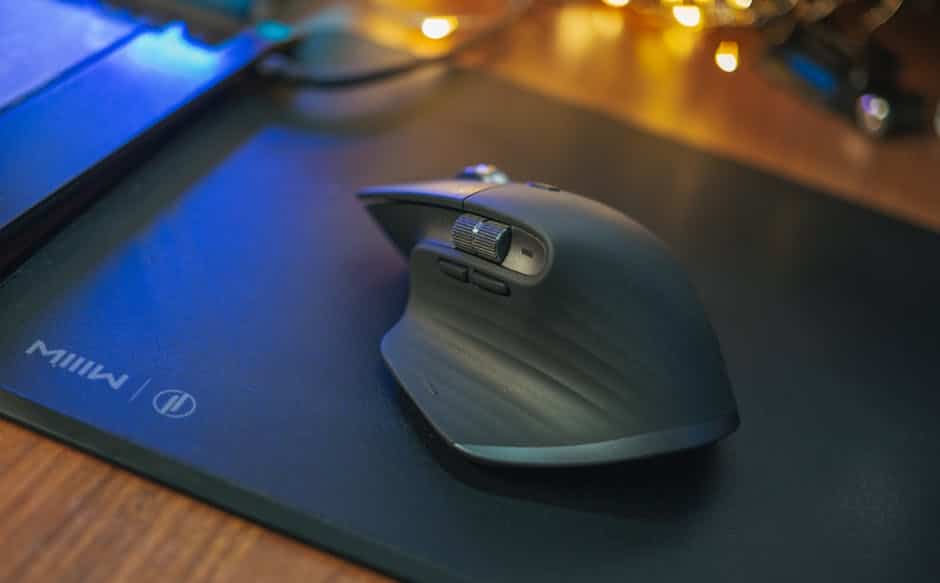
An ergonomic mouse mat is a specially designed mouse pad that supports your wrist and hand in a neutral, comfortable position during extended computer use — reducing strain, pressure, and the risk of repetitive stress injuries like carpal tunnel syndrome.
Quick answer: key benefits of an ergonomic mouse mat
- Reduces wrist pain by cushioning pressure points where your hand meets the desk
- Supports neutral wrist alignment to lower the risk of carpal tunnel syndrome and RSI
- Improves mouse precision with optimized tracking surfaces
- Prevents fatigue during long office or gaming sessions
- Non-slip bases keep your setup stable throughout the day
If you spend hours a day at a computer, your wrists take a beating. Most standard mouse pads offer zero support — just a flat surface between your hand and a hard desk.
Over time, that constant pressure adds up. A Reddit user in the PC community summed it up well: years of daily computer use left visible wear marks on their desk and chronic wrist pain — simply from resting their wrist in the wrong position, day after day.
The good news? A well-chosen ergonomic mouse mat is one of the simplest, most affordable changes you can make to protect your wrists and work more comfortably.
Why You Need an Ergonomic Mouse Mat
At Dims Finance, we focus on science-based advice to help you build a healthier workspace. One of the most common complaints we hear involves “the desk burn”—that dull ache or redness on the underside of the wrist after a long shift. This happens because your wrist is essentially a bridge of nerves, tendons, and blood vessels. When you press that bridge against a hard, flat desk for eight hours, you’re asking for trouble.
An ergonomic mouse mat acts as a shock absorber for your skeletal system. By providing a cushioned surface, these mats facilitate pressure-point absorption. Instead of your pisiform bone (the small bone at the base of your palm) taking the full brunt of your arm’s weight, the mat distributes that weight across a larger surface area.
This distribution is critical for preventing Carpal Tunnel Syndrome (CTS). CTS occurs when the median nerve is compressed as it passes through the wrist. Standard pads often force the wrist into “extension”—tilting the hand upward—which narrows the carpal tunnel. A proper ergonomic setup encourages a neutral “handshake” position, maintaining healthy blood circulation and preventing nerve compression. If you’re already feeling the twinge of RSI, pairing a supportive mat with the right hardware is essential; you can learn more about this in our guide on Wrist Management: Finding the Best RSI Mouse for Pain-Free Scrolling.

Ergonomic Mouse Mat vs. Standard Pads
The difference between a standard pad and an ergonomic mouse mat is like the difference between walking on concrete and walking on a high-end running shoe.
- Surface Friction: Standard pads are often designed for speed alone. Ergonomic mats balance speed with “stopping power,” allowing for more controlled, micro-movements that reduce the need for jerky, high-strain wrist flicks.
- Wrist Elevation: A standard pad keeps your wrist flat against the desk. An ergonomic mat often features a raised gel or foam section (or full-surface cushioning) that lifts the wrist to be level with the mouse. This prevents the “hinge” effect that causes inflammation.
- Static Posture: We often fall into “static loading,” where we hold our hand in one tense position for too long. Specialized mats, like the LOFTMAT Cushioned Mouse Pad, allow for more dynamic movement across a soft surface, reducing the fatigue associated with staying in one spot.
For a complete look at how these pieces fit together, check out our deep dive into Ergonomic Keyboard and Mouse Setups for Maximum Comfort.
Selecting the Best Ergonomic Mouse Mat for Your Setup
Not every mat fits every desk. When we help users choose a mat, we look at three main factors:
- Desk Space: If you have a cramped cubicle, a standard 9×8 inch mat with a built-in rest is ideal. If you have a sprawling home office, an XXL desk mat might be better to cushion your entire forearm.
- Mouse Sensitivity: High-sensitivity users move their wrists very little and benefit from thick, localized wrist rests. Low-sensitivity users (often gamers or designers) need large, flat, cushioned surfaces to accommodate wide arm sweeps.
- Handedness: Most ergonomic mats are symmetrical, but some “wave” designs are contoured specifically for righties. If you are a southpaw, ensure you select a “universal” design or a specific left-handed model. For more on this, see our recommendations for The Best Left-Handed Wireless Mouse for Sinister Comfort.
Essential Features for Maximum Comfort
When shopping for an ergonomic mouse mat, don’t just grab the cheapest one at the checkout counter. Look for these specific features that separate a “pad” from a “medical-grade support”:
- The 8-Degree Tilt: Some advanced mats, like those from TECKNET, feature a scientifically tested 8-degree tilt. This subtle slope mimics the natural resting angle of the human arm, further reducing the risk of carpal tunnel.
- Massage Beads: Some newer models incorporate “massage bulges” or beads within the fabric. These aren’t just for luxury; they improve air circulation (preventing sweaty palms) and provide tactile feedback that can help reduce muscle tension.
- Non-Slip PU Base: There is nothing more frustrating (or ergonomically taxing) than a mouse mat that slides away while you’re working. A high-quality polyurethane (PU) or natural rubber base is a must.
- Precision Tracking: Look for “micro-weave” or “precise” surfaces. Technologies like the 3M™ Precise™ Mouse Pad With Gel Wrist Rest MW85B use a unique surface texture that enhances the precision of optical mice, meaning you move your hand less to get the cursor where it needs to go.
- Stitched Edges: To ensure longevity, look for “anti-fray” stitched edges. This prevents the top fabric from peeling away from the cushion over time.
For more ideas on optimizing your station, visit our list of Desk Accessories to Improve Workflow.
Comparing Materials: Gel, Memory Foam, and Cushioned Foam
The “feel” of your ergonomic mouse mat depends entirely on what’s inside it. We’ve broken down the three most common fillers to help you decide.
| Feature | Gel | Memory Foam | Full-Surface Cushioned Foam |
|---|---|---|---|
| Feel | Squishy, “cool” touch | Firm, contours to shape | Consistent, pillow-like |
| Indentation Recovery | Instant | Slow (seconds) | Instant |
| Heat Dissipation | High (stays cool) | Moderate (can get warm) | High (breathable fabric) |
| Best For | Hot offices, heavy pressure | Maximum contouring | Total arm support |
| Durability | Risk of leaks | Can lose “spring” over years | Very high |
Gel is a classic choice. It feels like a “satin pillow” for your wrist. It’s excellent for people who like a cooler surface, though cheaper models can occasionally leak if punctured.
Memory Foam is great if you want the mat to “remember” your specific wrist shape. It provides a very stable, customized fit, though it can sometimes trap heat during long summer workdays.
Full-Surface Cushioned Foam, found in products like the LOFTMAT Cushioned Mouse Pad, is a newer innovation. Instead of one “hump” for your wrist, the entire mat is a cushion. This allows your hand to move freely without being “locked” into one position, which many ergonomic specialists now prefer. This design helps dissipate contact pressure across the whole hand and forearm.
For a broader look at supportive tools, see our guide on Ergonomic Desk Accessories for Comfort.
Sizing and Specialized Use Cases
Your job title might actually dictate which ergonomic mouse mat you should buy.
The Office Executive
If your day involves spreadsheets, emails, and moderate mouse movement, a standard-sized (approx. 9×11 inch) mat with a dedicated wrist rest is perfect. It provides a “home base” for your hand and fits neatly on most keyboard trays.
The Gaming Professional
Gamers often use lower DPI (dots per inch) settings, requiring massive arm movements. For them, a localized wrist rest is actually a hindrance. Instead, an XXL desk mat, like the Soft Mouse Mat for Productivity – Razer Pro Glide XXL, is the way to go. These mats cover the entire desk, providing a 3mm thick cushion for both the mouse hand and the keyboard hand.
The Portable/WFA Professional
If you’re a digital nomad or frequently move between a home office and a corporate site, look for “soft” mats that can be rolled up. Avoid rigid-base mats and opt for high-density rubber foam that won’t lose its shape after being tucked into a laptop bag. You can find more portable suggestions in our article on the Best Mouse Pads for Work From Home.
Maintenance and Care for Longevity
An ergonomic mouse mat is an investment in your health, and like any investment, it needs a little upkeep. Over time, skin oils, dust, and the occasional coffee splash can degrade the surface and the internal foam.
- Cleaning Techniques: For most fabric-topped mats, a damp cloth with a tiny drop of mild dish soap works wonders. Gently wipe the surface and let it air dry completely. Never submerge a memory foam or gel mat in water, as it can ruin the internal structure.
- Lint Rollers: For daily maintenance, a lint roller is your best friend. It picks up hair and crumbs that can interfere with your mouse’s optical sensor.
- Pilling Prevention: High-quality mats use synthetic fabrics designed to prevent “pilling” (those annoying little fabric balls). If your mat starts pilling, it’s usually a sign the fabric is worn out and it’s time for a replacement.
- Warranty and Costs: A good mat usually costs between $20 and $40. While budget options exist for under $15, they often lack the durable stitching and high-density foam required for long-term RSI prevention. Look for brands that offer at least a 1-year warranty or a satisfaction guarantee.
Maintaining your gear is just one part of the puzzle. To truly protect yourself, read our expert advice on How Employees Can Stop Repetitive Strain Injuries Before They Start.
Frequently Asked Questions about Ergonomic Mouse Mats
Are ergonomic mouse mats better for gaming or office work?
They are beneficial for both! Office workers benefit from the static support during long typing and scrolling sessions. Gamers benefit from the cushioning during high-intensity sessions, though they usually prefer larger, flatter cushioned mats (XXL) rather than those with a raised wrist “bump,” which can limit fast movements.
How do I clean a gel or memory foam wrist rest?
Use a lint roller for dust and a lightly dampened (not soaking) microfiber cloth for stains. If the mat is made of specialized “satin-finish” material, avoid harsh chemicals which can break down the coating. Always air dry; never use a hairdryer or heater, as high heat can melt gel or warp foam.
Can an ergonomic mouse mat cure existing carpal tunnel syndrome?
No, a mouse mat is a preventative tool and a comfort aid, not a medical cure. While it can significantly reduce the pressure that causes pain and may help manage symptoms, existing carpal tunnel should be treated by a medical professional. However, switching to an ergonomic setup is often the first recommendation doctors make to prevent the condition from worsening.
Conclusion
At Dims Finance, we believe that workplace wellness shouldn’t be an afterthought. Your desk setup is the foundation of your productivity, and an ergonomic mouse mat is a vital brick in that foundation. By choosing a mat that supports a neutral wrist position and absorbs the daily “micro-traumas” of desk work, you are making a long-term investment in your health.
Whether you prefer the cool squish of gel, the customized fit of memory foam, or the unrestricted freedom of a full-surface cushioned mat, the goal remains the same: keep your hand happy and your workflow uninterrupted.
Ready to complete your ergonomic intervention? Explore more ergonomic desk accessories to find the perfect tools for your professional life.