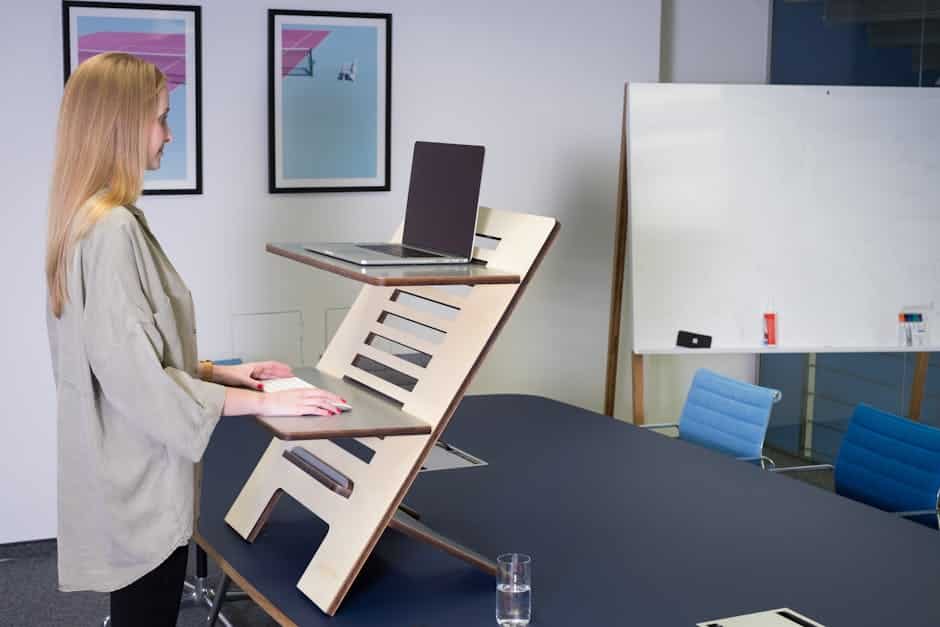
Why Most Standing Desks Cause Pain (And How to Fix It)
A standing desk ergonomics guide is the missing piece for most people who buy a standing desk and still end up with back pain, neck tension, or sore wrists.
Here’s the quick answer on how to set up your standing desk correctly:
- Desk height: Stand tall, bend your elbows to 90°, and set the desk surface to your forearm height
- Monitor: Top edge at or just below eye level, about 20-28 inches from your face
- Keyboard and mouse: Wrists flat or slightly angled downward, forearms parallel to the floor
- How long to stand: Alternate every 30-60 minutes; aim for 2-4 hours of standing total in an 8-hour day
- Anti-fatigue mat: Yes, strongly recommended for any standing session over 20-30 minutes
- Posture: Soft knees, weight evenly distributed, shoulders relaxed, spine in its natural S-curve
Most people get one or more of these wrong from day one.
The desk itself is not the problem. The setup is.
Research, including studies cited by the Mayo Clinic, shows that office workers using ergonomic sit-stand workstations reported up to a 45% increase in energy and focus — and alternating positions every half hour can reduce back pain by as much as 54%. But in the real world, many people who own a standing desk stand for less than 15 minutes total per day, often because the setup is uncomfortable or awkward.
Simply owning a standing desk isn’t enough. How you use it — and how you set it up — is what actually protects your body.
This guide walks you through every step, from measuring your ideal desk height to the right accessories, so your workstation works for you instead of against you.
Setting Up Your Workspace: A Standing Desk Ergonomics Guide
Setting up your workstation isn’t a “one size fits all” task. Ergonomics is the science of designing the environment to fit the worker, not forcing the worker to twist themselves into a pretzel to fit the desk. When we use Adjustable Standing Desks for Work From Home, we gain the flexibility to move, but we also gain the responsibility of finding our “neutral” positions.
A neutral position is where your body is under the least amount of stress. For your arms, this means your elbows should stay at a 90-degree to 110-degree angle. Your spine should maintain its natural “S” curve rather than slouching into a “C” shape.
Modern electric desks often come with memory presets. We highly recommend using these immediately. Set “Preset 1” for your perfect sitting height and “Preset 2” for your standing height. This removes the friction of manual adjustment, making it much more likely that you’ll actually switch positions throughout the day. Don’t forget cable management; ensure your cords are long enough to reach the highest setting without yanking your computer off the desk!
Finding the Correct Height for Your Standing Desk Ergonomics Guide
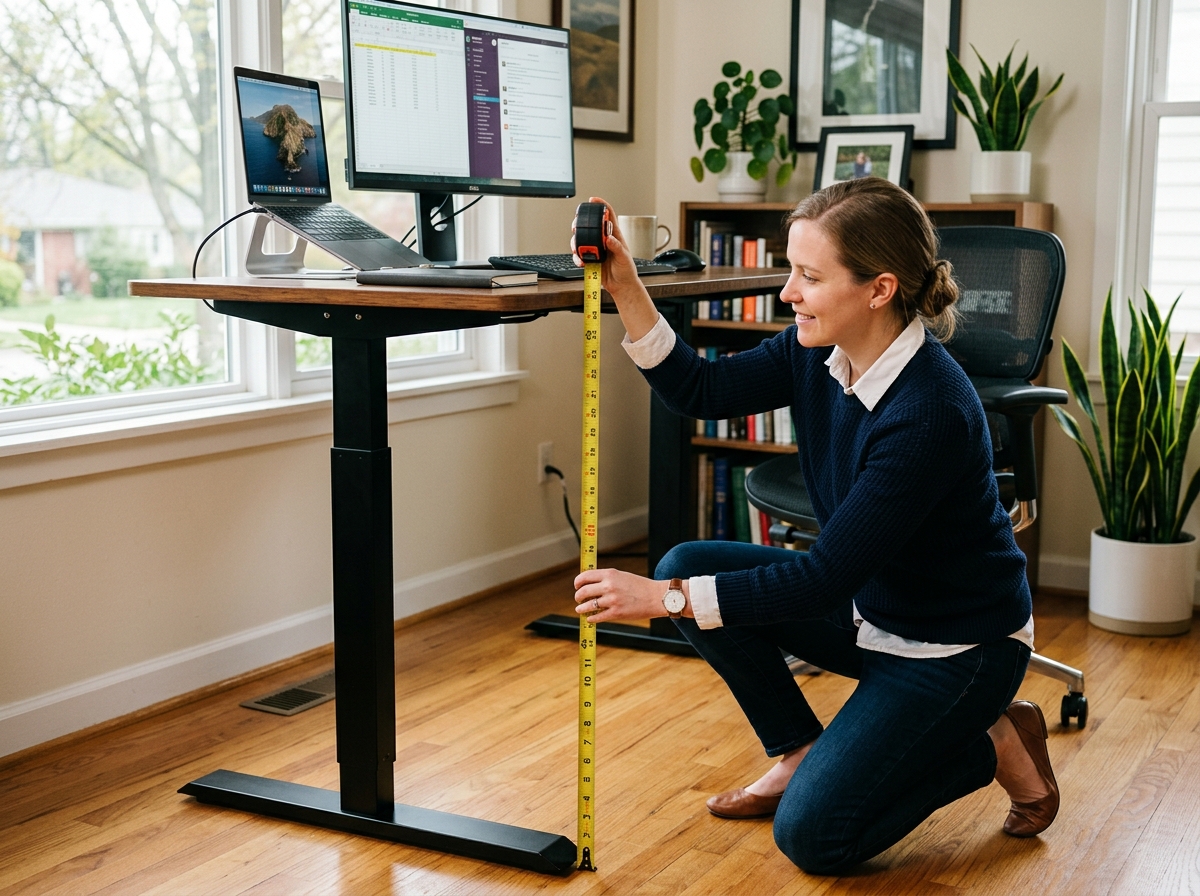
Generic height charts are a good starting point, but they don’t account for the length of your torso or the thickness of your shoe soles. Anthropometric studies show that the average U.S. female (5’4”) typically needs a standing work surface height of 41.3 inches, while the average male (5’10”) requires about 44.8 inches.
However, we suggest the “Elbow Rule” for a truly personalized fit:
- Put on the shoes you plan to wear while working.
- Stand up straight with your shoulders relaxed.
- Bend your elbows to a 90-degree angle.
- Measure the distance from the floor to the underside of your forearm.
This measurement is your ideal desk height. If the desk is too high, you’ll shrug your shoulders and cause neck tension. If it’s too low, you’ll lean forward, putting immense pressure on your lower back. Fine-tune this by 1–2 centimeters until your wrists feel completely relaxed while typing.
Optimizing Monitor Placement in Your Standing Desk Ergonomics Guide
One of the biggest mistakes in a standing desk ergonomics guide is neglecting the monitor. When you move from sitting to standing, your eye level relative to the screen often changes. This is why Monitor Stands for Better Posture or adjustable monitor arms are essential.
Your monitor should be roughly an arm’s length away (20–28 inches). The top third of the screen should be at eye level so that you are looking slightly downward. Looking up causes you to tilt your head back, which is a recipe for “tech neck.” We also suggest a slight tilt of 10 to 20 degrees back to reduce glare and accommodate your natural line of sight. If you use dual monitors, position them in a slight “V” shape directly in front of you to minimize repetitive neck rotation.
Ideal Keyboard and Mouse Positioning
Your hands and wrists are high-risk areas for Repetitive Strain Injuries (RSIs). Achieving an Ergonomic Keyboard and Mouse Setup is about keeping the wrists in a “neutral” or “floating” position.
Avoid “wrist extension,” which is when your hands are angled upward toward your shins. This happens often with “kickstand” keyboards that tilt toward you. Instead, aim for a flat keyboard or even a slight negative tilt (tilting away from you). This allows your wrists to stay straight. Keep your mouse on the same level as your keyboard and close enough that you don’t have to reach outward, which can strain the shoulder and rotator cuff.
Mastering Posture and the 20-8-2 Rule
Standing still is just as bad as sitting still. Static standing for hours can lead to varicose veins, foot pain, and circulatory strain. Standing actually requires 20% more energy than sitting, which is great for burning calories (about 88 calories per hour versus 80 seated), but it places more demand on your heart and legs.
To find the perfect balance, we recommend the 20-8-2 rule:
- 20 minutes of sitting in a supported, neutral posture.
- 8 minutes of standing to boost circulation and engage your core.
- 2 minutes of moving or stretching (walking to get water or doing calf raises).
While standing, keep your knees “soft”—never lock them. Locking your knees reduces blood flow and causes fatigue. Maintain your S-curve spine by engaging your core lightly and keeping your head stacked over your shoulders rather than jutting forward.
Essential Accessories for a Healthy Workstation
You wouldn’t run a marathon in flip-flops, so don’t stand at a desk for four hours in them either. Your choice of footwear and floor support dictates how long you can comfortably stand.
- Anti-fatigue mats: These are not just “soft rugs.” They are engineered to create micro-instability, which encourages your leg muscles to make tiny, subconscious movements. This keeps blood flowing and reduces pressure on your joints. Look for a mat at least 3/4 inch thick.
- Supportive Shoes: Avoid high heels or going barefoot on hard surfaces. Supportive sneakers or flats with arch support are your best friends.
- Laptop Setup: Using a laptop directly on a standing desk is an ergonomic nightmare because the keyboard and screen are attached. To fix this, use Ergonomic Laptop Stands for a Comfortable Desk Setup to lift the screen to eye level, and always use an external keyboard and mouse at elbow height.
- Footrests: Even while standing, a small footrest allows you to shift your weight from one leg to the other, relieving pressure on your lower back.
Frequently Asked Questions about Standing Desk Ergonomics
Transitioning to a standing desk is a marathon, not a sprint. You may experience some initial muscle fatigue in your legs or feet—this is normal as your body adapts to using “postural muscles” that may have been dormant for years.
| Activity | Energy Expenditure | Health Impact |
|---|---|---|
| Sitting | ~80 calories/hour | High sedentary risk; lower energy |
| Standing | ~88 calories/hour | 20% more energy used; improves focus |
| Moving | ~200+ calories/hour | Best for metabolic health |
What is the correct standing desk height for proper ergonomics?
The correct height is exactly at your elbow level. With your shoulders relaxed and elbows bent at 90 degrees, the desk should meet your forearms so your wrists stay flat. For most people, this falls between 38 and 46 inches.
How long should you stand at a standing desk each day?
Don’t try to stand for eight hours on day one! Start with 15–20 minutes per hour. Research suggests working toward standing for a total of 2 hours daily, eventually building up to a maximum of 4 hours, always alternating with sitting and movement.
Do you need an anti-fatigue mat, and how does it help?
Yes. Standing on a hard floor for more than 20 minutes causes “blood pooling” in the legs and significant foot strain. An anti-fatigue mat cushions the impact and forces your muscles to engage in micro-movements, which improves circulation and doubles the time you can stand comfortably.
Conclusion
At Dims Finance, we believe that your workspace should empower your health rather than drain it. By following this standing desk ergonomics guide, you are doing more than just buying a piece of furniture; you are investing in a lifestyle that prioritizes well-being and long-term productivity.
Proper ergonomics is a dynamic process. Listen to your body—if your feet ache, sit down. If your back feels stiff, stand up and move. By combining science-based advice with the right equipment, you can effectively reduce the risk of RSIs and keep your energy levels high throughout the workday.
Ready to transform your home office into a powerhouse of comfort? Explore our full collection of ergonomic office furniture to find the perfect tools for your setup.