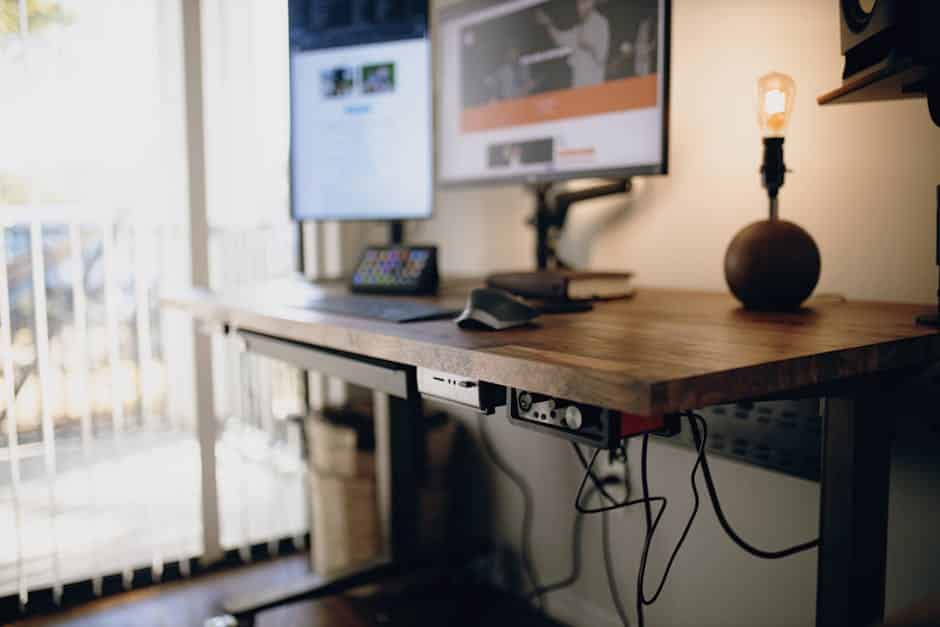
Why Your Standing Desk Keyboard Tray Could Be the Missing Piece in Your Ergonomic Setup
The best standing desk keyboard trays let you type at the correct height and angle whether you’re sitting or standing — without straining your wrists, shoulders, or forearms.
Top picks at a glance:
| Keyboard Tray | Best For | Price |
|---|---|---|
| VIVO Large Keyboard Tray | Budget buyers, most popular | ~$59.99 |
| HUANUO 360 Adjustable Tray | Full rotation, everyday use | ~$79.99 |
| Uncaged Ergonomics KT2 | Standing desk users | $129.99 |
| UPLIFT Big Ultra-Thin | Premium sit-stand setups | From $128 |
| VersaDesk PowerLift Corner | L-shaped / corner desks | $149.00 |
If you use a standing desk for hours each day, where your keyboard sits matters a lot.
Most people place their keyboard directly on the desk surface. That seems fine — until you realize most desktops sit too high for comfortable typing. The result? Raised shoulders, bent wrists, and the kind of repetitive strain that builds quietly over months before it becomes a real problem. When you aren’t constantly adjusting your position to find relief from a dull ache in your wrists, your focus sharpens. This is the ‘flow state’ that many professionals strive for but rarely achieve due to physical distractions.
A standing desk keyboard tray drops your keyboard below the desk surface (or raises it above when standing), so your wrists stay flat and your shoulders stay relaxed. It also lets you dial in the tilt angle — a detail that turns out to be critical for avoiding injuries like carpal tunnel syndrome.
Choosing between a budget option like the VIVO and a premium model like the UPLIFT often comes down to the smoothness of the adjustment mechanism and the thickness of the materials used. While budget trays use thinner steel and friction-based slides, premium models utilize ball-bearing tracks and gas-spring assists for effortless movement. Nearly a million keyboard trays are installed in the US every year, yet an estimated 95% of standing desks still don’t have one. That gap is largely a matter of awareness — most people don’t know the right options exist.
This guide covers the best trays available, what to look for, and how to find the right fit for your desk and your body.
The Ergonomic Benefits of Negative Tilt
When we talk about ergonomics at Dims Finance, we often focus on “neutral posture.” For your wrists, a neutral posture means they are straight, not bent upward or downward. Unfortunately, most standard desks force us into “positive tilt,” where the back of the keyboard is higher than the front. This leads to wrist extension, which puts immense pressure on the carpal bones and the median nerve.
The median nerve is the primary pathway for signals between your brain and your hand. When you type with your wrists bent upward, you are essentially kinking a garden hose. This compression leads to tingling, numbness, and eventually, a loss of grip strength. By using a standing desk keyboard tray with negative tilt, you allow the front of the keyboard (the side closest to you) to sit higher than the back. This simple adjustment neutralizes wrist flexion and is a cornerstone of RSI prevention.
Research suggests that while a 15-degree negative tilt is great for sitting, standing desk users often benefit from even steeper angles—up to 30 degrees—to maintain a straight line from the elbow through the fingertips. This opens up the carpal tunnel, allowing for maximum blood flow and nerve conduction. Achieving a neutral forearm position is like being a “sleeping astronaut”—your limbs should feel weightless and relaxed, hanging naturally by gravity. This reduces muscle fatigue and prevents the “shoulder hunch” that happens when your desk is too high. If you want to dive deeper into how to align your peripherals, check out our guide on ergonomic-keyboard-and-mouse-setup.
Essential Features of a standing desk keyboard tray
Not all trays are created equal. Some are just “drawers” that slide out, while others are highly engineered “Articulating Keyboard Trays” (AKTs). Here is what we look for when evaluating a standing desk keyboard tray:
| Feature | Importance | What to Look For |
|---|---|---|
| Height Range | High | Ability to drop 6-10″ below the desk and rise above it. |
| Tilt Range | Critical | At least -15 to -20 degrees of negative tilt. |
| Swivel | Medium | 360-degree rotation for easy storage and angle adjustment. |
| Platform Size | High | Must fit your keyboard AND mouse comfortably. |
| Stability | Critical | No “floppiness” or shaking while typing. |

Finding the Perfect standing desk keyboard tray Height
The golden rule of typing height is the 90-degree rule: your elbows should be bent at roughly a 90-degree angle, with your forearms parallel to the floor (or slightly angled down). Stability is often the most overlooked factor in this equation. A tray that bounces while you type is more than just annoying; it forces your muscles to micro-adjust to the movement, leading to faster fatigue. Look for trays with heavy-duty steel tracks and locking mechanisms to ensure a rock-solid surface.
A major challenge with sit-stand transitions is that your ideal typing height changes slightly when you move from a chair to your feet. A tray like the KT2 Ergonomic Keyboard Tray features an extended arm that can drop 10 inches below the desk or rise 8 inches above it. This vertical travel ensures that no matter your height, you aren’t reaching up or hunching down. For more tips on dialing in these measurements, see our article on keyboard-trays-finding-the-perfect-height-for-your-setup.
Why Negative Tilt Matters for Your standing desk keyboard tray
We cannot stress this enough: negative tilt is the “secret sauce” of ergonomic typing. When you type on a flat surface, you likely experience wrist extension (bending your hands back toward your forearms). This pinches the carpal tunnel. Regarding platform size, ensure there is enough “mouse real estate.” If your mouse is on a different level than your keyboard, you’re introducing asymmetrical shoulder strain, which can lead to neck pain over time.
Systems like the IS-SS Sit Stand Height Adjustable Keyboard Tray allow for precise tilt adjustments that keep your wrists in neutral alignment. This doesn’t just prevent pain; it actually improves typing accuracy. When your hands are relaxed, you make fewer “fat-finger” errors and can maintain your typing speed for longer periods.
Installation Methods and Desk Compatibility
Installing a standing desk keyboard tray can be tricky because many standing desks have a metal stability crossbar running right where the tray’s track needs to go. Here are the three main ways to mount your tray:
- Under-Desk Track (Screw-in): The most stable method. A metal rail is screwed into the underside of the desk. If you have a crossbar, you may need “track spacers” to drop the rail low enough to clear the bar.
- Clamp-on Mounts: Perfect for those who don’t want to drill holes. Trays like the HUANUO or VIVO models often use C-clamps. These are great for affordable-standing-desks-for-small-spaces where the desktop might be thinner.
- Specialized Corner Mounts: If you have an L-shaped desk, you’ll need a “corner sleeve” or a tray specifically designed for diagonal mounting, like the VersaDesk PowerLift.
When choosing a tray, always measure the depth of your desk. Most sliding trays require a track length of 17 to 22 inches. If your desk is shallow (e.g., 24 inches deep), you might need a shorter track or a tray with an “extended arm” like the KT2 Ergonomic Keyboard Tray | Extended Arm for Standing Desks to ensure it can fully retract.
Frequently Asked Questions about Keyboard Trays
Can I install a keyboard tray on a standing desk with a crossbar?
Yes, but you have to plan for it. Most sit-stand desks have a stability bar that interferes with traditional long-track trays. You have two options: use spacer brackets to lower the tray track beneath the crossbar, or choose a tray designed with a shorter track (around 11 inches) that fits in front of the bar. Some premium trays, like the SteadyType Exo, bypass the track system entirely by clamping to the front edge of the desk.
What is the difference between a keyboard drawer and an ergonomic tray?
A “keyboard drawer” is usually a simple plastic or wood shelf that slides in and out. It has a fixed height and zero tilt adjustability. While it saves desk space, it offers almost no ergonomic benefit. An “ergonomic tray” (or AKT) allows you to change the height, swivel the platform, and—most importantly—adjust the tilt angle. For true ergonomic performance, always choose a tray with tilt capability.
Should my mouse be on the tray or the desk?
Ideally, your mouse should be on the same level as your keyboard. Reaching up to the desk surface for your mouse while your keyboard is on a tray creates a “split-level” posture. This causes your right shoulder (or left, if you’re a lefty) to rotate internally and hike upward. Over a long workday, this asymmetry can lead to significant tension in the trapezius and neck muscles. Always opt for a tray wide enough to accommodate both peripherals.
Do I need a specialized tray for a treadmill desk?
Absolutely. Walking while typing introduces “sway” and palm pressure. Standard trays often feel “floppy” when you’re in motion. Treadmill desk users need a “rock-solid” connection and extreme negative tilt (often -20 to -40 degrees) to stay balanced. The SteadyType Exo Ergonomic Keyboard Tray was designed specifically for this, offering a patented “fencing pin” system to keep your mouse from sliding off at steep angles.
Conclusion
Investing in a high-quality standing desk keyboard tray is one of the most effective ways to upgrade your workspace. By moving the keyboard off your desktop and onto an adjustable platform, you protect your wrists from RSIs, reduce shoulder strain, and make your “active” workstation truly comfortable.
At Dims Finance, we believe in science-based ergonomics to boost your well-being. Whether you’re looking for a budget-friendly clamp-on or a professional-grade articulating arm, the goal is the same: stay neutral, stay comfortable, and stop reaching.
For more tips on perfecting your workspace, read our comprehensive guide on how-to-set-up-workstation-ergonomically-for-peak-comfort or Visit Dims Finance for more ergonomic guides.