Why Typing With Arthritis Is Harder Than It Looks
If you’re looking for the best ergonomic keyboard for arthritis, here are the top options based on testing and expert recommendations:
| Keyboard | Best For | Key Feature |
|---|---|---|
| Kinesis Freestyle2 | Most users | Split design, 43g actuation force |
| Logitech ERGO K860 | Office workers | Split frame, 25% less wrist bending |
| Logitech Wave Keys | Budget-friendly comfort | Wavy design, memory foam palm rest |
| MoErgo Glove80 | Severe RSI/arthritis | Columnar layout, concave key wells |
Arthritis affects an estimated 9 million people in the UK with osteoarthritis alone. Rheumatoid arthritis adds another 400,000+ to that number. For many of them, the most painful part of the day isn’t climbing stairs — it’s typing.
The finger joints are among the most commonly affected areas in rheumatoid arthritis. Every keystroke on a standard flat keyboard forces your wrists into unnatural angles and your fingers into repeated, high-force impacts. Do that for eight hours a day, five days a week, and the damage adds up fast.
The good news? The right keyboard can make a real difference. Ergonomic designs reduce the force needed to press keys, keep your wrists in a neutral position, and cut down on the awkward reaching and twisting that inflames joints over time.
This guide covers everything you need to choose the right one for your situation — from beginner-friendly wave keyboards to advanced split designs for serious relief.

How Arthritis Affects Your Typing and Mouse Use
When we talk about an ergonomic keyboard for arthritis, we aren’t just talking about comfort; we’re talking about medical necessity. Arthritis is an umbrella term for conditions that cause inflammation in the joints, and unfortunately, the human hand contains 27 bones and many more joints that are prime targets for this inflammation.
Osteoarthritis (OA) vs. Rheumatoid Arthritis (RA)
While both cause pain, they impact your typing experience differently. Osteoarthritis is often described as “wear and tear,” affecting the cartilage that cushions the ends of your bones. In the UK, OA affects approximately 9 million people, often targeting the base of the thumb and the ends of the fingers. This makes “pinching” motions and heavy key presses incredibly painful.
Rheumatoid Arthritis, affecting over 400,000 people in the UK, is an autoimmune condition. It causes the immune system to attack the lining of the joints, leading to swelling, stiffness, and heat. RA is particularly tricky for computer users because it often causes “flares”—periods where symptoms worsen significantly. It frequently affects the wrists and the middle knuckles, making the side-to-side reaching required on a standard keyboard feel like a marathon.
| Symptom | Osteoarthritis (OA) | Rheumatoid Arthritis (RA) |
|---|---|---|
| Primary Cause | Cartilage breakdown | Autoimmune inflammation |
| Typical Onset | Mid-40s or older | 40–50 (can be younger) |
| Hand Impact | Bony growths, thumb base pain | Swelling, warmth, symmetrical pain |
| Typing Challenge | Difficulty with heavy key force | Pain during flares, wrist stiffness |
The Science of Relief
Scientific research into ergonomic keyboard benefits shows that moving away from a traditional “flat” layout can significantly reduce muscle activity in the forearms. By allowing the hands to rest in a more natural, “handshake” position, we can minimize ulnar deviation (the wrist bending outward) and pronation (the palm facing flat down). For an arthritis sufferer, reducing this constant tension is the difference between finishing a workday and having to stop by noon.
Key Features of an Ergonomic Keyboard for Arthritis
Choosing an ergonomic keyboard for arthritis requires looking past the flashy RGB lights and focusing on geometry. The goal is “neutral posture”—a state where your joints are aligned and under the least amount of stress.
Split Design and Tenting
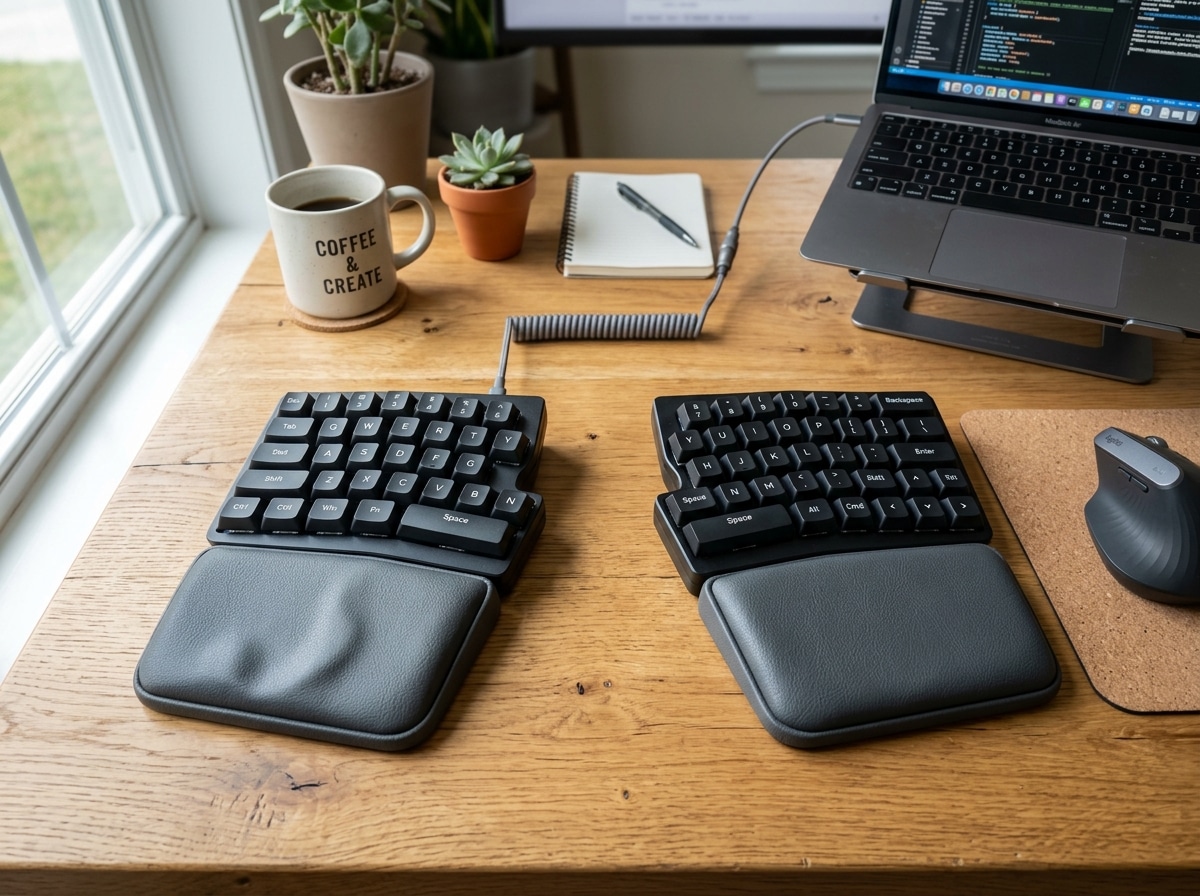
A split keyboard literally divides the keys into two halves. This allows you to place the halves shoulder-width apart, preventing your chest from collapsing and your wrists from bending outward.
“Tenting” refers to raising the inner edge of each keyboard half so they sit at an angle, like a tent. This prevents your forearms from being forced into a flat, palm-down position, which can strain the elbow and wrist joints. Research suggests that even a small tenting angle of 5 to 15 degrees can significantly improve comfort for those with RA.

Reducing Strain with a Low-Force Ergonomic Keyboard for Arthritis
One of the most overlooked features is “actuation force”—how hard you have to press the key before it registers. Standard keyboards often require a heavy “bottoming out” motion that sends a shockwave of impact through inflamed finger joints.
Low-force keyboards, like the Kinesis Freestyle2, require only 43.26 grams of force. Compare this to the Logitech Wave Keys, which features a tactile bump at just 0.8mm into the stroke and an actuation force of 48.38 gf. These small numbers make a massive difference over thousands of keystrokes, preventing the “finger fatigue” that often triggers an arthritis flare.
Choosing the Right Ergonomic Keyboard for Arthritis Based on Hand Size
Not all hands are created equal. If you have smaller hands, a “concave well” design (where the keys sit in a bowl-like depression) can be a lifesaver because it reduces the “reach” distance for your fingers. Conversely, those with larger hands might find compact layouts cramped, leading to more joint pinching.
Columnar layouts are another advanced feature to consider. On a standard keyboard, keys are staggered. A columnar layout aligns keys in straight vertical columns, matching the natural path of your fingers. This eliminates the need for lateral (side-to-side) reaching, which is often the most painful movement for those with wrist arthritis.
Top Recommended Keyboard Types for Arthritis Relief
Based on our research into workplace ergonomics and user reviews, these are the primary categories of keyboards that offer the most relief for arthritis sufferers.
1. Split Ergonomic Keyboards
These are the gold standard for versatility. Models like the Logitech ERGO K860 Wireless Split Keyboard feature a curved, split keyframe that has been shown to provide 54% more wrist support while reducing wrist bending by 25%.
Pros: Excellent for shoulder and wrist alignment; usually includes a high-quality wrist rest. Cons: Takes up more desk space; slight learning curve to get used to the gap.
2. Contoured and Sculpted Keyboards
Keyboards like the MoErgo Glove80 use concave key wells. Instead of your fingers reaching up and out to hit the top row, the keys are brought down to meet your fingers.
Pros: Minimal finger travel; ideal for severe RSI or advanced arthritis. Cons: Steep learning curve; can be expensive.
3. Wave-Design Keyboards
For those who find a full split too intimidating, a wave design offers a “gentle” ergonomic entry point. The Wave Keys Ergonomic Wireless Keyboard | Logitech uses a signature wavy shape to place hands and forearms in a more natural position.
Pros: Almost zero learning curve; very affordable; compact enough for most desks. Cons: Fixed design means you can’t adjust the width or angle.
4. Compact Ergonomic Designs
Sometimes, the best keyboard is a smaller one. By removing the numeric keypad, a compact keyboard allows you to bring your mouse closer to your body. This prevents “overreaching,” which can cause significant pain in the shoulder and neck—areas often affected by RA.
Workstation Setup and Software Alternatives
Even the best ergonomic keyboard for arthritis can’t do all the work alone. Your entire environment needs to support your joints.
Perfecting Your Posture
- Monitor Height: Your eyes should be level with the top third of the screen. Looking down causes neck strain, which can exacerbate RA symptoms in the upper body.
- Footrests: If your feet don’t firmly touch the floor, use a footrest. This stabilizes your pelvis and lower back, providing a solid foundation for your arms.
- Micro-breaks: We recommend standing and moving every 30–45 minutes. Micro-breaks of 1–2 minutes every 15 minutes of typing can prevent joints from “locking up.”
Software to Reduce Typing
Sometimes, the best way to manage arthritis is to stop typing altogether. Modern technology offers several built-in “assistive” features:
- Voice Input/Dictation: Both Windows and macOS have excellent built-in dictation software. This allows you to “type” with your voice during flares.
- Sticky Keys: This feature allows you to press modifier keys (like Shift or Ctrl) one at a time rather than holding them down—a huge relief for painful finger joints.
- Word Prediction: Much like on a smartphone, word prediction on a PC can cut your total keystrokes by 30% or more.
Organizations like AbilityNet provide fantastic resources and assessments to help you set up these software alternatives effectively.
Frequently Asked Questions about Arthritis Keyboards
What is the best keyboard for someone with severe finger arthritis?
For severe cases, we often recommend a keyboard with the lowest possible actuation force and a contoured design, such as the MoErgo Glove80 or the Kinesis Freestyle2 (with the VIP3 tenting kit). If typing becomes impossible during a flare, voice-to-text software is the best alternative.
How does a split keyboard help with rheumatoid arthritis?
RA often causes inflammation in the wrists and shoulders. A split keyboard allows you to keep your arms parallel and your wrists straight (neutral), preventing the “ulnar deviation” that puts pressure on the carpal tunnel and inflamed wrist joints.
Are mechanical keyboards better for arthritis than membrane ones?
Generally, yes. Mechanical keyboards allow you to choose specific “switches.” For arthritis, “linear” switches with a low operating force (like Cherry MX Red or specialized “Speed” switches) are ideal because they don’t require you to press the key all the way down to the bottom to register a stroke.
Conclusion
At Dims Finance, we believe that ergonomics is economics—and health. Investing in an ergonomic keyboard for arthritis isn’t just about buying a new gadget; it’s about protecting your ability to work, communicate, and stay productive without pain.
By combining a science-based keyboard choice with proper workstation habits and assistive software, you can significantly reduce the impact of arthritis on your professional life. Whether you choose the beginner-friendly Logitech Wave Keys or the highly adjustable Kinesis Freestyle2, your joints will thank you.
Ready to complete your pain-free setup? Shop ergonomic desk accessories to find the perfect mouse and wrist support to pair with your new keyboard.