Your Hands Are Your Career — Don’t Ignore the Warning Signs
To prevent RSI keyboard injuries quickly, here are the most important steps:
- Switch to an ergonomic or split keyboard to keep wrists in a neutral position
- Keep elbows at 90 degrees and keyboard flat or slightly negative-tilted
- Never rest your wrists while typing — only during breaks
- Take a 5-minute break every 20–30 minutes and stretch your hands and shoulders
- Use keyboard shortcuts to reduce mouse use and repetitive reaching
- Stretch wrists and fingers before and during your workday
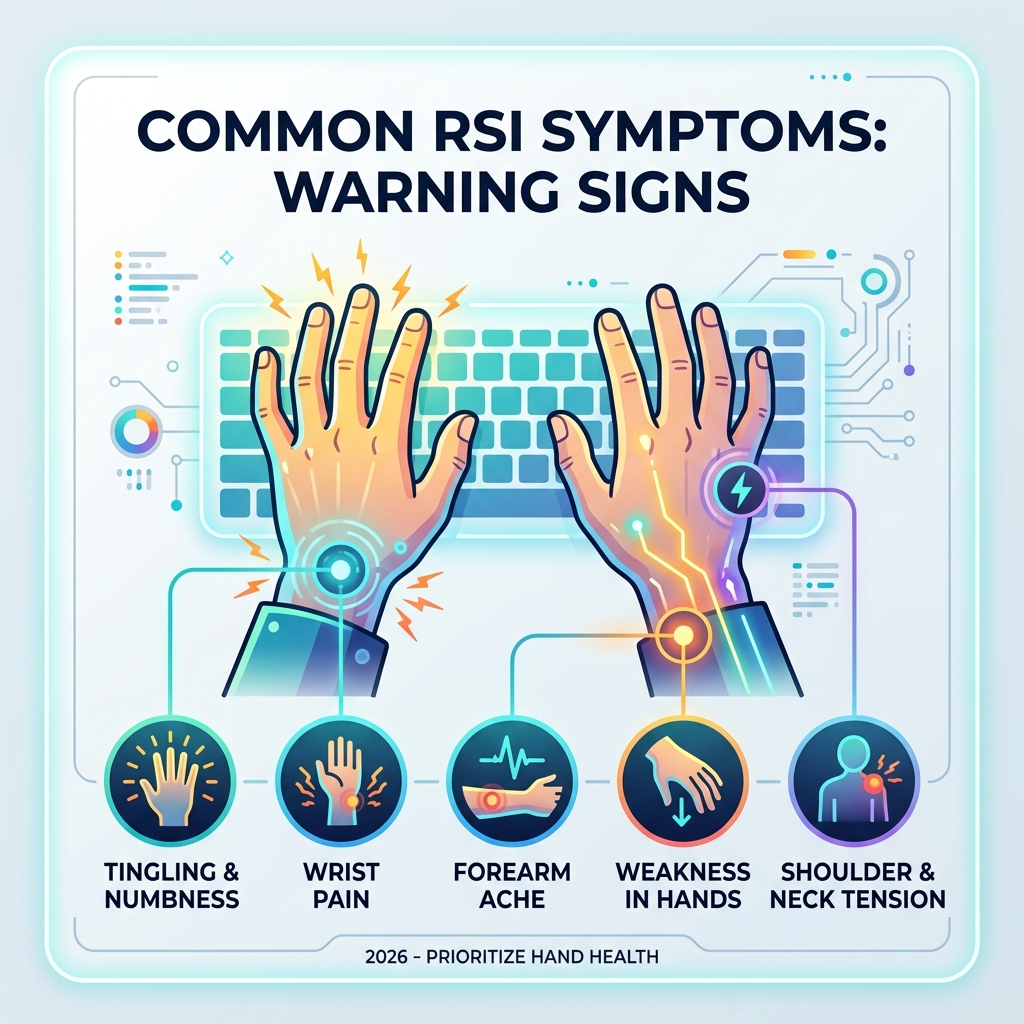
Picture this: you’re deep in a flow state, cranking through work, and suddenly there’s a dull ache creeping up your forearm. You shake it off. A week later, your fingers tingle. A month later, you can barely type for an hour without pain.
That’s how Repetitive Strain Injury (RSI) works. It doesn’t announce itself loudly at first. It builds quietly — through thousands of small, awkward movements repeated day after day.
RSI affects the forearms, elbows, wrists, hands, shoulders, and neck. It’s a cumulative trauma disorder — meaning the damage stacks up over time. Common results include tendonitis, carpal tunnel syndrome, and cubital tunnel syndrome. And once you have it, recovery is slow and frustrating.
Heavy computer users — especially those logging around 60 hours a week at a keyboard — are at particularly high risk.
The good news? Most keyboard-related RSI is preventable. A few smart changes to your setup, your habits, and your typing technique can protect your hands for the long haul.
Essential Features to Prevent RSI Keyboard Injuries
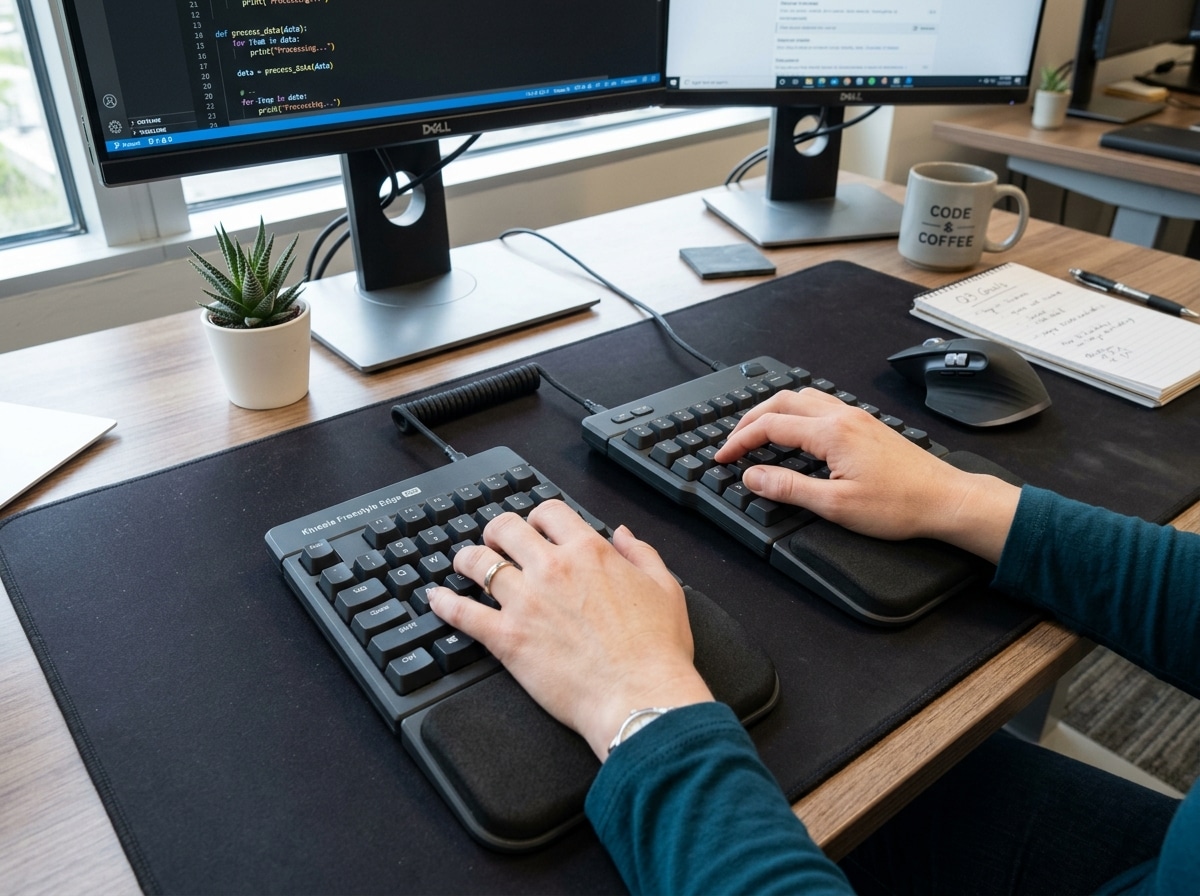
If we want to prevent rsi keyboard issues, we have to look at the tool itself. Most standard keyboards are designed for manufacturing efficiency, not human anatomy. They are essentially flat, rectangular planks that force our hands into “ulnar deviation”—a fancy term for bending your wrists outward toward your pinkies.
To fix this, we need a keyboard that adapts to us, not the other way around.
Split Design: The Freedom to Breathe
A split keyboard allows you to place the two halves of the keyboard at shoulder width. This keeps your chest open and your wrists straight. When we use a traditional keyboard, we often hunch our shoulders forward, which restricts blood flow and puts static tension on our neck and upper back. By splitting the board, we align our arms in a straight line from the shoulder to the fingertips.
Columnar Layout: Moving Naturally
Traditional keyboards use a staggered layout—a relic from 19th-century typewriters where physical levers needed room to move. Our fingers don’t move in diagonal zig-zags; they move up and down. A columnar (or ortholinear) layout aligns keys in straight vertical columns, which significantly reduces the “reach” required for common keys and lowers the risk of strain.
Thumb Clusters: Giving the Strongest Finger a Job
On a standard keyboard, your strongest finger—the thumb—is only responsible for the space bar. Meanwhile, your weakest finger—the pinky—is stuck handling heavy hitters like Enter, Backspace, Shift, and Control.
Ergonomic boards often feature “thumb clusters,” moving those high-use keys to the thumbs. This single change can drastically reduce pinky fatigue and prevent the awkward “claw” hand contortions that lead to cubital tunnel syndrome.
Mechanical Switches: Quality Matters
Mechanical keyboards aren’t just for gamers or enthusiasts; they are a vital tool to prevent rsi keyboard strain. High-quality mechanical switches allow you to choose the “actuation force”—how hard you have to press. Many users prefer “tactile” switches that let you feel exactly when a keypress has registered so you don’t have to “bottom out” (hit the key all the way to the plastic base), which sends a jarring shock through your finger joints.
For more on choosing the right model, check out our guide on wireless-and-painless-the-best-ergonomic-keyboards-for-mac-and-pc. You can also find deep technical dives into hardware in this resource on Preventing and healing repetitive strain injury (RSI) and carpal tunnel syndrome: Ergonomic tips, techniques and keyboards.

Optimizing Your Workstation for Neutral Posture
Even the best keyboard in the world won’t save you if your workstation is set up like a torture rack. At Dims Finance, we believe the workstation should dictate your posture, not the other way around.
The 90-Degree Rule
The gold standard for office ergonomics is the 90-degree rule. We want to see right angles at your:
- Elbows: Your forearms should be parallel to the floor.
- Hips: Sit back in your chair so your torso and thighs form a 90-to-100-degree angle.
- Knees: Your feet should be flat on the floor (use a footrest if you’re shorter).
Achieving a Neutral Wrist Position
One of the biggest mistakes we see is “dorsiflexion”—bending the wrist upward. This often happens because people use those little plastic “kickstands” on the back of their keyboards. Stop using them immediately.
To prevent rsi keyboard injuries, your keyboard should be flat or, ideally, have a negative tilt (the front of the keyboard is higher than the back). This allows your wrists to stay in a perfectly straight, neutral line. You can learn more about this in our article on mastering-the-neutral-wrist-position-for-your-keyboard-setup.
Elbow Height and Keyboard Trays
Your keyboard should be at or slightly below elbow height. If your desk is too high, you’ll find yourself shrugging your shoulders, which leads to neck pain and tension headaches. A keyboard tray can be a lifesaver here, allowing you to drop the typing surface to the perfect level. Check out our tips on keyboard-trays-finding-the-perfect-height-for-your-setup.
Monitor Alignment
Your eyes should be level with the top third of your monitor. If it’s too low, you’ll “crane” your neck forward (the dreaded “tech neck”). If you wear bifocals, you might actually need the monitor slightly lower to avoid tilting your head back. For more official guidelines, the Harvard RSI Action –> Preventing RSI page is an excellent resource.
Advanced Typing Techniques and Software Tweaks
How you use your hands is just as important as what you’re typing on. Most of us were never taught “ergonomic typing”—we just picked up bad habits over years of school and work.
Floating Wrists: The “Piano Player” Method
The most important rule of typing is this: Never rest your wrists on anything while you are actively typing.
Think of a professional pianist. Their hands float gracefully above the keys, and the movement comes from their larger arm muscles, not just the tiny tendons in the wrist. When you rest your wrists on a desk or a gel pad while typing, you create a pivot point. This forces you to use “ulnar deviation” to reach side keys, and the pressure on the underside of your wrist compresses the carpal tunnel.
Wrist rests are for resting—use them only when you are waiting for a page to load or taking a short break.
Modifier Key Mastery
Do you use one hand to hit Ctrl + C or Shift + A? That’s called “hand contortion,” and it’s a fast track to injury. We recommend using the “opposite hand” rule: if the letter is on the left side of the keyboard, use the modifier key (Shift, Ctrl, Alt) on the right side with your other hand.
For more strategies on workplace habits, read how-employees-can-stop-repetitive-strain-injuries-before-they-start and our guide on ergonomic-keyboard-and-mouse-setup.
Switching Layouts to Prevent RSI Keyboard Strain
The QWERTY layout was actually designed to be inefficient to prevent physical typewriter hammers from jamming. It forces your fingers to travel incredible distances every day. Alternative layouts like Dvorak or Colemak place the most common letters on the “home row,” where your fingers naturally rest.
| Metric | QWERTY | Dvorak |
|---|---|---|
| Home Row Usage | ~32% | ~70% |
| Finger Travel (8-hour day) | ~16-20 miles | ~1 mile |
| Top Row Usage | ~52% | ~22% |
Switching layouts has a steep learning curve—expect to feel like a “stroke patient” for the first few days—but the long-term reduction in finger travel is massive.
Software Remapping to Prevent RSI Keyboard Fatigue
You don’t always need new hardware to make progress. Software tweaks can do wonders:
- StickyKeys: This allows you to press
Ctrl, thenCseparately, rather than holding them together. - Caps Lock Remapping: Many power users remap the useless
Caps Lockkey to act asControlorEscape, putting a high-use function in a very comfortable spot. - Macros: Use software to turn a complex string of repetitive keystrokes into a single button press.
- Launchers: Tools like Alfred (Mac) or PowerToys Run (Windows) allow you to navigate your computer with a few keystrokes, reducing the need to reach for the mouse.
If your hands are already starting to protest, see our advice on keyboard-wrist-injury-when-your-hands-go-on-strike.
Habits and Exercises for Long-Term Health
We like to say that the best posture is your next posture. No matter how ergonomic your setup is, the human body wasn’t meant to sit still for eight hours.
The 25-5 Rule and Micro-Breaks
We recommend the “25-5 Rule”: work for 25 minutes, then take a 5-minute break. During that break, stand up, walk around, and look at something 20 feet away to rest your eyes. Mental timers rarely work because we get sucked into our tasks; use break reminder software to force yourself to step away.
The Prayer Stretch and Hand Exercises
Stretching is a powerful tool to prevent rsi keyboard pain, but it must be done gently.
- The Prayer Stretch: Place your palms together in front of your chest. Slowly lower them toward your waist until you feel a gentle stretch in your wrists. Hold for 15-30 seconds.
- Reverse Prayer Stretch: Place the backs of your hands together and repeat.
- Wall Stretch: Extend one arm forward, palm out (like you’re telling someone to stop), and gently pull your fingers back toward your body with the other hand.
Caution: If you already have severe symptoms, consult a doctor before starting a stretching routine, as improper stretching can sometimes aggravate existing nerve compression.
Hydration and Lifestyle
It sounds simple, but drinking water keeps your joints lubricated and your muscles supple. Also, a general fitness routine that strengthens your core and upper back will make it much easier to maintain good posture at your desk.
For more on accessory support, see our thoughts on ergonomic-wrist-rests-for-typing and wrist-management-finding-the-best-rsi-mouse-for-pain-free-scrolling. You can also find more lifestyle tips at Health Well Tips to Prevent RSI.
Frequently Asked Questions about Keyboard RSI
Are mechanical keyboards better than membrane for RSI?
In most cases, yes. Membrane keyboards (the cheap ones that come with most PCs) require you to “bottom out” the key to register a press. This creates a repetitive impact on your finger joints. Mechanical keyboards allow you to choose switches with a lighter actuation force, and because the key registers halfway through the press, you can learn to type with a much lighter touch.
Should I use a wrist rest while typing?
We’ll say it again because it’s that important: No. Resting your wrists while typing increases pressure on the carpal tunnel and limits your range of motion, forcing you to bend your wrists awkwardly. Use a wrist rest only for resting between typing bursts.
What should I do if I already have RSI symptoms?
- Stop and Rest: Pain is an alarm bell. If you keep pushing, you risk permanent nerve damage.
- See a Professional: Don’t self-diagnose. A doctor or physical therapist can tell you if you’re dealing with tendonitis, carpal tunnel, or something else.
- Audit Your Setup: Use the tips in this guide to find the “root cause” of your pain.
- Gradual Return: When you do start typing again, do it in very short sessions (e.g., 10 minutes) and slowly ramp up.
Conclusion
At Dims Finance, we believe that your health is your most important professional asset. You wouldn’t run a marathon in dress shoes—so don’t type a daily marathon on a keyboard that’s actively harming you.
Investing in a high-quality ergonomic keyboard, mastering a neutral wrist position, and taking regular breaks aren’t just “perks”—they are essential strategies to prevent rsi keyboard injuries and ensure you can keep doing the work you love for decades to come.
Be proactive, listen to your body, and make the change today. Your future self will thank you.
For more tips on building your perfect workspace, check out More info about ergonomic desk accessories.