Your Wrists Are Paying the Price — Here’s How to Fix It Cheaply
The best value ergonomic mouse doesn’t have to cost a fortune to protect your wrists and prevent long-term injury.
Here are the top picks at a glance:
| Mouse | Price | Best For |
|---|---|---|
| Amazon Basics Ergonomic Wireless | ~$13 | Absolute budget pick |
| Anker Wireless Vertical | ~$22 | Best budget vertical |
| TeckNet Rechargeable Vertical | ~$26-30 | Best value overall |
| UPLIFT Whisper Click | ~$20 | Silent clicks on a budget |
| Logitech Lift | ~$60 | Small hands, premium feel |
If you spend hours at a computer every day, your mouse is one of the biggest risk factors for wrist pain, carpal tunnel syndrome, and repetitive strain injuries (RSI). Traditional flat mice force your forearm into an unnatural, palm-down position — and over time, that adds up.
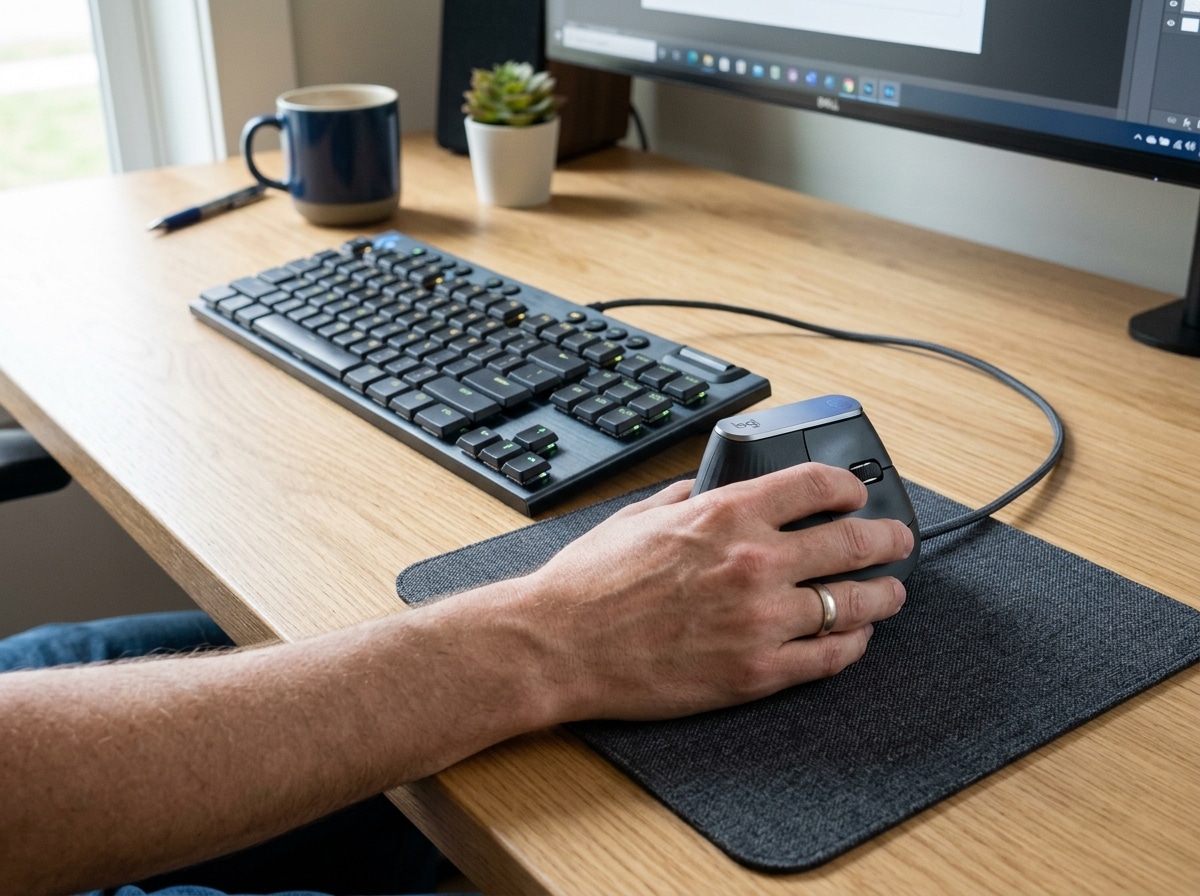
Ergonomic mice — especially vertical designs — hold your hand in a natural “handshake” position. This reduces forearm rotation and takes pressure off the tendons and nerves in your wrist.
The good news? You don’t need to spend $100+ to get real relief. There are solid options starting under $15, with well-reviewed models from Anker, TeckNet, and Amazon Basics all sitting comfortably under $30 — and all rated above 4 stars by tens of thousands of users.
Simple guide to best value ergonomic mouse terms:
Defining the Best Value Ergonomic Mouse
When we talk about the best value ergonomic mouse, we aren’t just looking for the lowest price tag on the shelf. True value is a calculation: it’s the balance between the initial cost, the features provided, and the long-term health benefits you gain. If a $10 mouse breaks in two months or fails to actually improve your wrist posture, it’s a poor value.
At Dims Finance, we believe “value” means finding a device that offers professional-grade relief without the “executive” price markup. Key factors in this calculation include:
- Price-to-Performance Ratio: Does the sensor track accurately on your desk surface? Cheap sensors that “skip” cause you to tense your hand, defeating the ergonomic purpose.
- Long-Term Health Benefits: The primary goal is mastering the neutral wrist position. A mouse that forces a 57-degree to 90-degree angle (vertical) provides more relief than a standard flat mouse.
- Durability and Build Quality: You want buttons that don’t lose their clickiness and a scroll wheel that doesn’t become “mushy” after a few spreadsheets.
- DPI Adjustability: Dots Per Inch (DPI) refers to how fast the cursor moves. Higher DPI allows you to move the cursor across the screen with less physical arm movement, which is vital for RSI prevention.
- Connectivity: While wired mice are often cheaper and more reliable, wireless connectivity reduces desk clutter and allows for more flexible hand positioning.
Comparison of Top Budget Ergonomic Mice
| Feature | Anker Vertical | TeckNet Vertical | Logitech Lift | Amazon Basics |
|---|---|---|---|---|
| Price | ~$22 | ~$26 | ~$60 | ~$13 |
| Battery | 2x AAA | Rechargeable | 1x AA (24 mo) | 1x AA |
| Max DPI | 1600 | 2000 | 4000 | 1600 |
| Buttons | 5 | 6 | 6 | 5 |
| Sensor | Optical | Optical | High Precision | Optical |
Top Vertical Mice for Budget-Conscious Professionals

The vertical mouse is the “gold standard” for ergonomic value because it addresses the root cause of most mousing pain: forearm pronation. When you use a standard mouse, your radius and ulna bones in your forearm cross over each other. This puts pressure on the median nerve—the main culprit in carpal tunnel syndrome.
By switching to a “handshake” grip, you keep these bones parallel and relaxed. For many, this is the first step in finding the best RSI mouse for pain-free scrolling.
Anker Wireless Vertical Mouse
This is arguably the most famous best value ergonomic mouse on the market. With over 51,000 reviews and a 4.2-star rating, it has become the entry point for thousands of office workers. It’s simple, lightweight, and effectively tilts your hand into a neutral position. While it doesn’t have the high-end materials of a premium device, its price-to-comfort ratio is nearly unbeatable.
MX Master 3S Wireless Mouse
If your budget can stretch a bit further, the MX Master 3s Wireless Mouse is often cited as the ultimate productivity tool. While it isn’t a “true” vertical mouse (it’s a sculpted horizontal design), its thumb rest and 8K DPI sensor allow for incredibly precise movements with minimal effort. It also features “Quiet Clicks,” reducing noise by 90% compared to previous models—perfect for shared office spaces.
UPLIFT Wave Vertical Ergonomic Mouse
Priced at around $34, the Wave is a best-seller for a reason. It offers a more pronounced vertical angle than the Anker, providing deeper relief for those already experiencing wrist strain. It’s a sturdy, no-nonsense tool designed for 8-hour workdays.
Best Value Ergonomic Mouse Under $30
When you need to keep costs under thirty dollars, you actually have some surprisingly robust options. These mice might lack fancy software, but they excel at the basics.
- TeckNet Rechargeable Vertical Mouse ($26-29): This is our top pick for pure value. Unlike the Anker, which requires AAA batteries, the TeckNet is rechargeable via USB. It features six buttons, adjustable DPI up to 2000, and a 4.4-star rating from over 10,000 users. It’s a “set it and forget it” device that feels much more expensive than it is.
- Amazon Basics Ergonomic Wireless Mouse (~$13): If you are on a strict budget, this is the floor. It’s a compact, sculpted mouse that provides better support than a standard flat mouse. While it lacks the full vertical “handshake” grip, it’s an excellent travel mouse or a temporary fix for a cramped hand.
- UPLIFT Whisper Click Mouse (~$20): This is the lowest-priced vertical option in the UPLIFT catalog. As the name suggests, it is designed for silence. If you work in a quiet library or home office and want to avoid the constant click-click-click while saving your wrists, this is the winner.
Best Value Ergonomic Mouse for Small Hands
One of the biggest pitfalls in buying an ergonomic mouse is ignoring hand size. A mouse that is too large forces your fingers to stretch, which can actually cause new strain.
The Logitech Lift is the answer for those with small to medium-sized hands. It is essentially a scaled-down, more colorful version of the premium MX Vertical. It fits hands under 7 inches perfectly and offers a 57-degree angle that keeps the pressure off the wrist. It also boasts a 24-month battery life on a single AA battery, making it a “low maintenance” champion.
For those who need specialized orientations, exploring the best left-handed wireless mouse options is essential, as many budget ergonomic mice are unfortunately right-hand only.
Alternative Designs: Trackballs and Multi-Device Value
Sometimes, the best way to save your wrist is to stop moving it entirely. This is where trackball mice come in. Instead of sliding the mouse across a pad, you use your thumb or fingers to roll a ball that stays in a stationary base.
MX Ergo S Wireless Trackball Mouse
The MX Ergo S Wireless Trackball Mouse is a premium ergonomic choice that features a unique adjustable hinge. You can tilt the mouse up to 20 degrees to find the exact angle that feels best for your forearm. Because the mouse doesn’t move, it’s the ultimate space-saver for cluttered desks.
Logitech M720 Triathlon
If you move between a laptop, a desktop, and a tablet, the Logitech M720 Triathlon offers incredible value. While its shape is more traditional, it is “sculpted” for endurance. Its “Triathlon” name comes from its ability to pair with three different devices and switch between them with a single button press. This versatility, combined with a 24-month battery life, makes it a high-value pick for multi-taskers.
Using these designs is often a key component of ergonomic keyboard and mouse setups for maximum comfort, as they allow for a more compact and centered workstation.
Key Features to Prioritize for Maximum Value
When shopping for the best value ergonomic mouse, don’t get distracted by RGB lights or “gaming” branding. Focus on these five pillars of value:
- Rechargeable vs. Replaceable Batteries: Rechargeable mice (like the TeckNet) save you money over time. However, mice with long-lasting AA batteries (like the Logitech M720) are often more convenient for travelers who don’t want to carry extra cables.
- Programmable Buttons: Being able to map “Copy,” “Paste,” or “Back” to a thumb button significantly reduces the number of small, repetitive movements your hand makes in a day.
- Optical Sensor Quality: Look for a sensor that works on multiple surfaces. High-end mice like the MX Master 3S can even track on glass, which is a huge value-add for people who work in cafes or varying environments.
- Build Quality and Materials: A rubberized grip or a machined steel scroll wheel (found on higher-end Logitech models) isn’t just about luxury; it provides better “grip” so your hand doesn’t slip, reducing the “pinch” force required to hold the mouse.
- Warranty and Support: A two-year warranty (standard on many Logitech business models) effectively doubles the value of the mouse compared to a “no-name” brand that might fail in six months with no recourse.
A mouse is only one part of the equation. To truly protect your health, consider ergonomic wrist rests for typing to ensure your entire arm is supported.
Frequently Asked Questions about Ergonomic Mice
Are cheap ergonomic mice effective for carpal tunnel?
Yes, absolutely. The most important factor for carpal tunnel relief is the angle of your wrist, not the price of the sensor. A $20 vertical mouse that keeps your wrist in a neutral handshake position is significantly better for your health than a $150 high-end gaming mouse that keeps your hand flat. While more expensive mice offer better software and materials, the “health” part of the value comes from the physical shape.
Should I choose a wired or wireless ergonomic mouse?
This depends on your workspace.
- Wireless: Offers the best value for most people because it eliminates “cable drag,” which can cause you to pull harder on the mouse and strain your wrist. It also allows you to move the mouse further away to find a comfortable shoulder position.
- Wired: The Signature Wired M520 L Mouse for Business is a great example of wired value. Wired mice are often cheaper, never need charging, and are required in some high-security office environments.
How long does it take to get used to a vertical mouse?
For most people, the “learning curve” is about two to three days. Initially, your muscle memory will try to move the mouse like a flat one, and you might find yourself accidentally clicking when you try to move it. However, once your brain adapts to the handshake grip, most users find it difficult to go back to a traditional mouse. The immediate reduction in “dull aches” at the end of the day is usually enough motivation to stick with it.
Conclusion
Finding the best value ergonomic mouse is an investment in your future self. We often spend thousands on our computers and monitors, but neglect the one tool we touch for eight hours a day. Whether you choose the ultra-budget Anker, the feature-rich TeckNet, or a premium-value option like the Logitech Lift, your wrists will thank you.
At Dims Finance, our mission is to provide science-based advice that boosts your well-being without draining your bank account. Ergonomics shouldn’t be a luxury—it should be a standard part of every workstation. By choosing a mouse that prioritizes a neutral wrist position and high-quality tracking, you are taking a proactive step toward injury prevention and long-term productivity.
Ready to complete your setup? Explore more ergonomic desk accessories to turn your office into a sanctuary of comfort.