
Why Every Workspace Needs a Computer Desk Cord Organizer
At Dims Finance, we believe your environment is a direct extension of your physical health. When we talk about ergonomics, most people think of chair height or monitor angles, but the “Spaghetti Monster” living under your feet is a silent contributor to Repetitive Strain Injuries (RSIs).
Imagine trying to adjust your sit-stand desk, but a snagged monitor cable tugs your screen downward, forcing you to slouch to see the display. Or perhaps a cluster of power bricks prevents you from stretching your legs fully, leading to poor circulation. These micro-adjustments to your posture, caused by cord chaos, add up over an eight-hour workday. This physical friction often leads to subtle, repetitive movements that strain the neck and shoulders, eventually manifesting as chronic pain.

Improving Ergonomics and Safety
The primary benefit of a computer desk cord organizer is the creation of “visual calm.” Research into workplace productivity shows that physical clutter competes for your neural resources, increasing cognitive load and stress. By clearing the visual noise, you allow your brain to focus on the task at hand rather than the mess at your feet. A clean line of sight under the desk promotes a sense of control over your environment, which is a key factor in reducing workplace burnout.
Beyond the mental benefits, there are critical physical safety factors:
- Trip Hazards: Cables drooping into the footwell are a leading cause of office accidents and equipment damage.
- Airflow and Dust: Tangled “nests” are magnets for dust bunnies. This insulation causes power bricks to overheat and reduces the lifespan of your expensive electronics.
- Equipment Longevity: Constant tension on a port (caused by the weight of a hanging cable) can eventually lead to hardware failure. A good organizer provides “strain relief,” ensuring your connections stay secure without pulling.
Explore more about optimizing your workspace in our Desk Accessories section.
Boosting Productivity Through Minimalism
A minimalist workspace isn’t just about aesthetics; it’s about removing friction. When your cables are managed, cleaning becomes a five-second wipe-down rather than a deep-sea diving expedition into a dusty corner. A professional appearance also boosts your confidence during video calls or when hosting clients. By integrating smart Office Furniture solutions, you transition from a “server room” vibe to a sleek, modern oasis. This transformation signals to your subconscious that the workspace is a place of order and high-value output, helping you maintain a flow state for longer periods.
Essential Types of Cable Management Tools
Choosing the right tool depends on the volume of your “spaghetti.” If you have a simple laptop setup, a few clips might suffice. If you’re a power user with dual monitors, an audio interface, and a desktop PC, you’ll need a heavy-duty tray to manage the sheer volume of copper and plastic.
| Tool Type | Capacity | Visibility | Best Feature |
|---|---|---|---|
| Metal Trays | High | Hidden | Can hold heavy power bricks |
| Mesh Slings | Medium | Hidden | Breathable and flexible |
| Cable Boxes | Medium | Visible | Sits on floor or desk; hides power strips |
| Weighted Bricks | Low | Visible | Keeps charging cables from falling |
| Magnetic Clips | Low | Visible | Quick access for phone chargers |
Under-Desk Trays and Mesh Slings
Under-desk trays are the workhorses of cable management. High-quality steel trays can support up to 10–15 lbs, easily housing a 12-outlet power strip and several bulky “wall wart” adapters. These trays often feature open-wire designs that allow you to thread cables through at any point, providing maximum flexibility for complex setups.
For those who want a softer look, mesh slings or fabric organizers (like the Humanscale NeatTech) offer a unique advantage: ventilation. Fabric and mesh allow heat to dissipate from power bricks more effectively than plastic boxes. Many of these slings feature a “fold-down” design, allowing you to unclip one side to add a new wire without uninstalling the whole unit, making them ideal for users who frequently swap out peripherals.
Weighted Bricks and Desktop Clips
Not every cable needs to be hidden. Some, like your phone charger or laptop power lead, need to be accessible. This is where the computer desk cord organizer moves from under the desk to the surface.
Weighted organizers, often called “desk bricks,” use an internal steel weight and a non-slip silicone base to stay put. They don’t require adhesives, making them perfect for glass desks or high-end wood finishes. Products like the DeskBrick allow you to “snap, wrap, and trap” cords, ensuring they don’t slide off the back of the desk the moment you unplug your device. This prevents the frustrating “fishing” maneuver where you have to crawl under your desk to retrieve a cable that slipped through the gap, keeping your ergonomic flow intact.
How to Choose a Computer Desk Cord Organizer for Your Setup
Before clicking “buy,” take a look at your desk’s anatomy. Is the desktop made of solid wood, or is it a honeycomb-core laminate? Is there a “lip” or a frame that might block a clamp? Understanding these physical constraints will save you the headache of a failed installation.
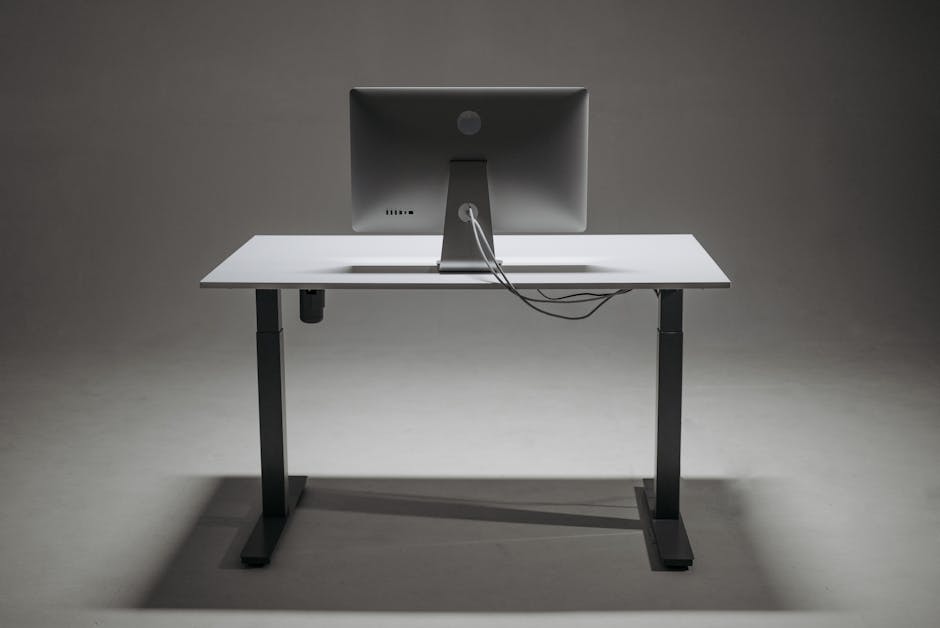
Choosing a Computer Desk Cord Organizer for Standing Desks
Standing desks present a unique challenge: the travel distance. When your desk moves from 28 inches to 48 inches, your cables must move with it. Failure to account for this can lead to damaged ports or even the desk motor burning out due to resistance.
- The Golden Rule: Always organize your cables while the desk is at its highest setting. This ensures you have enough “slack” and won’t accidentally rip a plug out of the wall when you stand up.
- The Power Strip Move: Mount your power strip to the desk using an under-desk tray. This way, only one main power cord needs to travel to the wall outlet, drastically simplifying the management process.
- Flexible Spines: Use a “cable spine” or a FlexMount Cable Manager to bundle that one traveling cord, preventing it from getting caught in the desk’s lifting mechanism or being pinched by the frame.
Maintaining Your Computer Desk Cord Organizer Setup
Cable management is not a “one and done” task. As you add new gadgets or upgrade your hardware, your setup will evolve. Regular maintenance ensures your system remains effective.
- Use Reusable Ties: Avoid plastic zip ties that require scissors to remove. Opt for hook-and-loop (Velcro) wraps or felt ties that can be adjusted as your needs change.
- Label Both Ends: Use a label maker or masking tape to mark which cord belongs to which device. You’ll thank us the next time you need to troubleshoot a monitor or move your docking station.
- Leave “Service Loops”: Don’t pull cables bone-tight. Leave a little bit of extra length (a “loop”) inside the tray so you can move your monitor or keyboard slightly without creating tension on the ports.
- Color Coding: If you have multiple identical black cables, use small colored stickers or different colored Velcro ties to distinguish between your webcam, microphone, and keyboard at a glance.
Installation Guide: No-Drill vs. Screw-In Options
How you attach your computer desk cord organizer depends on your DIY comfort level and your desk material.
The Benefits of No-Drill Clamp Mounts
If you are a renter or own a glass or thin-profile desk, clamp mounts are your best friend. These use a C-clamp mechanism to grip the edge of the desk.
- Pros: No permanent damage; can be moved in seconds; works on glass, metal, and wood.
- Cons: Requires a flat desk edge; the clamp “knob” is visible on the top of the desk.
Check out our guide on Office Furniture for more rental-friendly setup tips.
Permanent Screw-In Solutions for Heavy Loads
For heavy-duty setups, nothing beats the security of a screw-in tray. Most professional-grade kits, like the Ultimate Wire Management Kit, include wood screws and sometimes even a modesty panel to hide the entire underside of the desk.
- Pros: Highest weight capacity; cleanest look (no visible clamps); allows for custom placement anywhere under the desk.
- Cons: Permanent holes in the desk; requires a drill and basic tool skills.

Frequently Asked Questions about Desk Cord Management
Can a cable organizer solve desktop cord tangles?
Yes, but it usually requires a two-pronged approach. Use an under-desk tray for the “permanent” wires (power, monitors, docking stations) and a desktop weighted holder or adhesive clips for “temporary” wires (chargers, headphones). For a comprehensive solution, consider an Ultimate Wire Management Kit. This ensures that the bulk of the mess is hidden while the tools you need daily remain within easy reach.
How do I manage cords in a multi-monitor setup?
The key is to “bridge” the monitors. Use a zipped cable sleeve to bundle the power and data cables from both monitors into a single run that drops down to your under-desk tray. This prevents a “curtain” of wires from hanging behind your screens. Additionally, consider using monitor arms with built-in cable channels. These allow you to route the wires through the arm itself, providing the cleanest possible look while maintaining full range of motion for your displays.
Are there sustainable or eco-friendly cord management solutions?
Absolutely. Look for brands that prioritize recycled materials. For example, some high-end mesh organizers are made from “Eco Knit,” which can utilize up to 34 recycled plastic bottles per unit. Additionally, choosing durable metal trays over cheap plastic alternatives reduces long-term waste, as metal is both more durable and more easily recyclable at the end of its lifecycle. Investing in quality means you won’t be sending broken plastic clips to the landfill every few months.
Conclusion
Taming the Spaghetti Monster isn’t just about a “pretty” desk—it’s about creating a workspace that supports your health, focus, and productivity. By investing in a high-quality computer desk cord organizer, you remove the physical and mental friction that leads to burnout and RSIs.
Whether you opt for a simple DeskBrick for your daily chargers or a heavy-duty Ascrono® CableCare Tray to hide your power station, the goal remains the same: a streamlined, science-backed workspace.
Ready to level up your ergonomic game? Explore our deep dives into desk accessories and discover how small changes can lead to big gains in your daily well-being. At Dims Finance, we’re here to help you work smarter, stay healthier, and finally kill the Spaghetti Monster for good.