Why Adjustable Desk Posture Tips Can Save Your Back (and Your Health)
The best adjustable desk posture tips come down to a few core habits: set your desk so your elbows bend at 90 degrees, keep your monitor at eye level an arm’s length away, and alternate between sitting and standing every 30 to 60 minutes.
Quick-reference adjustable desk posture checklist:
- Desk height: Elbows at 90 degrees, forearms parallel to the floor
- Monitor: Top of screen at eye level, 20 to 28 inches from your face, tilted 10 to 20 degrees back
- Wrists: Neutral and straight — never bent up or down while typing
- Feet: Flat on the floor, hip-width apart, knees slightly bent when standing
- Spine: Neutral curve — no slouching, no overarching
- Sitting posture: Knees at 90 degrees, lumbar support engaged, hips fully back in the chair
- Switching: Sit and stand in intervals — every 30 to 60 minutes is ideal
You’ve probably heard the phrase “sitting is the new smoking.” It’s dramatic — but the research behind it is hard to ignore.
Office workers who sit for most of the day face real risks: back pain, poor circulation, muscle fatigue, and long-term metabolic issues. An adjustable desk promises a fix. But here’s the problem — most people set them up wrong.
A desk that’s too low forces you to hunch. A monitor that’s too high strains your neck. Standing with locked knees for two hours straight causes its own damage. The tool only works when the setup is right.
The good news? The adjustments are simple once you know what to look for. Studies show that alternating between sitting and standing can reduce back pain by up to 54%, and employees using ergonomic setups report a 45% boost in energy and focus.
This guide walks you through exactly how to get there.

Setting the Foundation: Adjustable Desk Posture Tips for Height
When we first get an electric standing desk, the temptation is to just “eyeball it.” We raise it until it feels “high enough” and start typing. Unfortunately, our intuition is often a poor judge of ergonomics. To truly protect your musculoskeletal health, we need to rely on the “90-degree rule.”
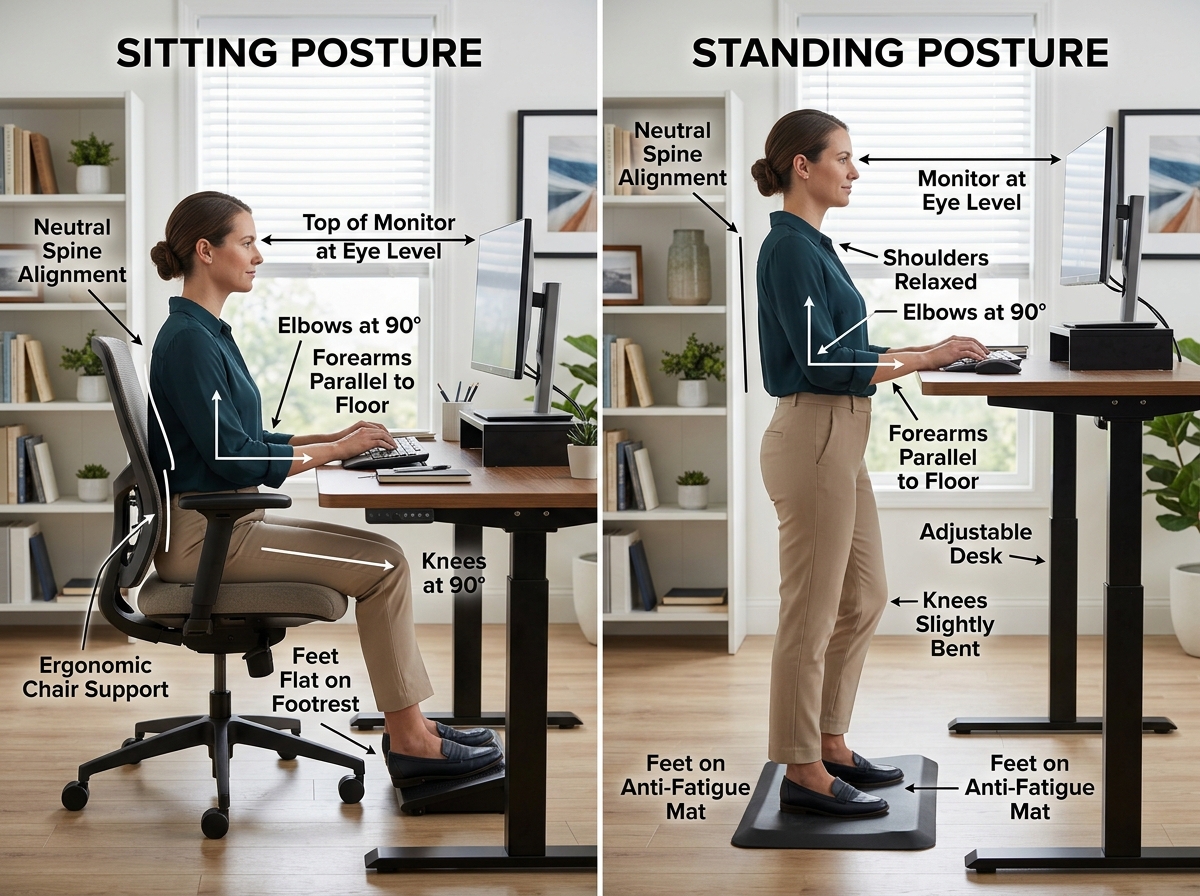
The most critical of all adjustable desk posture tips is the relationship between your elbows and the desk surface. Whether you are sitting or standing, your elbows should be bent at a 90 to 110-degree angle. Your forearms should be parallel to the floor, and your shoulders should be relaxed—not hunched up toward your ears.
To find your perfect height, follow these steps:
- Stand naturally in the shoes you plan to wear for work.
- Bend your elbows at 90 degrees, keeping your upper arms tucked close to your sides.
- Measure the distance from the floor to the underside of your forearm. This is your ideal standing desk height.
- Apply the same logic when sitting: adjust your chair first so your feet are flat, then bring the desk down to meet your elbows at that same 90-degree angle.
Once you find these “sweet spots,” use your desk’s memory presets. Most electric desks allow you to save at least two positions. Set “1” for your sitting height and “2” for your standing height. This ensures you aren’t guessing every time you transition, which is key to how to set up your workstation ergonomically for peak comfort.
Recommended Desk Height by User Height
| User Height | Sitting Desk Height | Standing Desk Height |
|---|---|---|
| 5’0″ (152 cm) | 23″ (58 cm) | 36″ (91 cm) |
| 5’4″ (163 cm) | 25″ (63 cm) | 39″ (99 cm) |
| 5’8″ (173 cm) | 27″ (68 cm) | 42″ (107 cm) |
| 6’0″ (183 cm) | 29″ (74 cm) | 45″ (114 cm) |
| 6’4″ (193 cm) | 31″ (79 cm) | 48″ (122 cm) |
Essential Adjustable Desk Posture Tips for Laptop Users
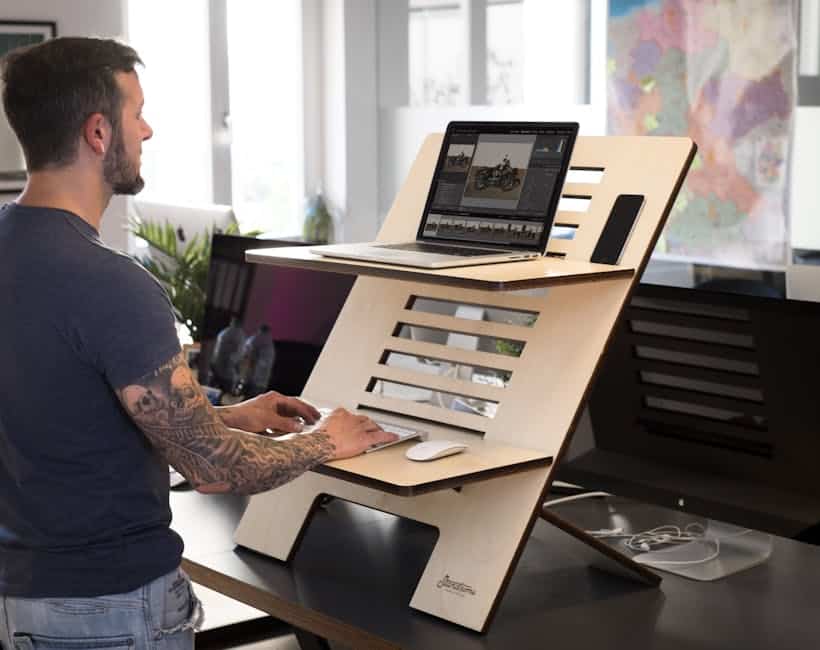
Laptops are an ergonomic nightmare. Because the screen and keyboard are attached, you can either have the keyboard at the right height (straining your neck) or the screen at the right height (straining your wrists). You cannot have both—unless you use peripherals.
If you are using an adjustable desk with a laptop, we strongly recommend using a laptop stand to bring the top of the screen to eye level. You must then integrate an external keyboard and mouse. This allows your hands to remain at the proper 90-degree elbow angle while your gaze remains neutral. For more on this, check out our guide on monitor stands for better posture.
Proper Sitting Posture at an Adjustable Workstation
Just because your desk can stand doesn’t mean your sitting form should suffer. When you are in the “sitting phase” of your workday, your chair needs to do the heavy lifting. Your feet should be flat on the floor (use a footrest if they don’t reach). Your knees should be level with your hips, and your lower back should be firmly against the lumbar support.
Poor sitting habits, like crossing your legs or slouching, throw your spine out of alignment and can lead to long-term disc issues. We’ve compiled some office chair tips for posture improvement to help you master the seated portion of your day.
Optimizing Your Interface: Monitor and Keyboard Alignment
Once the desk height is locked in, we need to focus on where your eyes and hands are going. Incorrect monitor placement is one of the leading causes of “tech neck”—that nagging pain at the base of your skull.
According to Scientific research on computer workstation ergonomics from OSHA, your monitor should be approximately an arm’s length away (20 to 40 inches). If it’s too close, you’ll experience eye strain; too far, and you’ll find yourself leaning forward, ruining your neutral spine.
Monitor height and tilt:
- The top third of your screen should be at eye level. This allows you to look slightly downward without tilting your chin.
- Tilt the monitor back 10 to 20 degrees. This mimics the natural way we hold a book and helps reduce glare.
- Bifocal wearers: If you wear bifocals, you may need to lower the monitor an additional 1 to 2 inches to avoid tilting your head back to see through the bottom of your lenses.
Keyboard and Mouse Placement: Your wrists should remain neutral—meaning they are straight and not bent upward or downward. We recommend keeping the keyboard flat rather than using the little “feet” at the back, which often cause an unhealthy upward wrist bend. When typing, your hands should “float” slightly above the keys rather than resting heavily on a wrist rest. For a deeper dive into this, see our article on mastering the neutral wrist position for your keyboard setup.
The Art of the Transition: How to Alternate Without Pain
One of the biggest mistakes we see is the “Hero Complex”—buying a standing desk and trying to stand for eight hours on the first day. This is a recipe for foot pain, swollen veins, and a desk that eventually gathers dust in the “sitting” position.
The key to success is a gradual buildup. Start by standing for just 20 minutes at a time. Research from the CDC on the health benefits of sit-stand workstations suggests that the real magic happens when you alternate frequently.
We recommend the 20-8-2 rule:
- 20 minutes sitting in a neutral posture.
- 8 minutes standing to boost circulation.
- 2 minutes moving (walking to get water or stretching).
To make standing more comfortable, an anti-fatigue mat is essential. These mats provide a cushioned surface that encourages “micro-movements.” These tiny shifts in your weight keep your leg muscles engaged and prevent blood from pooling in your lower extremities. Additionally, avoid “locking” your knees. Keep a slight, soft bend in your joints to distribute your weight evenly across your feet.
Adjustable Desk Posture Tips for Long-Term Health
Even with a perfect setup, the human body wasn’t meant to stay in any static position for hours. Movement is medicine. We suggest setting a timer to perform these quick 5-minute desk stretches every hour:
- Neck Tilts: Gently drop your right ear toward your right shoulder, hold for 15 seconds, and repeat on the left.
- Shoulder Rolls: Roll your shoulders up, back, and down 10 times to reset your upper back.
- Hamstring Stretches: While standing, put one foot forward on a low stool or the desk base and lean slightly forward.
- Calf Raises: Simply lift your heels off the floor and hold for a second; do 15 reps to keep blood flowing.
- Chin Tucks: Pull your head straight back (like you’re making a double chin) to counteract the forward-leaning “turtle” posture.
Frequently Asked Questions about Adjustable Desks
How often should I alternate between sitting and standing?
We recommend switching every 30 to 60 minutes. The goal is to avoid “static load”—the physical stress that builds up when you stay in one position too long. Listen to your body; if your lower back starts to ache while sitting, it’s time to stand. If your feet feel heavy while standing, it’s time to sit. Most experts suggest building up to a total of 2 to 4 hours of standing throughout an 8-hour workday.
Do I really need an anti-fatigue mat?
If you plan to stand for more than 30 minutes at a time, yes. Standing on a hard floor (like hardwood or thin office carpet) compresses the joints in your feet and knees. An anti-fatigue mat reduces this pressure and improves circulation by forcing your calves to make subtle, health-boosting movements to maintain balance.
Who should avoid using a standing desk?
While standing desks are great for most, they aren’t for everyone. If you have severe varicose veins, certain circulatory issues, or acute joint inflammation in the hips or knees, prolonged standing might worsen your condition. Always consult with a medical professional if you have pre-existing mobility issues before making a major change to your work routine.
Conclusion
An adjustable desk is a powerful tool, but it is only as effective as the person using it. By following these adjustable desk posture tips—maintaining the 90-degree elbow rule, keeping your monitor at eye level, and embracing the 20-8-2 movement cycle—you can transform your workspace from a source of pain into a hub of productivity.
At Dims Finance, we believe that science-based ergonomic habits are the best defense against RSIs and burnout. Whether you are looking for adjustable standing desks for work from home or just trying to tweak your current setup, the “best” posture is always your next posture. Keep moving, stay aligned, and your back will thank you for years to come.