
Your Wrists Are Paying the Price — Here’s How to Fix It
The best ergonomic keyboard wireless options available right now are:
- Logitech Ergo K860 – Best overall for office workers (up to 2-year battery life)
- Logitech Wave Keys – Best budget pick (~$60, certified ergonomic)
- Keychron V10 Max – Best for mechanical keyboard fans ($125, 2.4 GHz or Bluetooth)
- Kinesis Freestyle2 – Best for versatility (easy learning curve, adjustable split)
- MoErgo Glove80 – Best for severe RSI relief (9.5/10 ergonomics score, Bluetooth)
- Dygma Raise 2 – Best for maximum customization ($369+, fully split wireless)
If you type for hours every day, your body is keeping score.
Wrist pain, shoulder tension, and finger fatigue are not just minor annoyances. They are early warning signs of repetitive strain injuries (RSI) and conditions like carpal tunnel syndrome — problems that can sideline you for weeks or months if left unchecked.
Standard flat keyboards force your hands into unnatural positions. Your wrists bend outward (ulnar deviation). Your forearms twist face-down (hand pronation). Over time, that adds up.
Ergonomic keyboards are designed to fix exactly that — by angling the keys to match how your hands naturally rest. And wireless models remove the cable clutter, giving you the freedom to position the keyboard exactly where your body needs it, not where the cord allows.
The market has grown fast. You can now find wireless ergonomic keyboards ranging from $60 budget-friendly options to $400+ fully customizable split designs — each targeting a different type of user and pain point.
This guide cuts through the noise and helps you find the right one.
Why Choose the Best Ergonomic Keyboard Wireless?
When we talk about the best ergonomic keyboard wireless setups, we aren’t just talking about cutting the cord for the sake of aesthetics. There is a deep, science-based reason why wireless freedom matters for your health.
Traditional keyboards force our bodies to adapt to the hardware. We hunch our shoulders inward and twist our wrists to fit a straight line of keys. This leads to two major issues: ulnar deviation (bending the wrist outward toward the pinky) and hand pronation (turning the palms face-down, which rotates the bones in the forearm).
By using an ergonomic design, such as the Logitech ERGO K860 Wireless Split Keyboard, you allow your hands to sit in a “handshake” or neutral position. This reduces muscle activity and strain. Mastering the neutral wrist position for your keyboard setup is the single most effective way to prevent long-term injury.
The Wireless Advantage
Why go wireless? Beyond clearing desk clutter, a wireless keyboard allows for infinite micro-adjustments. You can push the keyboard further back on your desk to support your forearms or move the halves of a split keyboard apart to match the width of your shoulders.
Most modern options offer two types of connectivity:
- Bluetooth Low Energy: Great for multi-device pairing (switching between a Mac and a PC).
- 2.4GHz (Logi Bolt or USB Dongle): Offers a more stable, lag-free connection, which is essential in busy office environments with lots of wireless interference.
Top-Rated Wireless Ergonomic Keyboards for Every User
Finding the best ergonomic keyboard wireless for your specific needs depends on how much time you spend typing and whether you already experience pain.
| Model | Layout Type | Connectivity | Battery Life | Best For |
|---|---|---|---|---|
| Logitech Ergo K860 | Fixed Split | Bluetooth / 2.4GHz | 2 Years (AAA) | General Office |
| Logitech Wave Keys | Wavy/Compact | Bluetooth / 2.4GHz | 3 Years (AAA) | Budget/Beginners |
| Keychron V10 Max | Alice-Style | Bluetooth / 2.4GHz | 150-225 Hours | Mechanical Fans |
| MoErgo Glove80 | Contoured Split | Bluetooth | Rechargeable | Severe RSI Relief |
| Dygma Raise 2 | Fully Split | Bluetooth / 2.4GHz | Rechargeable | Customization |
Choosing the right tool is the first step toward a healthier workday. If you’re looking for a complete overhaul, consider checking out wireless keyboard and mouse combos for seamless work to ensure your entire setup is optimized.
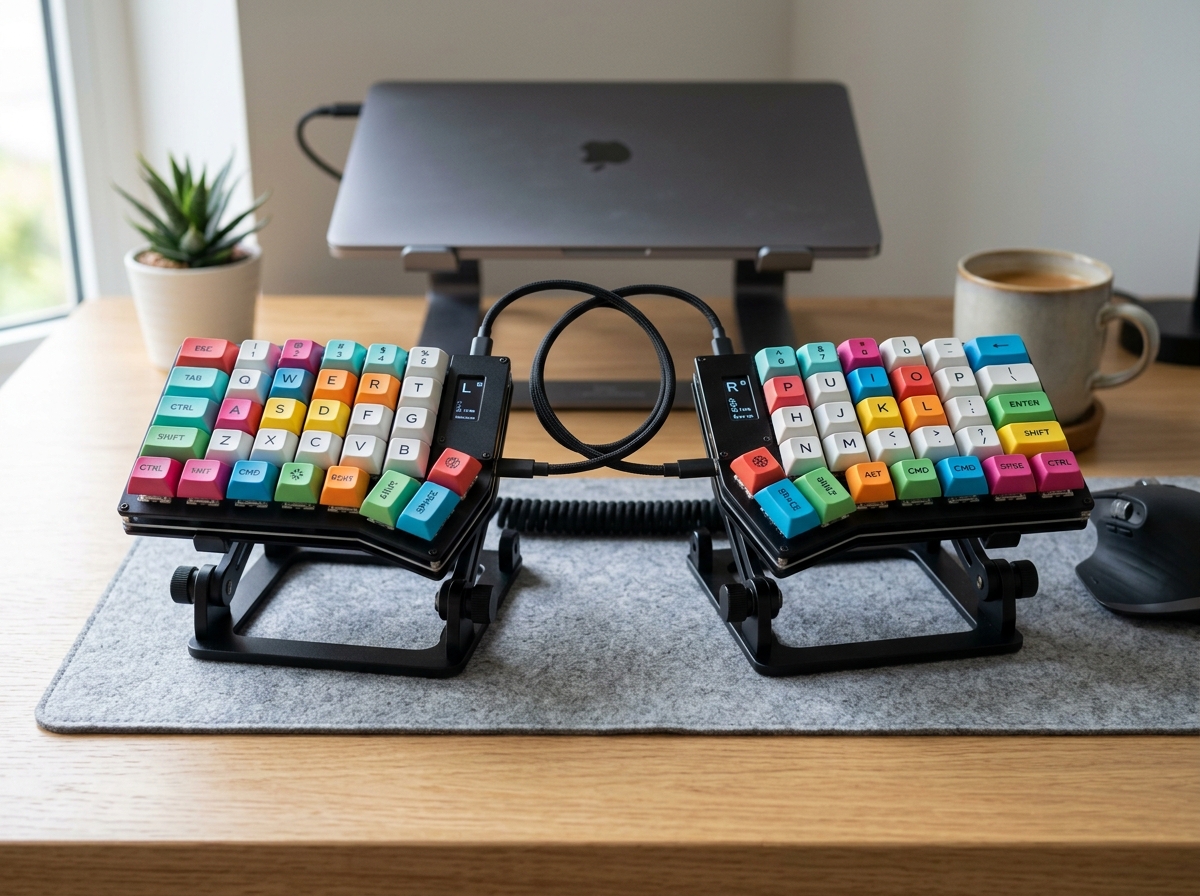
Logitech Ergo K860: Best Ergonomic Keyboard Wireless for Office Work
The Logitech Ergo K860 is widely considered the gold standard for office professionals. It features a unique curved keyframe that encourages a more natural hand placement. One of its standout features is the integrated, pillowed wrist rest. Research shows this design offers 54% more wrist support and reduces wrist bending by 25% compared to traditional keyboards without a rest.
The K860 is a “fixed split” keyboard, meaning the keys are separated into two groups angled away from each other, but they remain on a single chassis. This makes it much easier to learn than a fully split keyboard. It also features “palm lift” legs at the front (under the wrist rest) rather than the back. This allows you to maintain a neutral wrist angle even if you use a standing desk.
With a staggering 2-year battery life on just two AAA batteries, it’s a “set it and forget it” device. For those who want something slightly more compact but with similar DNA, the Wave Keys Ergonomic Wireless Keyboard | Logitech is an excellent alternative that takes up less desk real estate.
Keychron V10 Max: Best Ergonomic Keyboard Wireless for Mechanical Fans
If you love the “thocky” sound and tactile feel of mechanical switches but need ergonomic support, the Keychron V10 Max is our top pick. It uses an Alice-style layout, which angles the keys in a V-shape but keeps them in a single housing.
This model is a powerhouse of features:
- Triple Connectivity: Connect via 2.4 GHz wireless, Bluetooth 5.1, or wired USB-C.
- Gasket Mount Design: This provides a softer, more cushioned typing experience, which is easier on your finger joints over long sessions.
- Hot-Swappable Switches: You can change the switches without soldering, allowing you to customize the “heaviness” of the keys.
- QMK/VIA Support: You can remap every single key to do exactly what you want.
Using a mechanical board like this is a great way to improve ergonomic keyboard and mouse setups for maximum comfort because the keys require less “bottoming out” force, reducing the impact on your fingertips.
Key Features to Evaluate Before Buying
When hunting for the best ergonomic keyboard wireless, don’t just look at the price tag. Look at the geometry.
- Tenting Angles: This refers to how much the center of the keyboard is raised. Higher tenting angles (like the 8° on the K860 or adjustable angles on the Dygma Raise 2) help prevent your forearms from twisting flat.
- Split Distance: Fully split keyboards (two separate pieces) allow you to place the halves as wide as your shoulders. This opens up your chest and prevents “turtle-necking” or hunching.
- Columnar vs. Row Stagger: Most keyboards have keys that are offset horizontally (row stagger). Columnar layouts (like the MoErgo Glove80) align keys in vertical columns to match the different lengths of your fingers.
- Operation Force: This is how much pressure is needed to register a keystroke. A lower force (around 40g-45g) is generally better for those with finger fatigue.
- Wrist Support: Always look for a high-quality rest. If your keyboard doesn’t come with one, you can find standalone ergonomic wrist rests for typing to fill the gap.
Combining these features into a cohesive ergonomic keyboard and mouse setup for enhanced comfort is the best way to ensure you stay pain-free.
Frequently Asked Questions about Wireless Ergonomics
What is the typical battery life for wireless ergonomic keyboards?
Battery life varies wildly based on the tech used. Non-backlit keyboards that use AAA batteries (like the Logitech Ergo K860) can last up to 2 years.
Mechanical keyboards with rechargeable Lithium-Polymer (Li-Po) batteries usually last between 15 days (with RGB lighting on) and several months (with lighting off). We always recommend a model with aggressive power management that goes to sleep when not in use to maximize longevity.
Are wireless ergonomic keyboards good for gaming?
Yes! While “ergonomic” and “gaming” used to be mutually exclusive, new models like the Asus ROG Falcata or the Dygma Raise 2 offer 8,000-Hz polling rates and Hall effect switches. These switches allow for “Rapid Trigger” technology, where the key resets the instant you lift your finger, providing a competitive edge.
However, keep an eye on your mouse hand too. For gamers, wrist management and finding the best RSI mouse is just as important as the keyboard.
How steep is the learning curve for split layouts?
It depends on the layout:
- Alice-style (Keychron V10 Max): 1-2 days. It feels very similar to a standard keyboard.
- Fixed Split (Logitech K860): A few hours. Most people adjust almost instantly.
- Fully Split (Dygma Raise 2): 1 week. Learning to keep your hands separate takes some muscle memory.
- Columnar/Ortholinear (Glove80): 2-4 weeks. Because the keys are in straight vertical columns rather than staggered, your brain has to “relearn” where the letters are. Your typing speed will drop initially, but the long-term health benefits are often worth the struggle.
Conclusion
Investing in the best ergonomic keyboard wireless is an investment in your future self. Whether you choose the plug-and-play simplicity of the Logitech Ergo K860 or the advanced relief of a MoErgo Glove80, the goal is the same: reducing strain so you can stay productive and pain-free.
At Dims Finance, we believe that workplace wellness starts with science-based ergonomics. By pairing a great keyboard with the right posture and habits, you can stop managing pain and start mastering your work.
For more tips on optimizing your workspace, explore our guides on desk accessories and take the first step toward a more comfortable office today.