The Best Desk Lamps for Posture at a Glance
The best lamp for posture is one that puts the right light in the right place — so your eyes don’t strain, your neck doesn’t crane, and your back stays where it belongs.
Here are the top picks covered in this guide:
- Humanscale Nova – Best overall ergonomic desk lamp (91+ CRI, glare-free, 10-year warranty)
- Lumie TASK (Charcoal Blue) – Best for circadian health and mood (10,000 lux, CRI 95+)
- Prevention by OttLite with ClearSun LED – Best for eye strain reduction (51% less eyestrain, daylight simulation)
- OttLite Wellness Series Entice – Best sleek design with wireless charging
- Lumie TASK (Sage Green) – Best for combating afternoon energy slumps
- OttLite LED Floor Lamp – Best for flexible, full-workspace coverage
- Ergonomic Monitor Light Bar – Best for zero screen glare in compact setups
Most people spend a lot of money on ergonomic chairs and standing desks. Then they work under a harsh overhead bulb or a dim lamp aimed at the wrong spot — and wonder why their neck still aches by 3 PM.
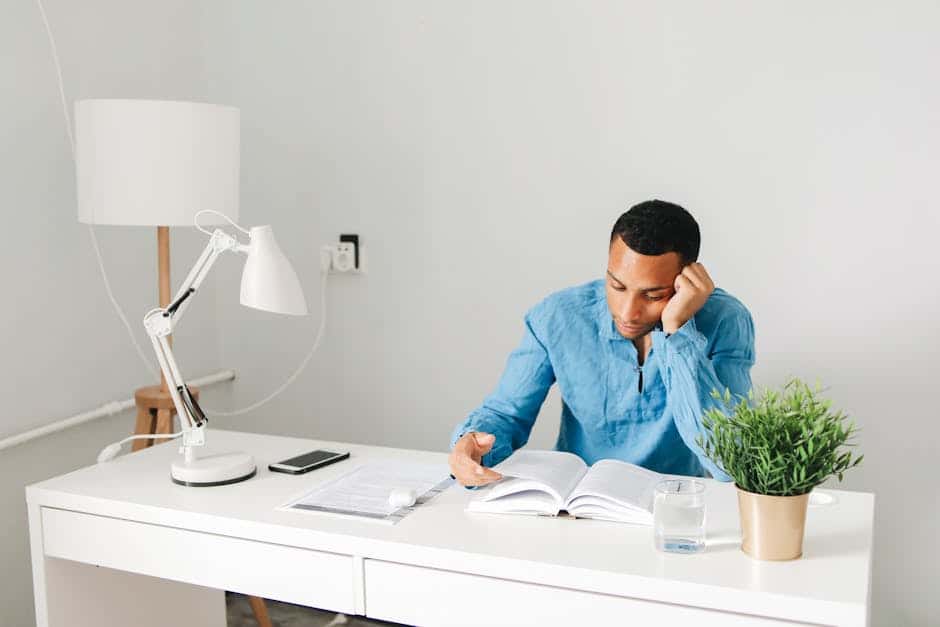
Here’s the thing: lighting directly affects your posture. When your workspace is too dark or glare-heavy, your eyes strain to see clearly. That strain triggers a chain reaction — you lean forward, tilt your head, round your shoulders. Over time, those small adjustments add up to real musculoskeletal pain.
It’s not a small problem either. According to the American Society of Interior Design, 68% of employees complain about the lighting in their office — making it one of the most common, and most overlooked, ergonomic issues at work.
The good news? The right desk lamp can fix a surprising amount of this.

Why the Best Lamp for Posture is Your Secret Weapon Against Back Pain
We often think of back pain as a “chair problem,” but it is frequently a “vision problem.” At Dims Finance, we see this all the time: a user has a high-end ergonomic setup but still hunches over their keyboard. Why? Because they can’t see their work clearly.
When lighting is inadequate, we succumb to what experts call “Computer Vision Syndrome.” This isn’t just about blurry vision; it’s about the physical compensations we make to cope with it. If your desk is too dim, you naturally lean forward to get closer to your documents or screen. If there is a harsh glare on your monitor, you tilt your head at an awkward angle to avoid the reflection.
This “craning” or “squinting” wreaks havoc on your spinal alignment. Your head weighs about 10-12 pounds in a neutral position, but for every inch you lean forward, the effective weight on your neck muscles doubles. This leads to the dreaded “tech neck” and chronic upper back tension.
By investing in the best lamp for posture, you are essentially creating a visual environment that allows you to sit back and maintain a neutral spine. High-quality task lighting, such as the Prevention by OttLite | LED Desk Lamp with Wireless Charging | ClearSun LED | Reduces Eyestrain, provides the clarity needed to keep you from “hunting” for light with your chin.
Pairing a great lamp with other ergonomic tools is even better. For instance, you can check out more info about monitor stands for better posture to ensure your screen is at the right height, further preventing that forward lean.

Essential Features of an Ergonomic Task Light
Not all lamps are created equal. If you grab a random $10 lamp from a big-box store, you might actually make your posture worse by introducing flicker or poor color contrast. To find the best lamp for posture, we need to look at the science of light.
Lumens vs. Watts: The Modern Standard
In the old days, we bought bulbs based on wattage. Today, wattage only tells you how much electricity a lamp uses. For ergonomics, we care about Lumens (brightness) and Lux (how much light actually hits your desk).
| Task Type | Recommended Lumens | Recommended Lux |
|---|---|---|
| General Computer Work | 400 – 550 | 300 – 500 |
| Reading & Writing | 500 – 800 | 500 – 750 |
| Precision Work (Drawing/Repair) | 800 – 1000+ | 1000+ |
The Kelvin Scale and Color Temperature
Color temperature is measured in Kelvins (K).
- 2700K – 3000K (Warm White): Best for late-evening work to help you wind down.
- 3500K – 4100K (Neutral White): The “sweet spot” for all-day focus.
- 5000K – 6500K (Cool White): Mimics daylight; great for morning energy but can be harsh at night.
Color Rendering Index (CRI)
This is a big one. CRI measures how accurately a light source reveals the true colors of objects. A low CRI makes everything look muddy, forcing your eyes to work harder. For an ergonomic setup, we recommend a CRI of 90+. This makes text sharper and reduces the subconscious eye strain that leads to slouching.
For a deeper dive into how these specs influence your work, see our detailed guide to desk lamps for productivity and focus. If you want a lamp that hits all these marks with professional-grade engineering, the Humanscale Nova Adjustable Desk Lamp | Ergonomic LED Task Light – Relax The Back is a gold standard in the industry.
7 Top-Rated Models to Improve Your Workspace
We’ve researched dozens of options to find the lamps that offer the best adjustability, light quality, and ergonomic benefits. Whether you need a space-saving clamp or a mood-boosting therapy light, these seven models are designed to keep you sitting tall.
1. Humanscale Nova: The Best Lamp for Posture with Forever Hinges
The Humanscale Nova isn’t just a lamp; it’s a piece of ergonomic machinery. The standout feature here is the “Forever Hinges.” Most cheap desk lamps eventually start to droop or lose their “grip,” forcing you to adjust your body to the light rather than the other way around. The Nova stays exactly where you put it.
With counterbalance arms and 180-degree rotation, you can position the light perfectly to avoid screen glare. It offers a CRI of 91+, meaning the light is incredibly crisp and natural. We also love the built-in occupancy sensor—it turns the light off when you walk away, which is great for the environment (and your electric bill). It’s backed by a 10-year warranty, making it a true investment in your long-term health.
2. Lumie TASK: The Best Lamp for Posture and Circadian Health
If you struggle with the “afternoon slump” or live in a place with dark winters, the Lumie TASK is a game-changer. It’s one of the few lamps that combines high-end ergonomics with 10,000 Lux bright light therapy.
By mimicking natural sunlight, it helps regulate your circadian rhythm, boosting your serotonin levels and keeping your energy high. When you’re tired, your posture is the first thing to go—you start to “melt” into your chair. The Lumie TASK keeps you alert and upright. It features a CRI of 95+ and broad-spectrum LEDs for ultimate visual comfort.
Check out the Lumie® TASK in Charcoal Blue Bright Light Therapy Desk Lamp ( CRI 95+, 10,000 Lux) for a professional look. For more ways to stay comfortable while working, don’t forget our office chair tips for posture improvement.
3. Prevention by OttLite with ClearSun LED
OttLite is famous for their ClearSun LED technology, which is specifically engineered to match the sun’s natural spectrum. Why does this matter for posture? Because it reduces eyestrain by up to 51%.
When your eyes aren’t tired, you don’t feel the need to lean into your monitor. This model also includes a Qi-wireless charging pad and a flexible neck, allowing you to direct the light exactly where you need it without moving your whole body. It even carries the Good Housekeeping Seal, so you know the quality is verified.
4. OttLite Wellness Series Entice
The Entice model from the Wellness Series is for those who want a sleek, modern aesthetic without sacrificing health benefits. It features a beautiful aluminum arm with two points of articulation, allowing for a wide range of motion.
It offers three color temperature modes (warm, bright, and natural daylight) and dimmable touch controls. This customizability is key to maintaining a balanced visual field, which prevents the headaches and neck strain associated with “light hotspots.”
You can find the OttLite Wellness Series | Entice LED Desk Lamp with Wireless Charging for a setup that is as stylish as it is healthy.
5. Lumie TASK in Sage Green
This is the same high-performance light therapy lamp as the Charcoal Blue version but in a soothing Sage Green finish. Beyond the 10,000 Lux and 95+ CRI, the color itself can help create a “zen-like” workspace that reduces stress.
Stress often manifests as shoulder tension and a rounded back. By creating a workspace that feels natural and calm, you’re more likely to maintain a relaxed, open posture. The 5000K cool white LEDs are perfect for those high-focus morning sessions.
Explore the Lumie® TASK in Sage Bright Light Therapy Desk Lamp ( CRI 95+, 10,000 Lux) to bring a bit of nature indoors.
6. OttLite LED Floor Lamp with Tablet Stand
Sometimes the best lamp for posture isn’t on your desk at all—it’s standing next to it. This floor lamp is ideal for those who have cluttered desks or use height-adjustable standing desks.
The height adjusts from 47.5 to 64 inches, and the flexible neck ensures the light always comes from the side (the optimal angle to prevent glare). It also features a built-in tablet stand and USB port, which is perfect for “hands-free” reading. By holding your tablet for you at eye level, it prevents the “C-curve” spine that happens when we look down at devices in our laps.
Take a look at the LED Floor Lamp with USB and Tablet Stand for total workspace flexibility.
7. Ergonomic Monitor Light Bar
Monitor light bars (or screen bars) are a relatively new ergonomic trend, and we are big fans. They sit on top of your monitor and use an “asymmetric optical design.” This means they illuminate your desk surface perfectly while casting zero reflection onto the screen itself.
This creates a balanced visual field where your screen doesn’t feel like a harsh, isolated light source in a dark room. It’s like “bias lighting” for your productivity. By reducing the contrast between your screen and the surrounding area, it significantly lowers eye fatigue. For more tips on this setup, see our list of top desk lamps to boost productivity and focus.
How to Position Your Lamp to Prevent Slouching
Even the world’s best lamp won’t help your posture if it’s positioned incorrectly. In fact, a poorly placed lamp can cause “reflected glare,” which is just as bad as a dim room.
The 30-45 Degree Rule
Your task lamp should be positioned to the side of your monitor, roughly 30 to 45 degrees away from your line of sight. If you are right-handed, place the lamp on your left side (and vice versa) to prevent your hand from casting shadows on your work.
Manage the Glare
Positioning your desk so a window is to your side, rather than in front or behind you, can solve over 80% of glare issues. Your lamp should follow the same logic. Never place a bright light source directly in front of you (which causes direct glare) or directly behind you (which reflects off the screen).
The “Paper Test”
To see if your brightness is balanced, hold a white piece of paper next to your monitor. If the paper looks significantly brighter or dimmer than the white background of your screen, your eyes will have to constantly readjust as you look back and forth. Adjust your lamp’s dimming levels until the paper and the screen “match” in intensity.
For a complete ergonomic overhaul, consider how your lamp placement interacts with your screen height. You can find monitor stands that promote better posture and comfort to ensure your entire visual field is optimized.
Frequently Asked Questions about Ergonomic Lighting
How does a desk lamp help prevent neck and back pain?
A desk lamp prevents pain by providing enough visual clarity that you don’t have to lean forward or tilt your head to see. By reducing eye strain, it eliminates the “trigger” that causes you to abandon your neutral posture. When you can see clearly from a seated position, you are much more likely to keep your back against your chair’s lumbar support.
What is the ideal brightness (lux) for computer work?
For general computer tasks, aim for an ambient brightness of 300-500 lux. If you are doing precision tasks like reading small print or drawing, you may need up to 750-1000 lux. The key is to have a dimmable lamp so you can adjust the brightness based on the time of day and the specific task at hand.
Why is a high CRI important for reducing eye fatigue?
CRI (Color Rendering Index) tells you how “true” colors look under a light. A high CRI (90+) makes text look sharper and colors more vibrant. When CRI is low, everything looks slightly “off” or “blurry” to the brain, even if the bulb is bright. This causes subconscious eye fatigue, which eventually leads to physical fatigue and slouching.
Conclusion
At Dims Finance, our mission is to provide science-based ergonomic advice that helps you work smarter and feel better. We know that preventing Repetitive Strain Injuries (RSIs) requires a holistic approach—it’s not just about the chair or the keyboard; it’s about the entire environment.
Choosing the best lamp for posture is one of the easiest and most effective upgrades you can make to your home office. By prioritizing features like high CRI, adjustable color temperatures, and flicker-free LED technology, you are protecting your eyes and your spine simultaneously.
Ready to build the ultimate healthy workspace? Browse our full collection of ergonomic desk accessories to find everything from monitor arms to the perfect task light. Your back will thank you!